Curser alignment
Completed
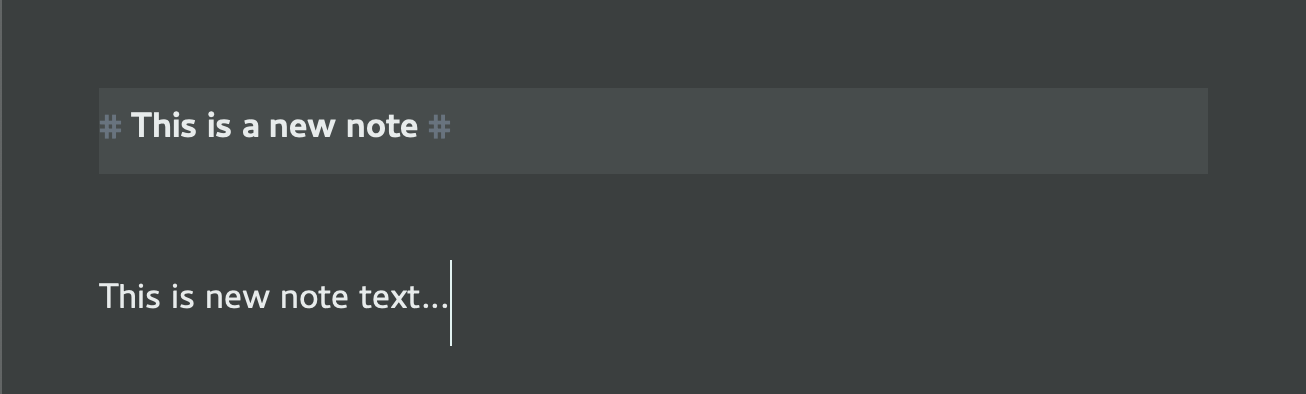
Experiencing erratic curser alignment issues. Sometimes the curser lines up in between characters — this is expected, and sometimes the curser is directly placed over the character causing confusion as to what character it's near.
-

Finally...someone else sees what I'm seeing. I'm tracking the same issue over here: https://multimarkdown.zendesk.com/hc/en-us/community/posts/360033743933--BUG-Erratic-insertion-point
0 -

Forgive me, but what is going on with that cursor? I've never seen one so big, and I don't know how you've accomplished this or how it might affect visual placement.
0 -
Hey Brett — it's been like this since first install and through subsequent updates. This is not happening in any other application ( VSCode, iA Writer, MultiMarkdown Composer, Drafts, TextEdit )
I believe I am seeing the same issue on my home Mac, but I need to confirm. I don't believe anything in Preferences was changed. I can attach screenshots of settings if necessary.
I am not using zoom or assistive settings. I am syncing to an iCloud folder.
William — thanks for the link. I should have tried harder to find your thread.
 0
0 -
Ok, you're not crazy, I'm crazy. It's just matching line height. So that does nothing to narrow down the issue. Please jump over to Williper's thread linked above and add to the conversation there. Be sure to include what fonts/zoom levels you're using.
0 -

Cursor height is related to line height. Should not affect horizontal position and never has for me.
Mark and Williper -- can you post screenshots of your preferences (e.g. Appearance and editing). And when you post screenshots of the editor to demonstrate the problem, please post the entire window. I know you're trying to be helpful by focusing on the problem, but you cut out important information.
Once you have those screenshots, then please:
1. Quit nvUltra
2. `defaults delete com.multimarkdown.nvultra` so that we are starting fresh.
Then rerun nvUltra and DON'T CHANGE ANYTHING -- don't change preferences, don't toggle features on/off, nothing except opening a folder and using the mouse to move around, and editing the document. (that way you don't get trigger-happy and fire off some menu hotkeys accidentally. ;)
If the problem occurs then, there is really something strange going on. Information like macOS version, machine type, monitor type and resolution settings, etc. would be useful at that point and I'll have to keep digging.
If the problem does not occur, THEN, AND ONLY THEN, start using the normal features and preferences you would like to use. But if possible, try to use them one at a time to see if we can narrow in on the issue.
Thanks!!!!!!
0 -
Hey Fletcher — I will post this at Williper's thread as per Brett's suggestion.
Thank you!
0 -
Either is fine by me -- just want to get to the bottom of it!!
Thanks!!
0
Please sign in to leave a comment.
Comments
7 comments