Update error
Completed

It is running from Applications, not Downloads. Somebody is confused...
-

You can try to update again and see if it works, otherwise may have to download again.
I had that happen with nvUltra, but only after we enabled sandboxing. I know Sparkle struggled to get things working with Sandboxing, and it generally works for me. But I suspect it's not 100%.
I build Composer and Converter with a script, so it is done the same way every time. So there is no reason to suspect something different is happening between versions, and Composer has worked fine for me with each update. (That's not to say it's impossible that I am doing something wrong, but it does somewhat mitigate that risk....)
So just download from scratch and replace that copy.
0 -
I saw this dialog so I manually downloaded a fresh beta. New copy (more recent build) did the same. Hence, reporting this…
0 -
What OS are you on?
0 -
12.3 Monterey (iMac Retina 5K, 27-inch, 2019)
0 -
No longer seeing this issue with MMDComposer beta (Version 5.0.0 (2022.03.19.18.00))
Not clear if something changed on my end, or with the app.
MMDConverter (Version 2.0.0 (2022.03.16.11.34)) is still displaying this error
0 -
I can't 100% swear it's not something I have done wrong, but it is certainly not reproducible and not affecting everyone. I haven't changed anything in the way I build the apps that should affect this (again, that I know of....)
Will keep looking.
0 -
Totally get it. Cosmic dust occasionally gets in the gears...
It is curious, though, how MMDComposer is now happy but MMDConverter is still grinding the dust.
0 -
Just pushed new updates to both -- curious whether they work for you.
0 -
Still seeing this issue with the latest betas. Perhaps I should dissect my system to see if I have a peculiarity running...
0 -
I'll keep looking out for an explanation, but no recent troubles on my machines. Though as I mentioned, I have seen this once in nvUltra, but it went away after I deleted the app and downloaded again.
0 -
I deleted all traces of MMDComposer and MMDConverter (myriad support files in myriad locations of my system) and redownloaded the betas. Update system seems to be happy right now.
Note: previously, when I deleted the apps but not the support files, new downloads did not fix the issue.
0 -
Interesting. Let me know if it breaks again.
0 -

Fletcher Penney I just started getting this update error. On 15.4 (24E248), I haven't updated to latest OS update yet.
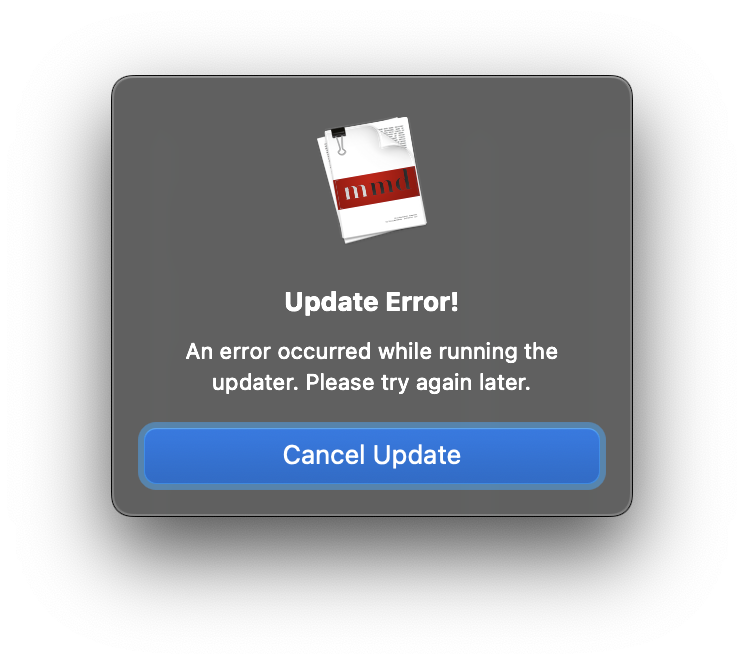 0
0 -
Paul Solt – I haven't seen that one before (or at least not that I can remember…)
Might have to just try downloading and installing fresh.
0 -

Seeing this message: “MMDComposer5 can’t be updated if it’s running from the location it was downloaded to.” I did move it from downloads to Applications and I've tried deleting the app and redownloading.
Any clues?
(Really enjoying the app, by the way, best markdown writing app I've tried)
0 -
I would reboot your computer.
0 -
And thanks for the kind words!!
0 -
No worries, mate. Rebooted and no change, same message.
0 -
Interesting….
Digging around turns this up – https://github.com/sparkle-project/Sparkle/discussions/2688
Looks like that page describes some ways to *not* install an App, so I guess do it the way they don't describe? Download zip. Unzip it. Move the app where you want it.
0 -
For the next build I'll see if there's an update to Sparkle I can try as well.
0 -
As suggested in the discussion, I tried moving it from Applications to Downloads and back. Seems to have fixed the problem.
Thanks!
0 -
Peter Brace – glad to hear it!!
0
Please sign in to leave a comment.
Comments
22 comments