How do attachments work?
Completed
I'm a new beta tester and I would like to get a better understanding of how attachments should work. I'm now running version 1.0.0 (2022.01.31.16.25) and when I drag an attachent (f.e. an image or PDF file) in a note, what can I expect then?
- That the file is being copied into the same directory as the note itself? (this is what I would prefer)
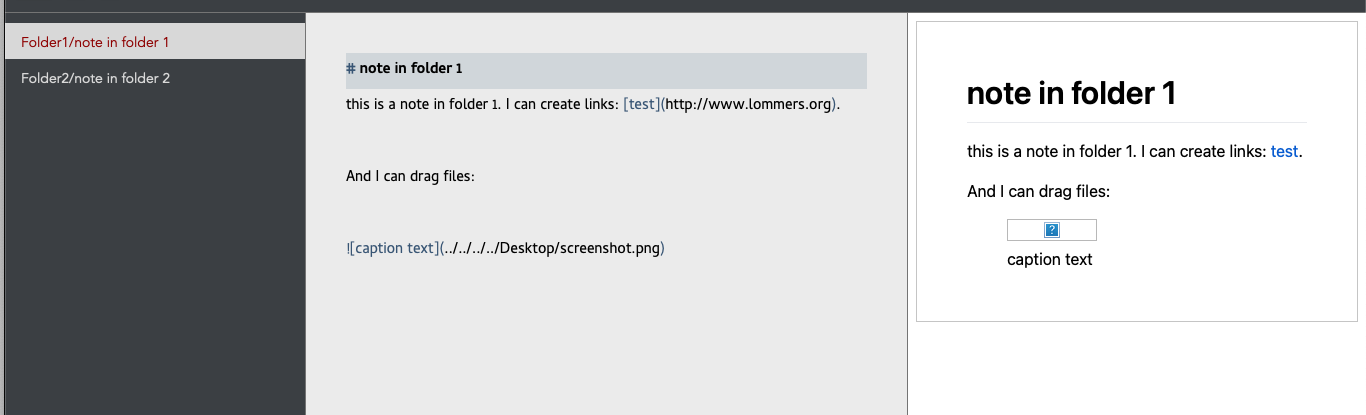
- That the file is automatically being converted into a markdown link? (because that doesn't work now, see screenshot)
So before I file a bug or something, I would like a better understanding of how this should work by-design :).
-

That is working correctly.
You dragged an image from outside your folder, so the preview cannot access the file for the preview due to sandbox limitations.
You can drag the image to the notes list if you want to copy the file into your open folder, and then you can drag the new file into a text document in order to link to it, and now it will be accessible to the preview (since the new image file is inside the folder you have open.
Do also note that when dropping text files you have the option to use Wiki Links instead of Markdown links (General Preferences).
0 -
Hey! Thanks for your (quick) response! I wasn't aware that the file should be in the same directory as the note. I did the wrong assumption that nvultra would do the copy for me. Your instructions are perfectly clear now!
0 -
Glad that solved it for you. Enjoy playing around!
0
Please sign in to leave a comment.
Comments
3 comments