menu bar unresponsive
Completed
I just fired it up for the first time, and I have three windows open:
- multimarkdown syntax guide
- preferences
- main edit window (mysteriously called "New Folder" although I never created anything called "New Folder")
I set the preferences so that the menu-bar icon is enabled and 'show dock icon' is off.
All windows are independently active. I can focus on any one at a time and interact with them 'normally'. I cannot, however, click on any of the menu-bar menus. They are inactive, as if one of the windows I have is modal, and the menu-bar is waiting for me to close that window.
If I turn off 'Show menu bar icon' and turn on 'Show Dock icon' the menus start working again, without me closing any of the three windows I have open.
-

Perhaps you can send a video showing exactly what you are doing? I am unable to replicate this in recent versions of nvUltra (I was in very old versions, say a year ago. But not recently.)
Thanks!
0 -
It is definitely reproducible, but now that I tried to, sometimes not.
The way I do it is:
- open some main nvUltra window
- type Cmd-, to open preferences
- type Cmd-/ to open whatever that is
- make the main window full screen
On my system, the full screen is wrong. Rather than moving the window to a new desktop, it full-screens onto desktop 0, and hides behind the main menu bar, meaning I cannot click on the green dot to un-full-screen it. At times, the nvUltra menu works fine, which had me puzzled, until I did a Ctrl-right-arrow to switch desktops, and then Ctrl-left-arrow to go back to desktop 0 where the nvUltra "full screen" window is. At that point, the nvUltra menu becomes inactive. I'll try and figure out how to do a screen recording....
0 -
https://www.dropbox.com/s/axj1rehwdjzlfua/Screen%20Recording%202022-01-09%20at%2013.22.57.mov?dl=0
I needed to watch this in full-screen mode to see the top menu bar.
Essentially, it shows the three windows (not that they necessarily have anything to do with it) and me making the main nvUltra "full-screen", then demonstrating that the main nvUltra menus work, and then I Ctrl-right arrow Ctrl-left-arrow to toggle desktop back and forth and then me demonstrating that the menus are not responsive, until at last I tried the weird new menu-bar icon and realised it was the stop recording button which worked.
You have to take it on faith that the mouse wandering about on the top menu bar is accompanied by mouse-clicks.
0 -
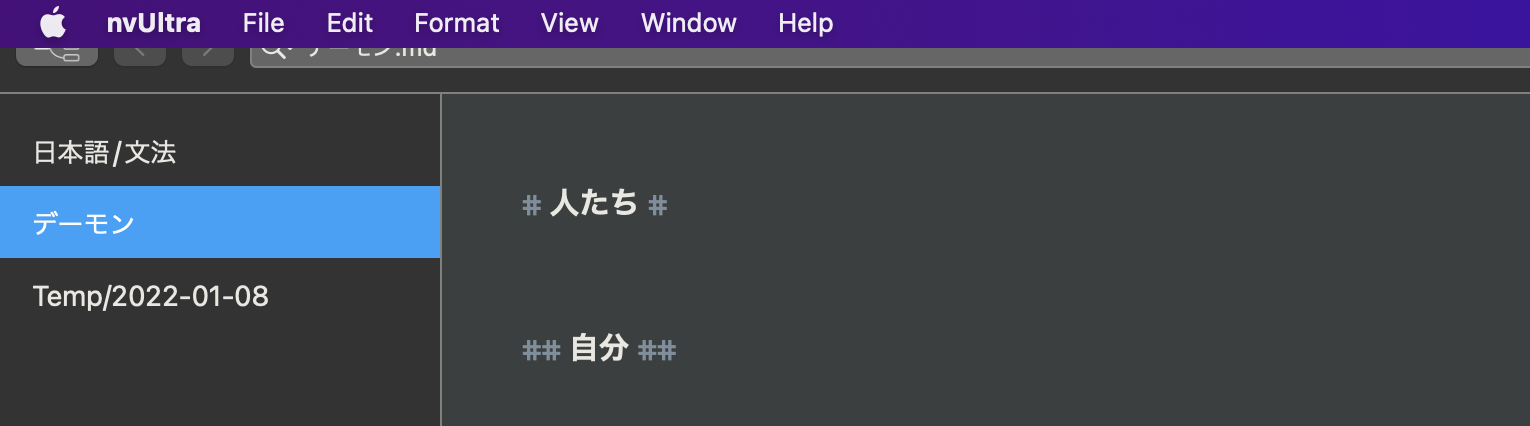
This (see below) is what I mean by it hiding behind the main menu bar in full-screen mode. Usually, full-screen apps hide the menu bar unless I linger the cursor up there and it will roll down, then up again.
Also, every other macOS app which supports full-screen I have encountered will switch to a new desktop and occupy the entire screen. This one remains on desktop 0 (actually macOS is 1-origin not 0-origin, but I am globally 0-origin).Currently, the menus are active, but if I ctrl-{right,left}-arrow, they will again go catatonic.
 0
0 -
Even if I explicitly start nvUltra on, say, an unused desktop, when I full-screen it, it moves back to the left-most desktop.
Look at this series. First, I kick off nvUltra explicitly in a new desktop: Desktop 3

Then I click on the green button to full screen it:

Ha! nvUltra does start out on a new Desktop. It was on Desktop 3, now it is on nvUltra desktop.
After capturing the above and going back to Desktop3 where Preview.app is running (to save the .png files), I next observe:

nvUltra magically switched back to Desktop 1 (aka: 0). I had no interaction with nvUltra.
This has something to do with the way, when 'show dock icon' is not selected, the 'hide' is not working correctly with full-screen mode.
0 -
This seems to be related to a change in behavior with later versions of macOS. It should be fixed in the next release -- if not, please let us know.
Thanks!
0
Please sign in to leave a comment.
Comments
6 comments