Preview occasionally loses CSS styling
Completed
I've got an occasional problem where a note's preview loses CSS styling — details below — and the only way (that I've found) to get it back is to delete and recreate the note. I've been unable to determine what the trigger is, but I have one in front of me right now that is consistently losing the styling when I change the note filename. Is this a known issue?
What I mean by "loses CSS styling": the preview is using the browser-default font (Times) and default styling for all HTML elements, ignoring the selected preview CSS. If I try to switch to a dark-theme CSS, I can see the dark version render for a tiny fraction of a second, and then immediately be replaced by the default styling.
This behavior is specific to individual notes. When I preview other notes, they appear normally. When I recreate the problem note and paste in the same content, it appears normally.
In the specific case in front of me, I found a further wrinkle. Since renaming the note was causing the problem, I created a new note with the name I wanted, then pasted in the content. It looked fine. But then I exited and reentered the note, and it lost the preview styling again. I repeated this process and this time it worked correctly.
-
Oh, and I haven't changed the stylesheet at all recently.
0 -

I have not seen this. Two things would be helpful:
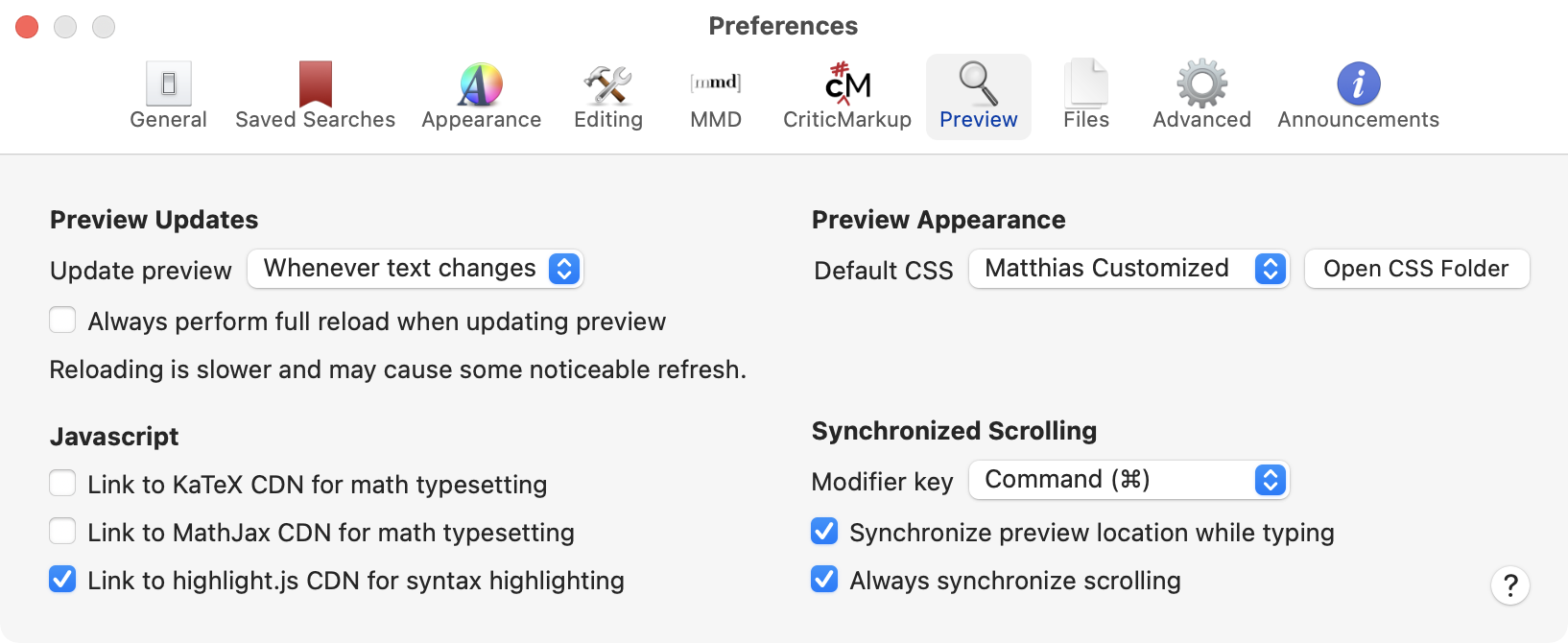
1. A screenshot of your Preview preferences (can post here).
2. A copy of the file that is causing trouble (you can attach to a support ticket to send to us privately if that's better.)
Thanks!
0 -
Thanks for looking. I doubt this will be enough to reproduce it, though, especially since it's something you haven't seen before. I can't even get it to happen consistently on my end. In any case, here are the Preview preferences:
... and a screenshot of the problem:
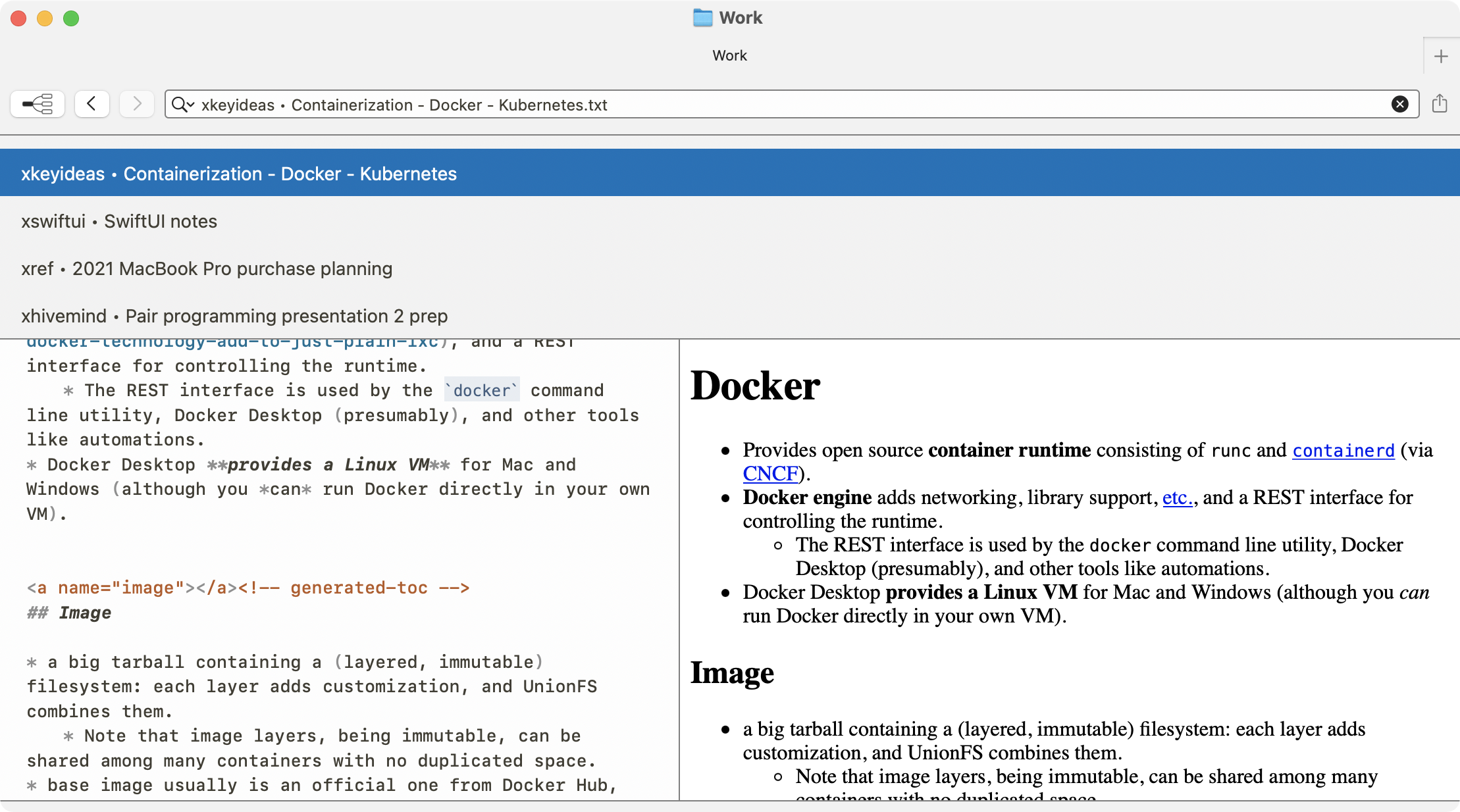
I don't see a way to submit non-image files, so I will attach the note file and (for good measure) the stylesheet in a support request as you suggested.
(The source file is long and a bit messy, and as you can see from the screenshot above, has a TOC structure that's generated by a homegrown script. I have no evidence suggesting that either of those things are related to the problem.)
0 -
Thanks for sending the file. I can replicate *an* issue, and once fixed I can see if it is *your* issue.
0 -
That's terrific!
0 -
Interestingly, your document also includes an edge case in the lists that triggered an improper nesting of `<p>` tags in MultiMarkdown. That is now fixed as well.
It seems to maintain your CSS in your file. See if the next release works better for you.
Thanks!
0 -
Check whether the new version from today resolves this for you.
0 -
A quick check indicates yes, this may well have fixed the problem. I'll see if it comes back over the next few days.
Thanks for the patch! Now get this thing to 1.0 already so I can give you some money!
0 -
:)
Glad it's better!!
0
Please sign in to leave a comment.
Comments
9 comments