nvUltra doesn't open .md files
Completed
Hi!
I recently installed nvUltra on a new MacBook Air with M1 chip.
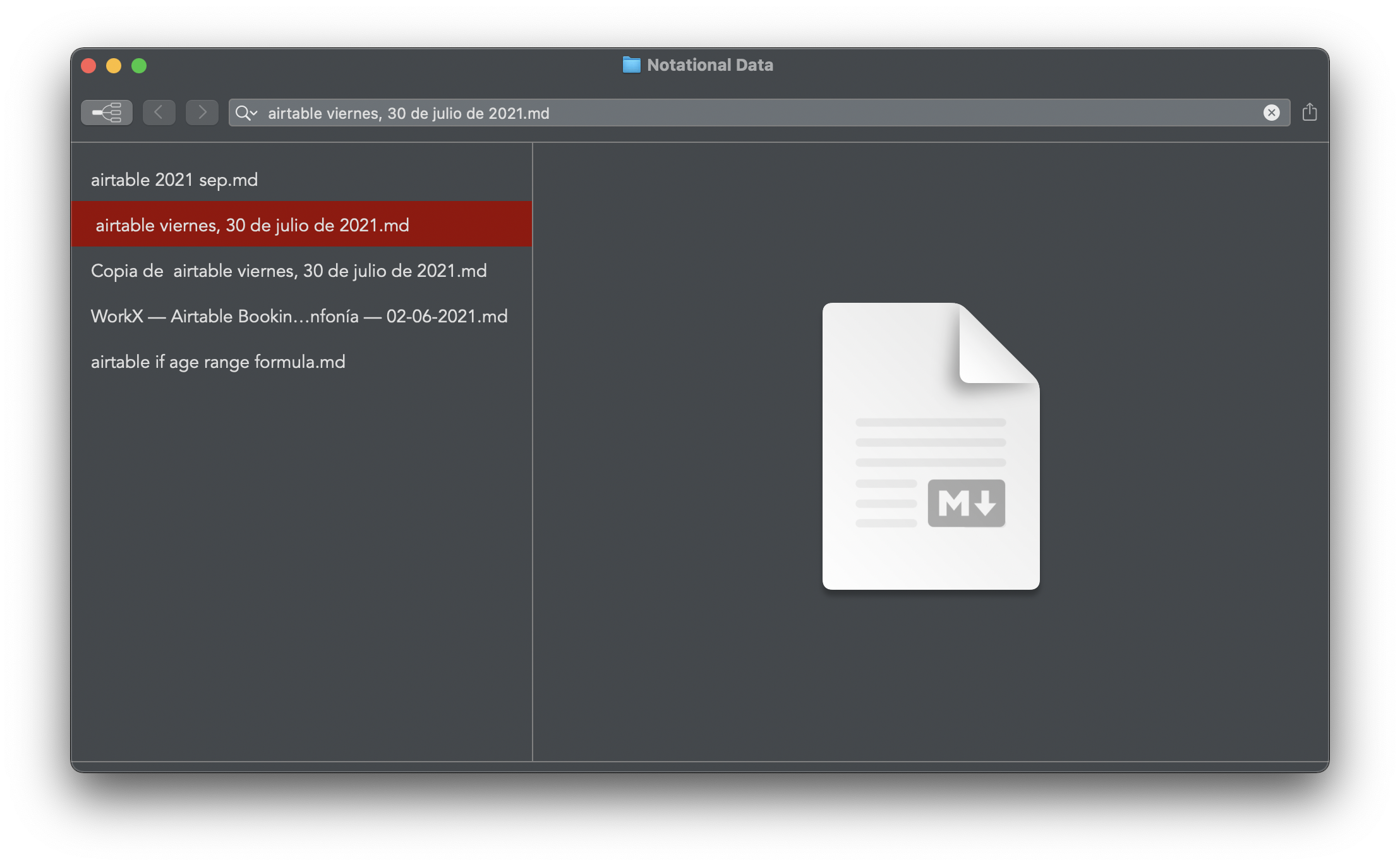
I'm unable to open any .md file when opening a folder, it just displays a preview in the note pane.
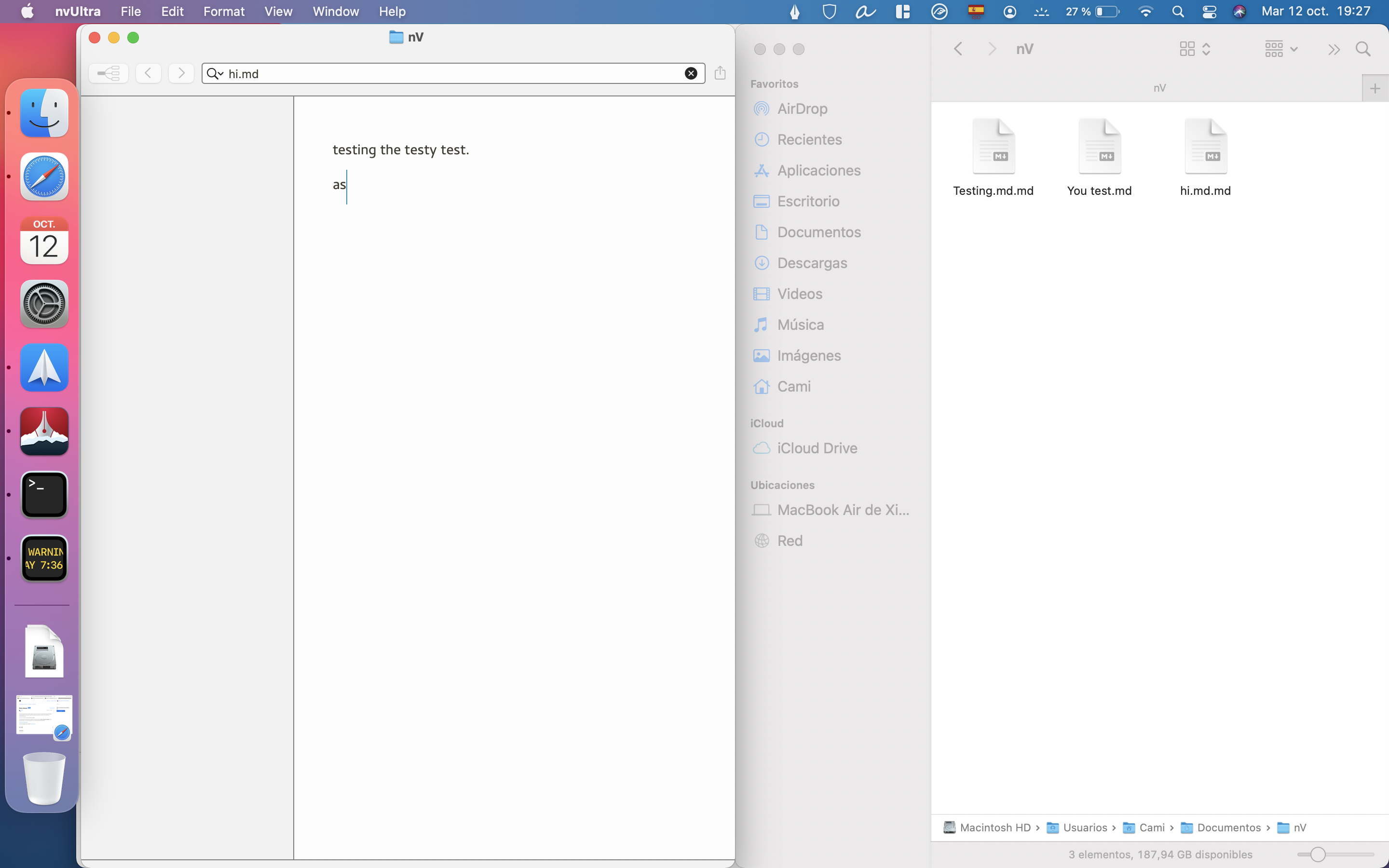
If I create a new folder and file and start typing, it works until I add another note to the folder. Also, the file thus created ends having a double extension .md.md
I enclose some screenshots and have a console log to send if requested.
-

Obviously nvUltra can edit `.md` text files. That's what it does.... 😊
I suspect another application on your computer has "hijacked" the UTI system for `.md` files. What do you get when you run `mdls <filename.md>` in Terminal?
0 -
Hi!
I get this:
_kMDItemDisplayNameWithExtensions      = "You test.md"

kMDItemContentCreationDate             = 2021-10-12 22:26:48 +0000

kMDItemContentCreationDate_Ranking     = 2021-10-12 00:00:00 +0000

kMDItemContentModificationDate         = 2021-10-12 22:26:48 +0000

kMDItemContentModificationDate_Ranking = 2021-10-12 00:00:00 +0000

kMDItemContentType                     = "dyn.ah62d4rv4ge8043a"

kMDItemContentTypeTree                 = (

    "public.item",

    "dyn.ah62d4rv4ge8043a",

    "public.data"

)

kMDItemDateAdded                       = 2021-10-12 22:26:48 +0000

kMDItemDateAdded_Ranking               = 2021-10-12 00:00:00 +0000

kMDItemDisplayName                     = "You test.md"

kMDItemDocumentIdentifier              = 0

kMDItemFSContentChangeDate             = 2021-10-12 22:26:48 +0000

kMDItemFSCreationDate                  = 2021-10-12 22:26:48 +0000

kMDItemFSCreatorCode                   = ""

kMDItemFSFinderFlags                   = 0

kMDItemFSHasCustomIcon                 = (null)

kMDItemFSInvisible                     = 0

kMDItemFSIsExtensionHidden             = 0

kMDItemFSIsStationery                  = (null)

kMDItemFSLabel                         = 0

kMDItemFSName                          = "You test.md"

kMDItemFSNodeCount                     = (null)

kMDItemFSOwnerGroupID                  = 20

kMDItemFSOwnerUserID                   = 502

kMDItemFSSize                          = 0

kMDItemFSTypeCode                      = ""

kMDItemInterestingDate_Ranking         = 2021-10-12 00:00:00 +0000

kMDItemKind                            = "Markdown"

kMDItemLogicalSize                     = 0

kMDItemPhysicalSize                    = 0
Why on earth kMDItemContentType is "dyn.ah62d4rv4ge8043a" instead of something like daring fireball is beyond me!
This is a brand new Mac, with the latest Big Sur update. I only installed Typora besides nvUltra for Markdown editing. (Typora does open the files though).
0 -
I’ll have to dig more when I get home from work, but something is assigning a dynamic UTI to the file, and knows enough to say that it’s “Markdown” but not enough to tell the OS that it’s a text file.
Most applications that handle markdown text files assign a specific UTI for this. MultiMarkdown Composer does, for example.
NvUltra doesn’t, because it technically works with folders not files. But I think I could include a generic UTI declaration.
In the meantime if you use `.txt` instead of `.md` everything should work.
Or install free version of Composer from the App Store just to install the type declaration.
Thanks!
0 -
It's weird that kMDItemKind is "Markdown", but the dynamic type information simply identifies it as a binary file of some sort, with the extension `.md`.
For now, the simplest solution is to install an application that knows what a `.md` file is. I'll look at including that in nvUltra in a way that doesn't break things.
0 -
The next build should fix this situation.
1
Please sign in to leave a comment.
Comments
5 comments