[Bug] text wrapping collision with file list
Completed
Hi there,
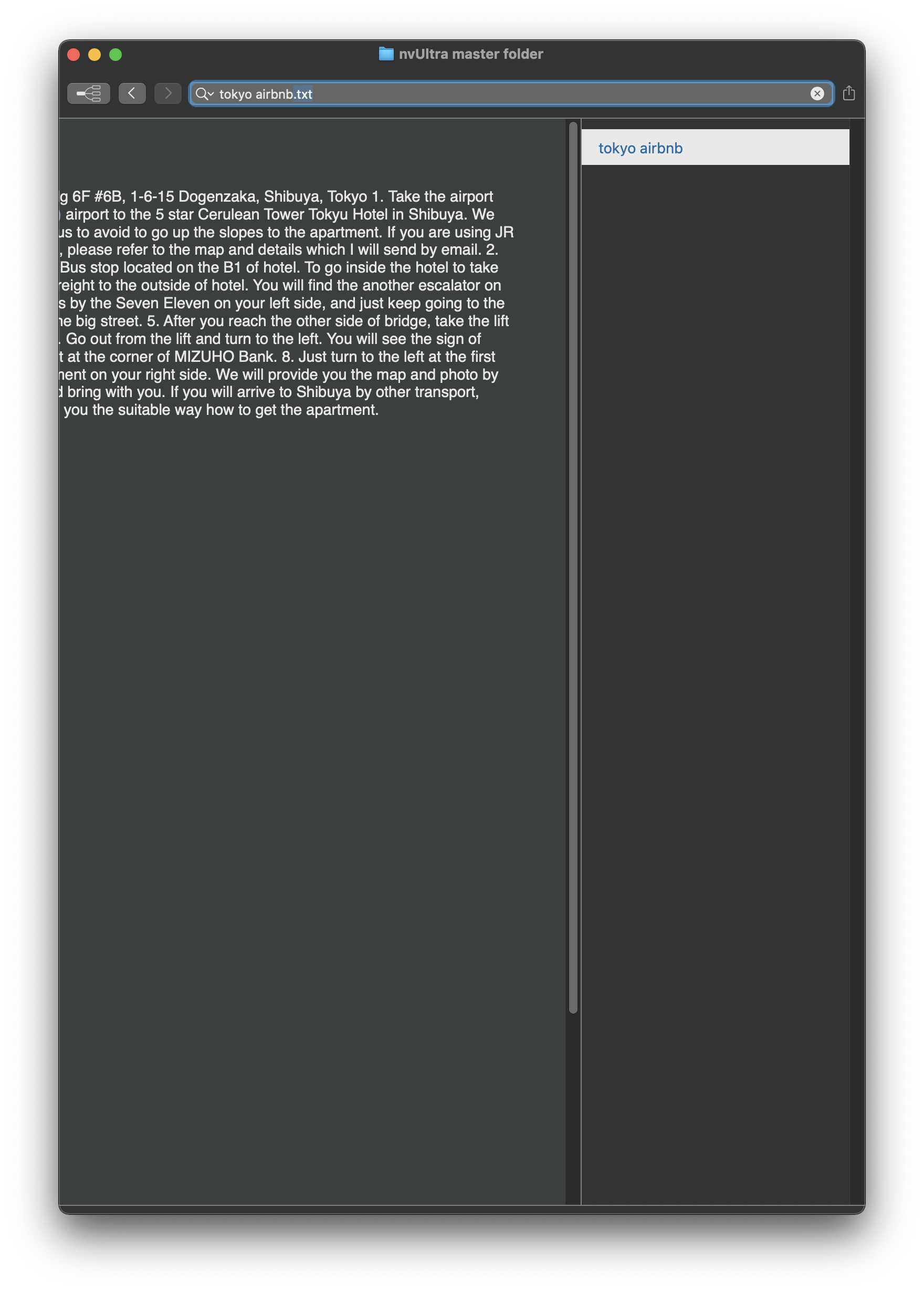
I'm seeing a persistent bug in Version 1.0.0 (2021.09.01.20.19) where the file list doesn't play nice with the text wrapping.
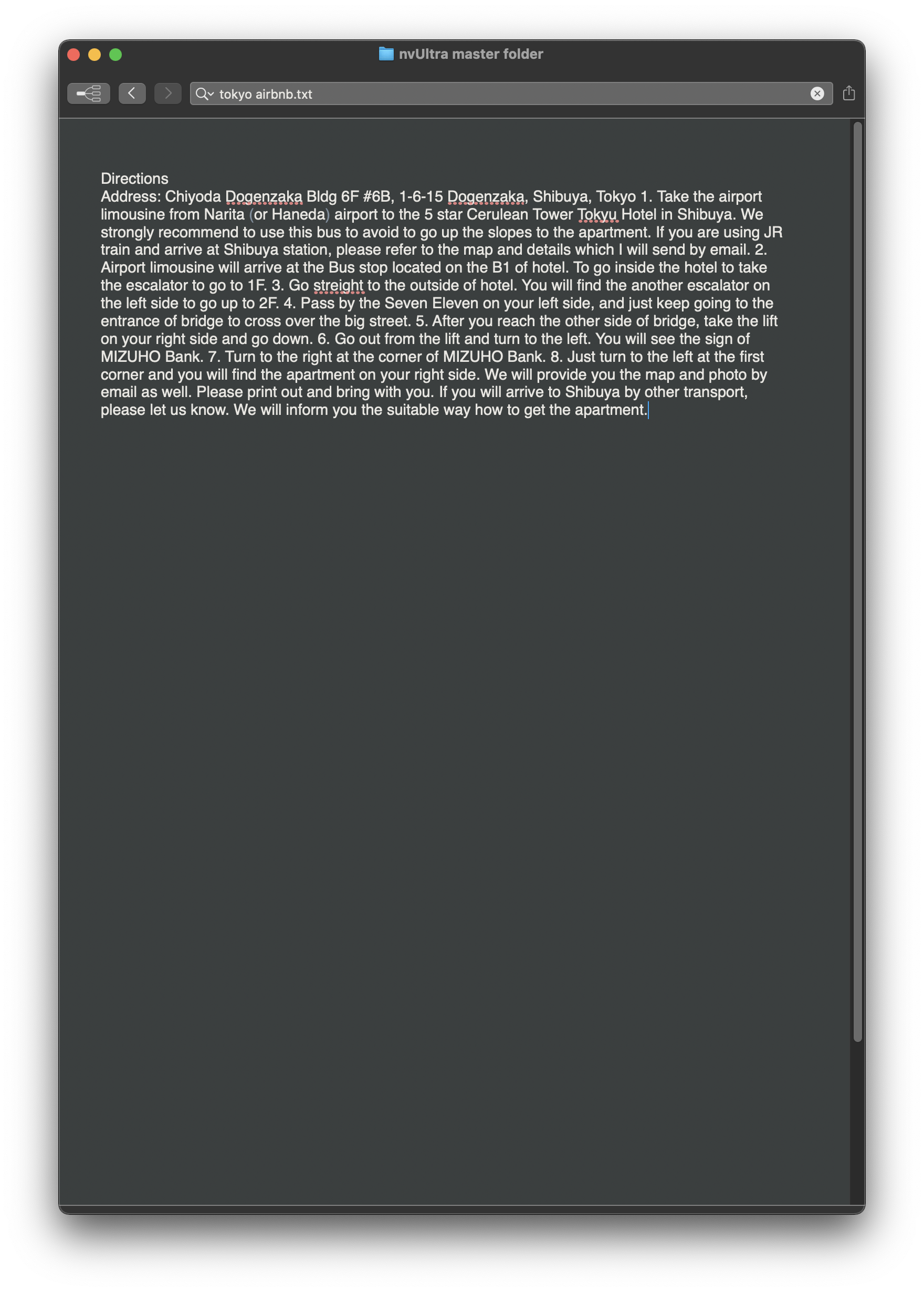
Here's a note with the file list hidden:
And here's what it looks like with the file list open:
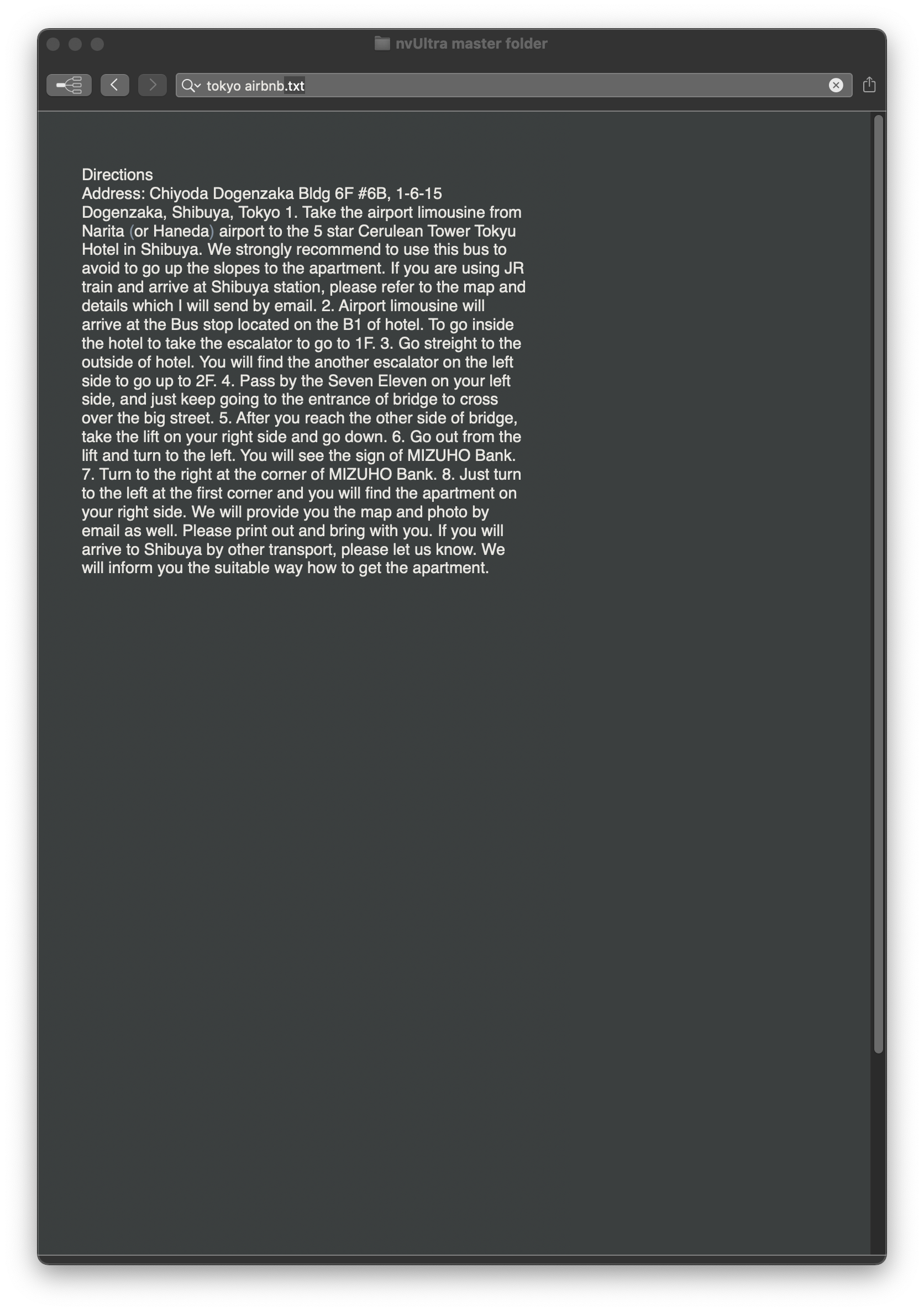
I can fix by pumping the font size up and back down... but then if I go ahead and hide the file list, I get:
I'm on Big Sur and running Default-Dark.
-adc
-

Looks like the textview dimensions aren't refreshing properly when the pane toggles on/off. I'll look into it.
Thanks!
0 -
Can you verify that this is resolved if you turn off animations? (General Preferences->Appearance->Animate layout changes)
Thanks!
0 -
(To clarify -- disabling animation should prevent the problem, but not fix it once it appears. Zooming in and back out should reset the layout. So disabling animations, then zooming the editor in/out should fix everything.)
0 -
Sadly does not fix it! Or at least — it fixes it for a little while, but then the problem re-emerges.
0 -
Long story short.... There seems to be some conflict between Auto Layout, NSSplitview, animation, and NSTextView/NSScrollview. Basically, I seem to be able to get it to work correctly with any 3 of these 4 elements.
And, at least in my case, the problem specifically occurs with nested splitviews, where the outer split changes size, causing the inner split to change size, causing the embedded Text/Scrollview to change size.
I dug around with a bunch of attempts to fix, and ultimately I don't think it's worth the effort. So I disabled animations when toggling the notes list, which *as best as I can tell* fixes the problem. Animations are still allowed when toggling the preview, because it seems that this does not cause the issue.
This fix is not in today's release, but will be in the next release after we test a couple of other new features.
0 -
See if you still have trouble with today's release.
0 -
Hey — I haven't been able to recreate the bug since I upgraded, so I think it's safe to say it's fixed! Thank you!
0 -
Excellent!!
0
Please sign in to leave a comment.
Comments
8 comments