Line numbering issue
Completed
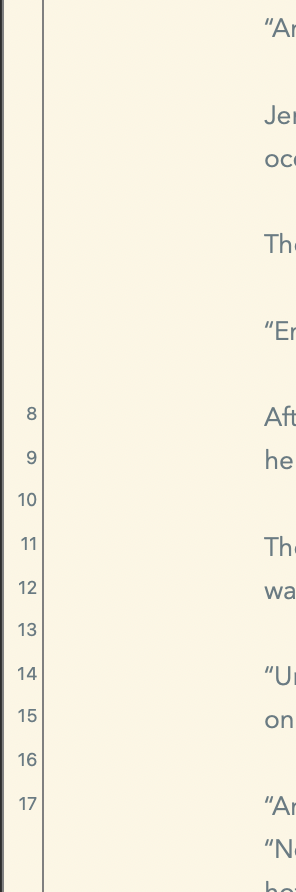
See screenshot for example. Line numbering is a bit whack-a-doodle (technical term).
It appears to begin at the 50% point of the window, regardless of whether Typewriter mode is on or off. As I scroll down the numbers disappear. In other words, the misplaced numbers vanish as they reach the 50% height point. See Screenshot 2 for example.

-

I'll need to experiment to try and figure out what is happening.
Can you post screenshot of your Appearance preferences? Are you using typewriter mode? Zoom or auto zoom?
Thanks!
1 -
The plot thickens.
I see this with Typewriter mode on or off when Typewriter height is set to 0.25.
I see it when Typewriter mode is off and Typewriter height is set to 0.5.
Do not see it when Typewriter mode is
on and Typewriter height is set to 0.5.
Have not played with other Typewriter height settings.
Note: I see a similar issue with Paragraph numbering.
I do not use zoom or auto zoom.
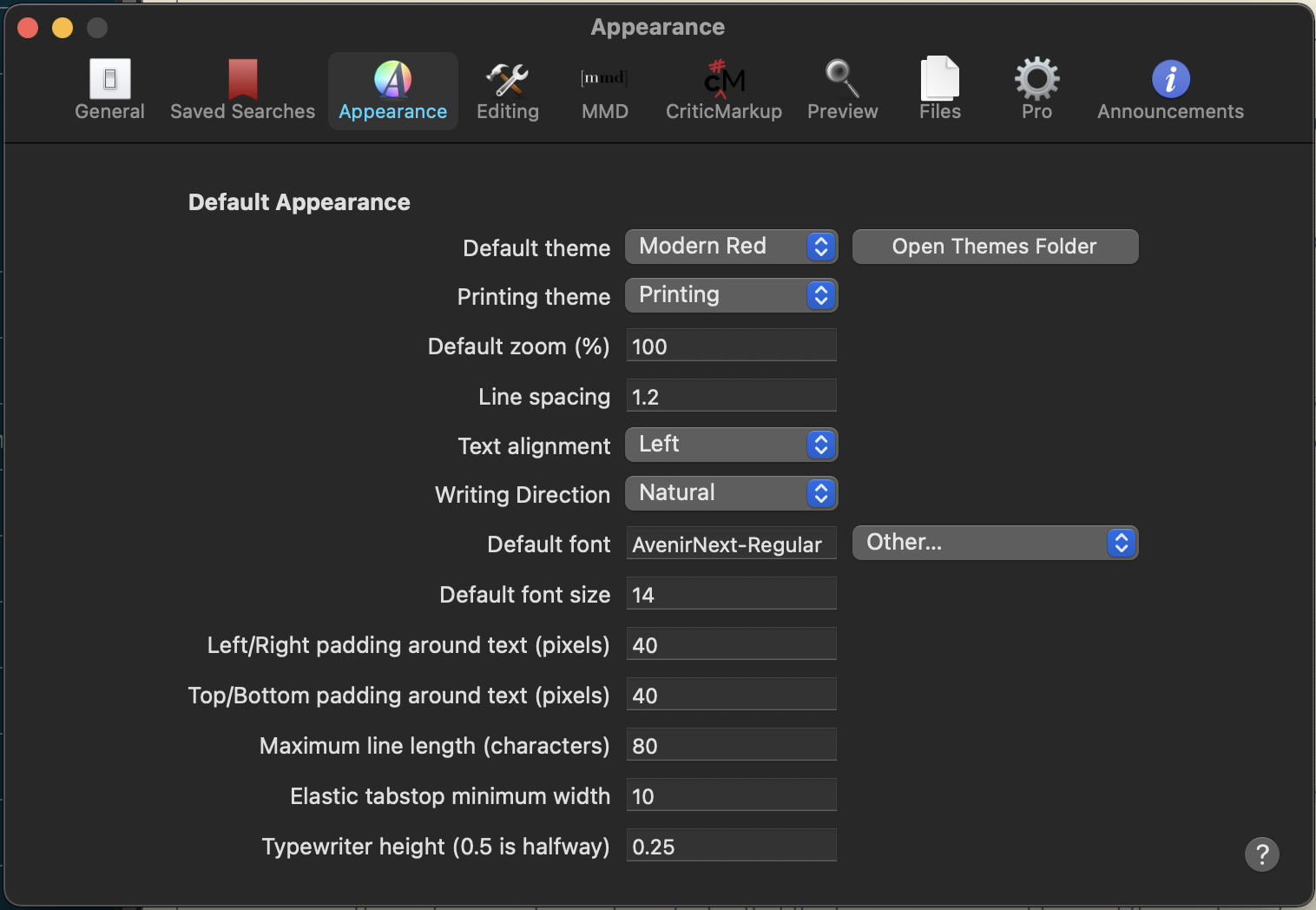
Appearance prefs settings, as per request:
 0
0 -

Happy Sunday. I just started trying out the line/para numbering, and my experience is similar. (1.0.0 Beta 78, on 16" Mac w/11.2.2 OS)
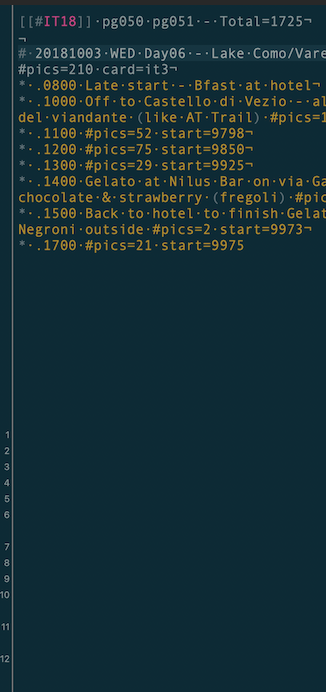
- for both Line# and Para#, numbering begins halfway down each document, and as one scrolls the numbers vanish -- this alignment problem seems to be the main problem.
- note in the screenshot below for Line#, the spacing of the line numbers corresponds with the spacing of the content, except the alignment is off.
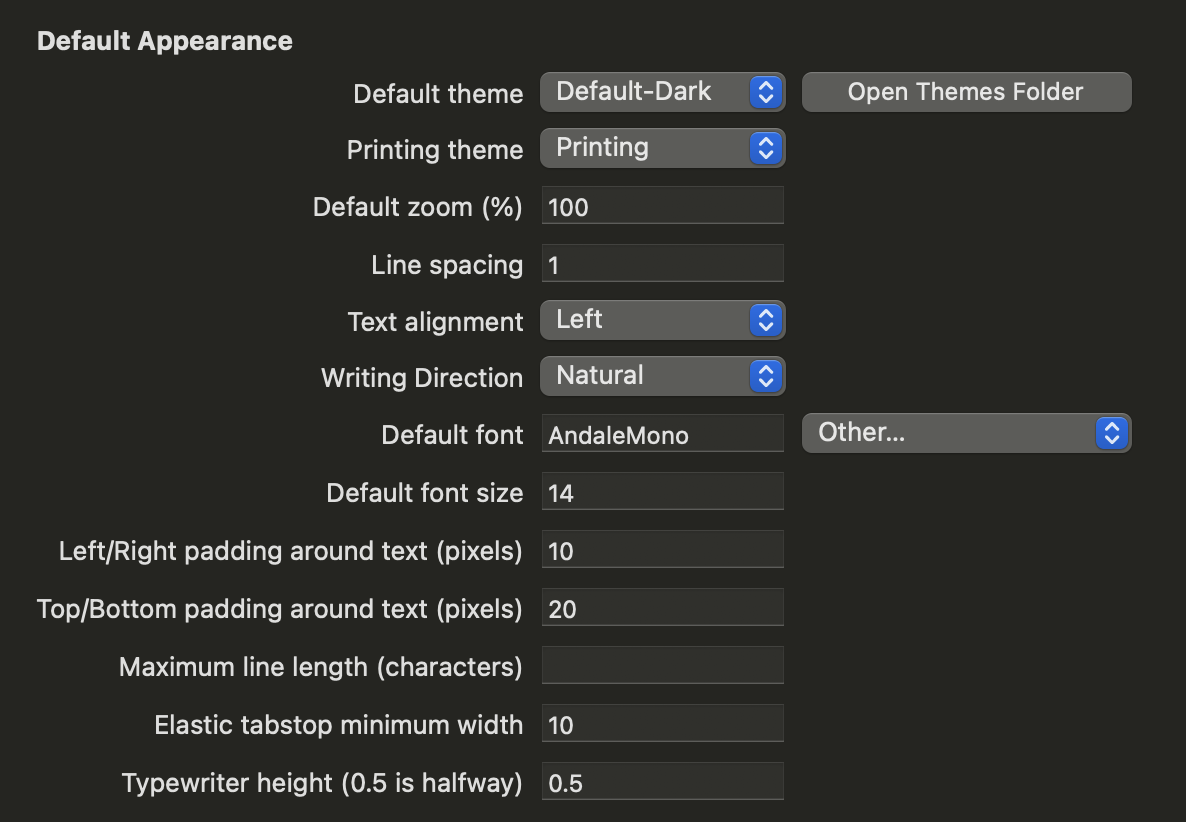
My appearance settings:
 0
0 -
Redid the code surrounding this, and will be fixed for an upcoming release.
Thanks.
0
Please sign in to leave a comment.
Comments
4 comments