Dimming folder path text portion and file extension text portion

It's hard for me to see the '/' when some notes are in folders -- would be good to dim the folder path text, including the '/', and leave the note title full brightness.
Also, would like the file extension in the note name to be dimmed, so that "My note.md" has the ".md" dimmed. I'd prefer no file extensions showing, but if .txt is allowed and other extensions, dimming makes the note title stand out, while still being able to see the extension.
These would reduce the visual 'clutter' somewhat and make it visually easier to mentally parse the names of the notes.
Thanks!
/s.
-
Update: Here's what I mean by dimming the folder paths, before and after (forgive my image editing skills):
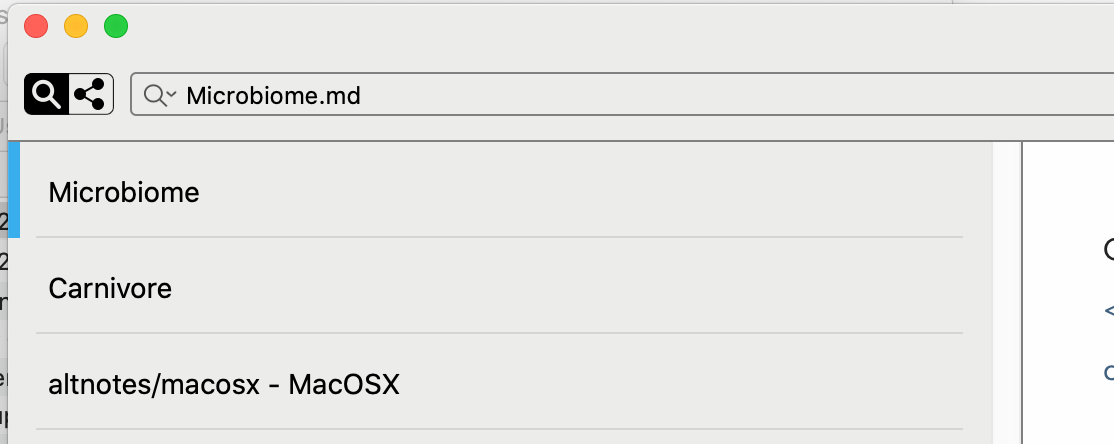
After:
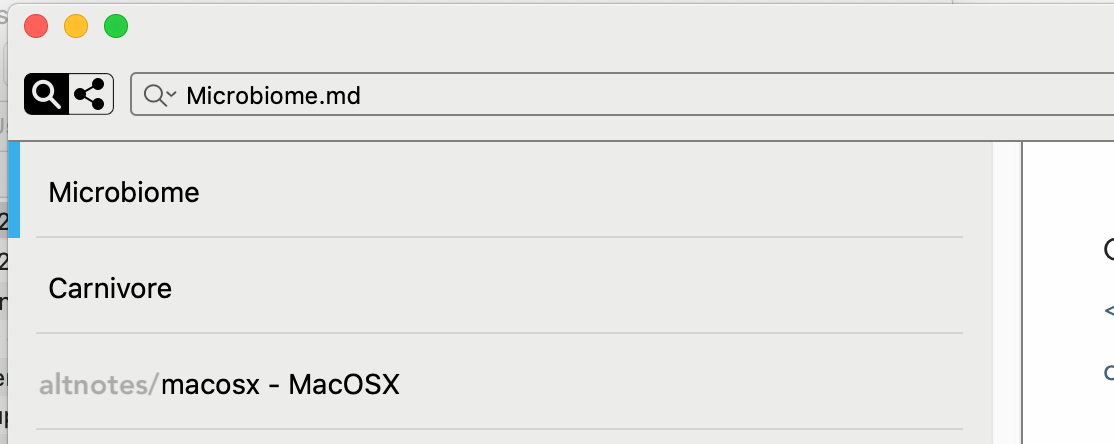 0
0 -

I'd like this a lot. But as an alternative, I could imagine putting the filename as a regular text, and any subdirectories above it in smaller text, in the manner of breadcrumbs. Something like this:
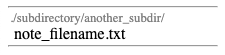
This would make it much easier, at least for me, to use a parent directory and search across subdirectories, rather than having multiple subdirectories open. As it is, using a parent directory gets very difficult, because the subdirectory names take up much of the available space for filenames:
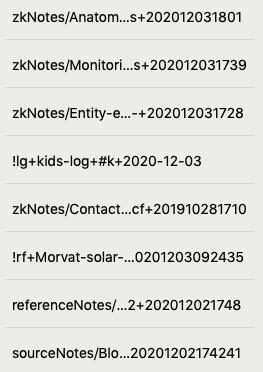 0
0
Please sign in to leave a comment.
Comments
2 comments