Crashing Bug
Completed
Easily reproducible; what follows is a minimal test case.
1. Create an empty document. Create two lines with 3 empty spaces between them, like so:
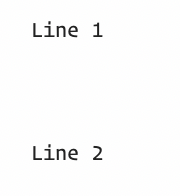
1. Place your cursor on the middle line of the three blank lines:
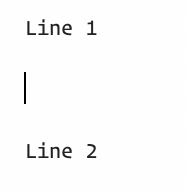 3. Now, type a backslash (\) on that line; you'll see immediately weirdness:
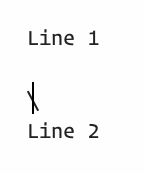
4. Hit your backspace to try to delete the backslash; the program will immediately hang. This has been repeatable for months, but I've just gotten around to creating a minimal test case. (The reason I keep running into it is that on my MacBook Pro I use Fn+Delete to forward delete, but if I miss the Delete key, I end up typing the backslash just below Delete, and trying to get rid of this backslash is nigh impossible.
-

The "weirdness" is due to your font. Change to Avenir, for example, to see the normal line break character. Or disable "Show Linebreaks".
I can't replicate the difficulty with backspace or having a hang.
What font are you using?
0 -
This got moved to a support ticket, but the short version is:
1. The font being used did not have a glyph for "NOT SIGN" (U+00AC http://www.unicode-symbol.com/u/00AC.html). This caused issues when that glyph was called.
2. A future update will turn off "Show Linebreaks" when it detects that the required glyph is not available.
Thanks!
0
Please sign in to leave a comment.
Comments
2 comments