Text input lag, high system resource usage
Completed
With the new beta (66), suddenly all my text input is lagged. So I type and a few seconds later multiple characters appear at once as it catches up. I thought it was just my computer a few days ago when I updated to the newest beta so I didn't report it, but it persists no matter how many times I reboot and restart the app. It wasn't doing this with the previous version. Also, CPU usage is instantly jumping to near 100% in Activity Monitor, causing my fan to come on whenever I use the app.
I'm using a 2014 MacBook. 2.6 dual-core i5, 8 gb ram, running the latest version of Catalina.
I have no idea how to track what is causing this. Suggestions? I'll send you what you need.
-

Are you indexing a large folder, particularly a large number of PDFs?
0 -
Fairly large, I suppose. Around 3000 text files. All text, most not very long, just a few snippets.
0 -
Is the folder being indexed when CPU usage is pegged?
0 -
No, the high CPU usage is whenever I switch focus to the app and start doing something in it. Such as now.... switch, start typing, a few seconds later fans come on.
0 -
https://multimarkdown.zendesk.com/hc/en-us/community/posts/360039250034-How-to-properly-report-a-bug
See "nvUltra runs too slowly"
0 -
Unfortunately I can't install xcode. Wish I could. But this MacBook only has an 128ssd, so at any given time I usually only have < 10 gb free, which isn't enough to install it (nor do much else. Even photos complains a few times a week about not having enough free space to sync photos. ...I really need to upgrade one of these days)
I will keep playing around and see if I can't figure something out. If I do, I'll let you know.
One thought: many of my text files contain Japanese. Could that have something to do with it?
0 -
Can you send an example of one of your Japanese files? I can see if there is something different about it that is causing problems.
I test with a few files in multiple languages and character sets (CJK) but sometimes real world files stumble into edge cases.
0 -
Sure, here is one of the files that definitely shows a slowdown: link
(I zipped it up so that putting it on Dropbox wouldn't change anything in the file itself, formatting or whatnot; not sure if that was necessary)
0 -
Zipping may or may not be strictly necessary, but definitely safer to do it.
I didn't see anything obvious. I made a folder with 500+ copies of the file and opened it. It indexed no problem, and editing it didn't cause any trouble.
Can you send screenshots of your preferences?
0 -
Is this still happening?
0 -
Sorry for my delayed response. Between work and chasing the kids, it's sometimes days in between being able to use the computer.
Anyway, I just downloaded the newest beta, and yes, it is still happening and seems even worse.
Here is a screenshot of my preferences:
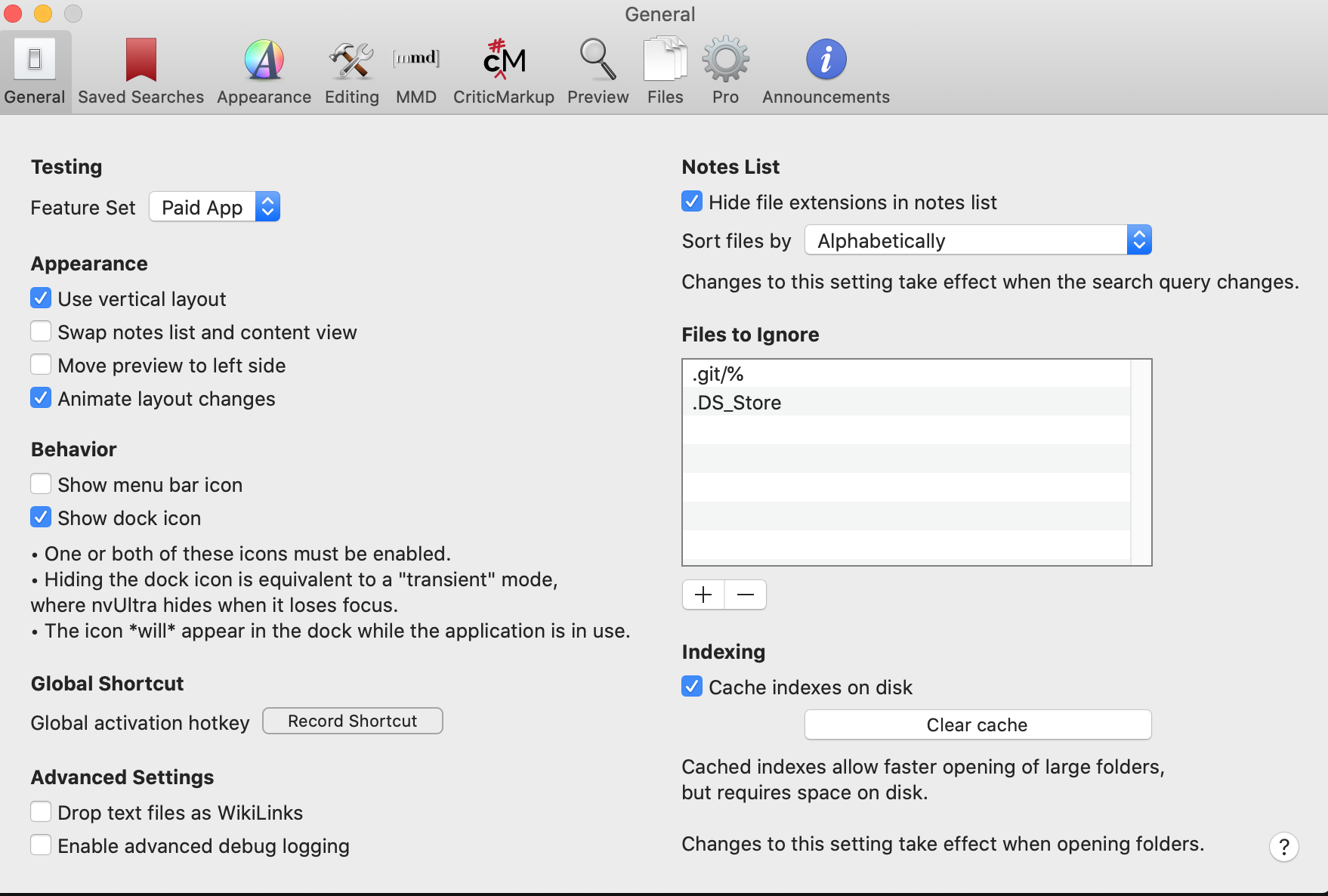
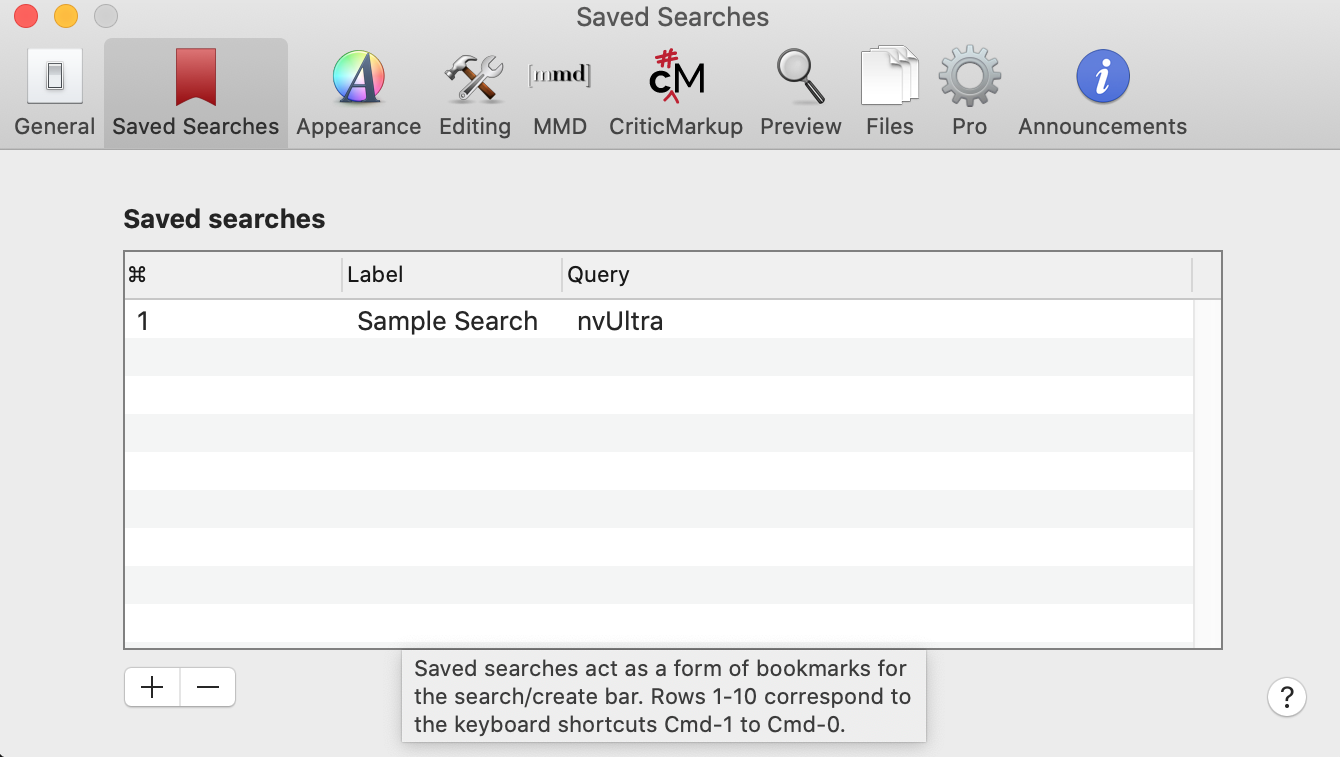
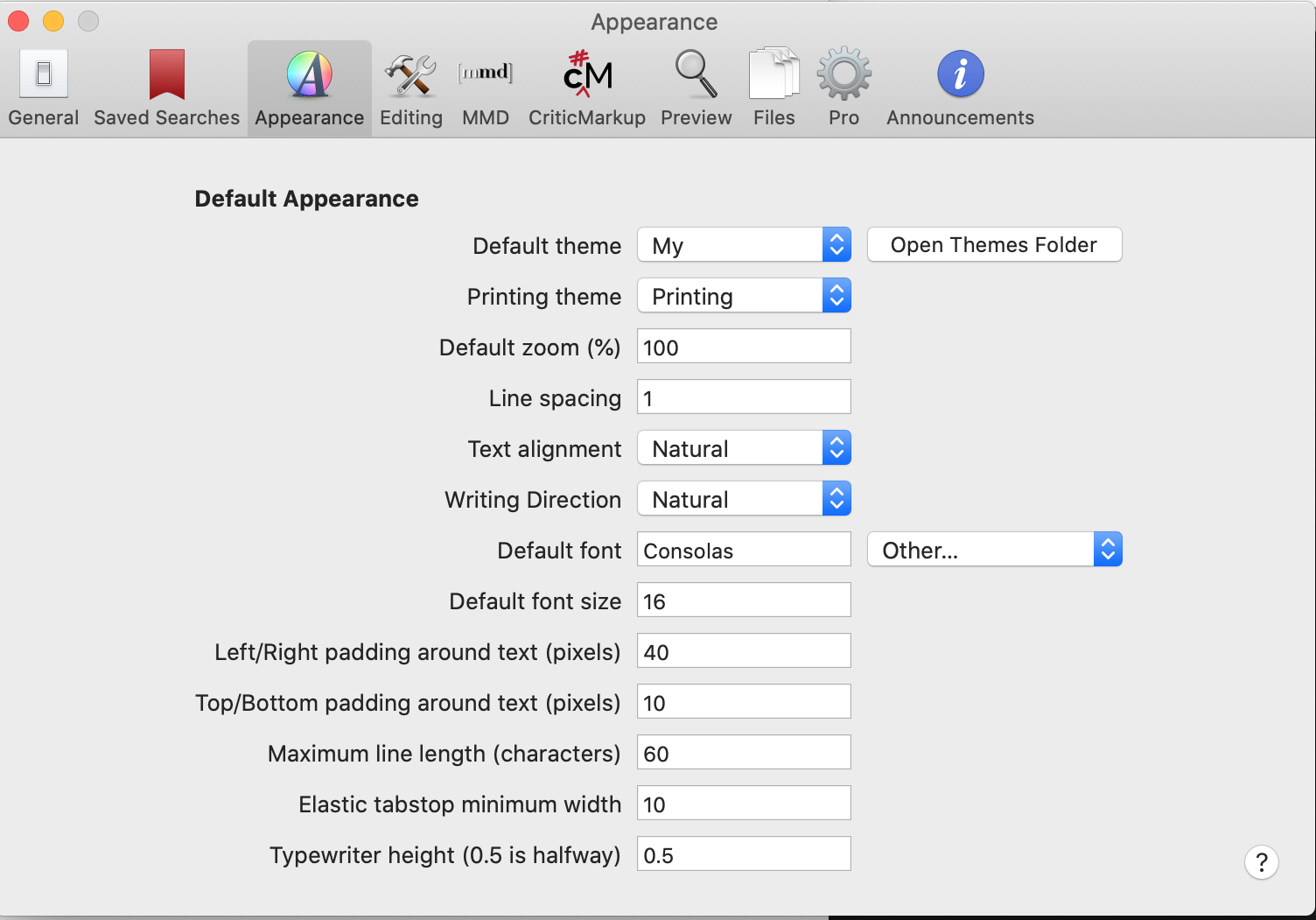
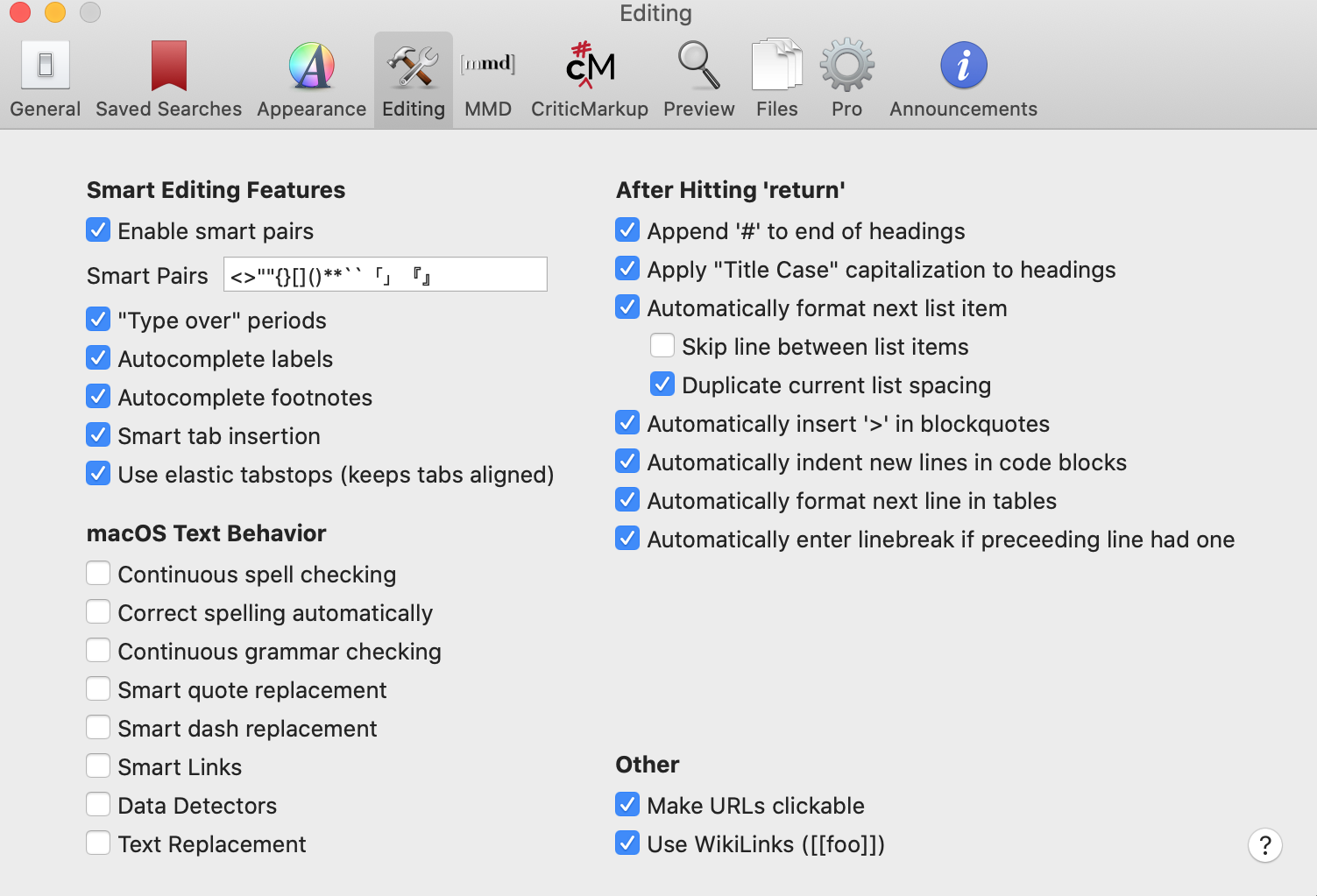
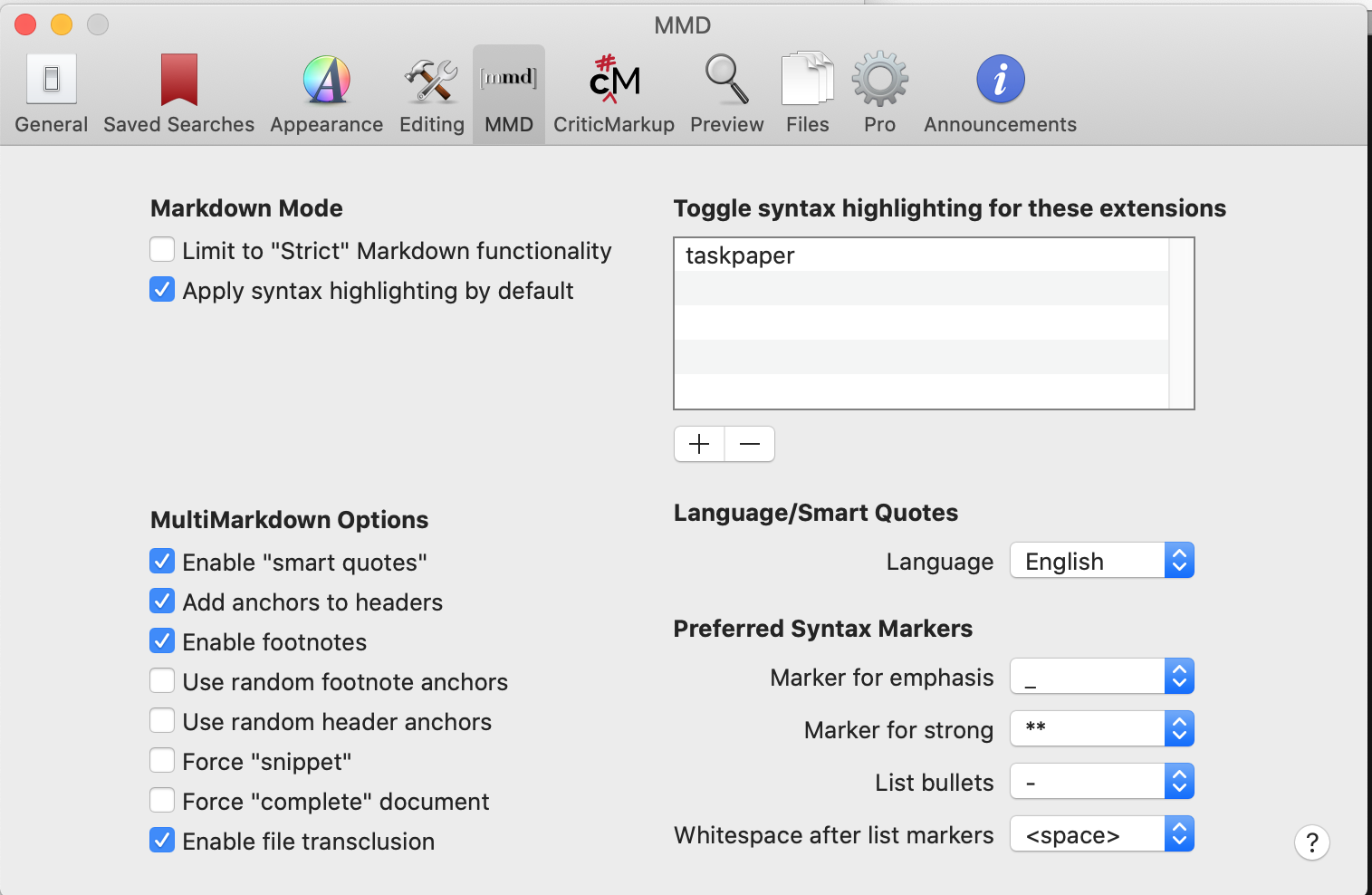
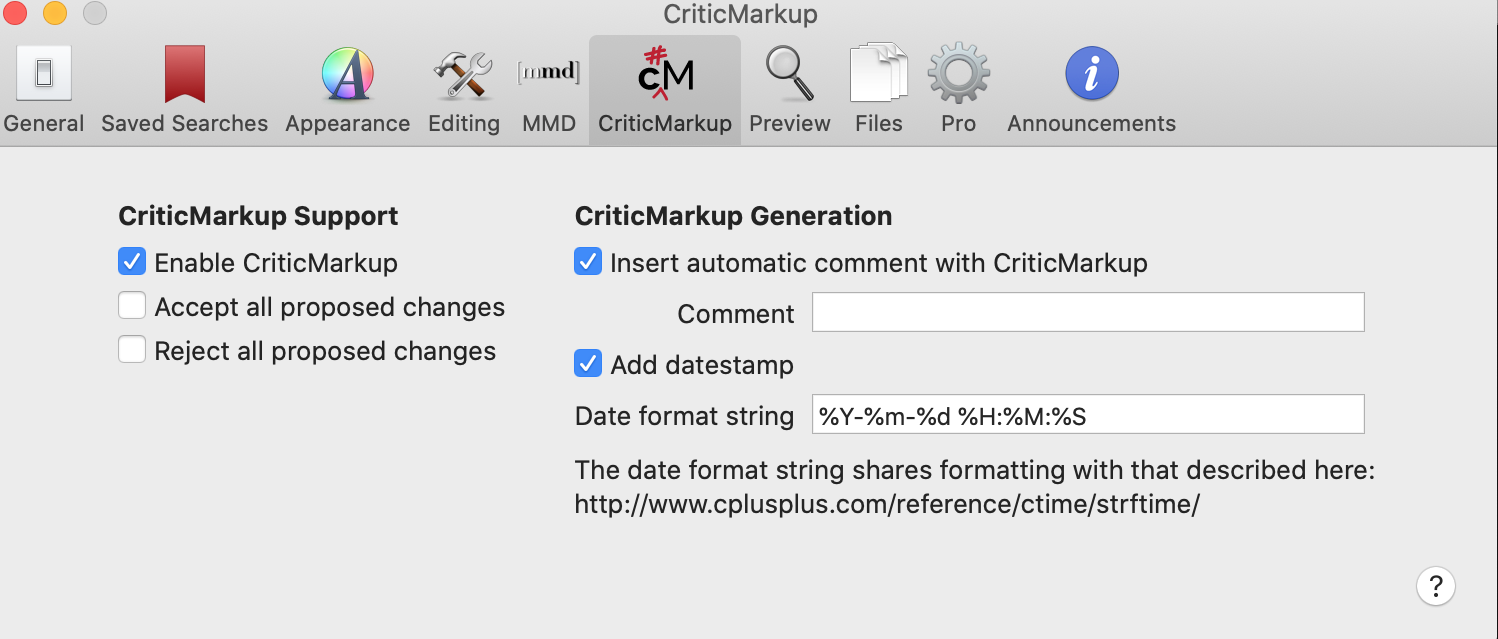
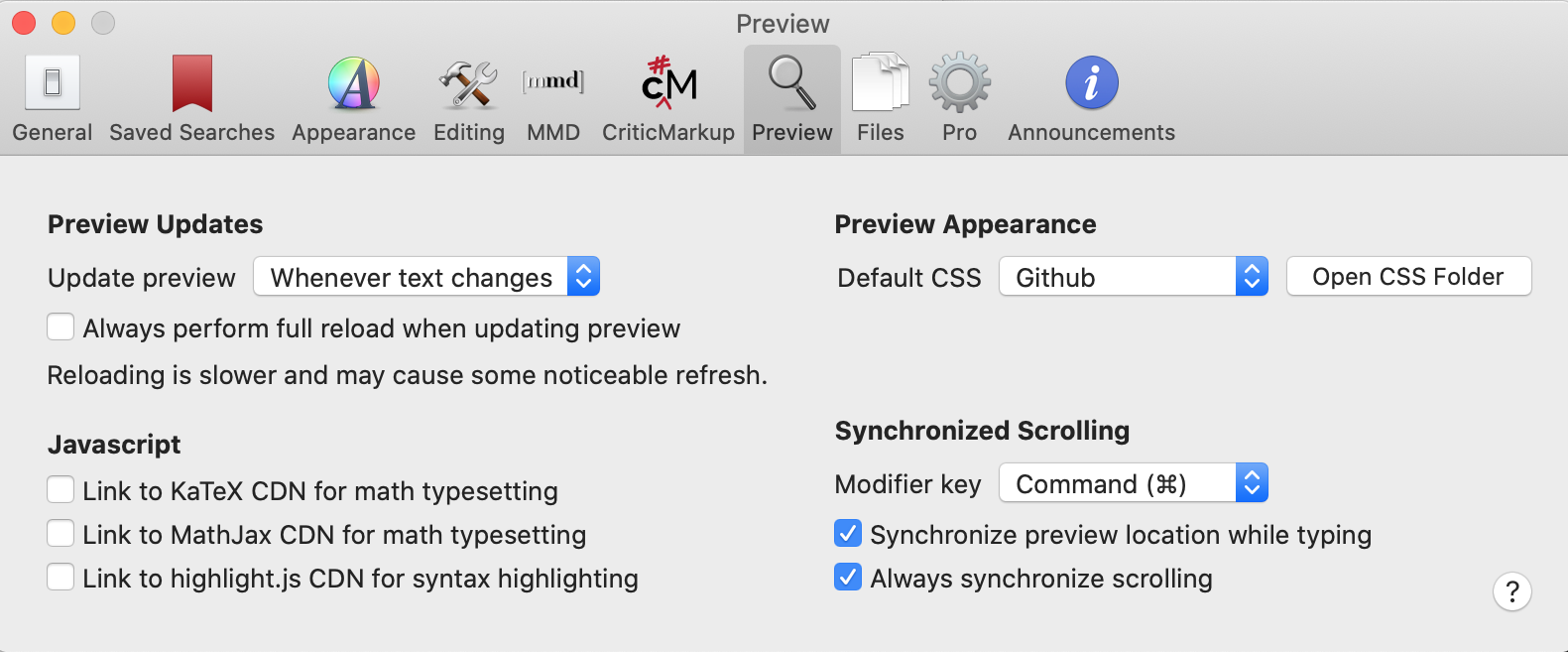

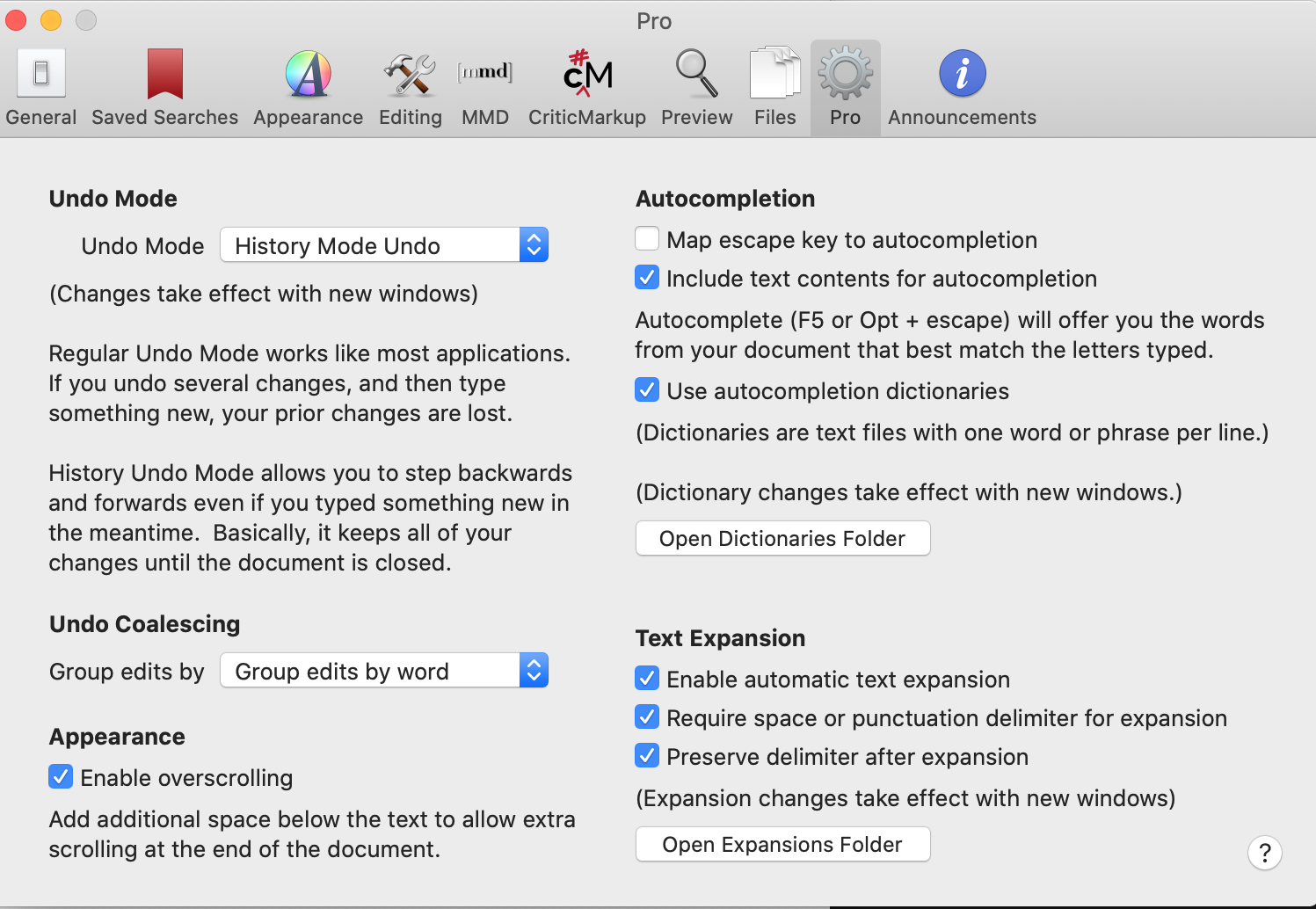 0
0 -
I just tried to use a Keyboard Maestro macro for inserting a level 3 markdown header (it puts ### on both sides and leaves the active curser in between) and it took 5 full seconds for it to input.
I tested the same on nvALT and some other text editors and they are having no issues. So it would appear to be specific to nvUltra.
0 -
Still trying to figure this out. The lag is so frustrating, that I have moved back to nvALT for my daily usage. But I am still fiddling around a little every day, trying to figure out the problem.
I noticed the lag and high resources are worst on txt files with many [[links]] within, sometimes so bad that it is unusable.
I turned off all autocompleting options I could find but it's no help.
Is anyone else having this problem, or is it just me with my odd combination of old computer, high number of txt files, and many links (creating my own personal wiki database, so to speak).
0 -
How old is the computer? Or, more precisely, which computer is it (CPU/# cores/RAM/etc.)?
I don't think there was anything "interesting" done with the editor in the last few releases. Mainly some small bug fixes and tweaks related to the search bar and indexing.
I tried your file above again, and still don't see anything strange happening.
What happens when you create a new folder with just one of the files that is slow for you and work on that file that way?
The number of files has minimal (if any) impact when editing, *provided* that the indexing has been finished. nvUltra only revisits files when they have been edited, and ignores re-indexing the current file until you are done.
What happens in Activity Monitor when editing? Do any other applications jump to the top of the list when ordered by CPU when you edit?
0 -
Hi, I'm back. Sorry, I had a big project to finish for a client so I put all testing on hold as I did that. SHould be back now.
So before I answer your questions above, I did some more testing and discovered that when I first load nvUltra and either create a new file or search and edit a file, all is fine. No lag, no slowdown. It is just as responsive as anything.
However! If I follow a link. [[link]] to a preexisting file and start editing that, lag and slowdown is so bad that I can barely do anything.
So, that narrows it down. For some reason following links is what is causing this problem.
As for your questions:
My computer is a Mid 2004 retina MacBook: 2.6 dual-core i5. 8 gb ram
In Activity monitor after following a link (as descried above) and trying to edit a file, cpu usage immediately jumps to above 100%. No other app jumps up.
0 -
My mistake: 2014, not 2004 (though I do still have my 2006 powerbook, so there we go)
0 -
Ok, tried something else. Created a new folder with no text files. No lag, even when creating and following links.
However, when I grabbed 2000 random txt files from the other dir and put them in this new one, it went back to the other behavior, high system resources/input lag after following a link and trying to edit.
0 -
One more experiment today: When I turn off "use wikilinks" in the options, all lag and high system resource usage vanishes and it works well. So at least everything I am doing points to the wikilinks as being the culprit behind this issue. Unfortunately, losing wikilinks makes the app much less useful for me.
0 -
I doubt the problem is following links. There is nothing special about that, just a different way to navigate to a new file. When a new file is selected, the previous text is cleared out, and replaced with the new document. I don't think there would be any "residual data" to cause a slow down.
Now, if you are using a lot of WikiLinks in your document, and disabling wikilinks speeds things up, that could potentially make sense. WikiLinks work by converting that section of text to a link in the text. I have never measured it before, but assumed that was not significantly more burdensome than any of the other syntax highlighting, but maybe it is. I'll have to run some tests and look into it more. I had not been able to get back to this issue recently either, so thank you for the updates!
0 -
Yeah, many of my text files use a very large number of links. I use text files both as a kind of personal wikipedia and also for notes in a kind of Zettelkasten Method style (which, again, is basically wikipedia for personal notes).
My main work is as a translator and my speciality is in Japanese poetry, so I have a ton and ton and ton of reference material clogging my bookshelves. Several years ago after discovering nvALT, I took the basic catch all system Merlin was recommending at the time and expanded it to catch all of my reference material which I add into the system as I need it. So, for example, one text file might be for a poet and have links to each of his poems, then one of the poem notes will have the poem plus links to any seasonal words, references to other poems or cultural event, links to text files for especially tricky vocab, and anything else that I feel the need to attach to that poem. You can see how this system expands in every direction and uses tons of links in each file.
I don't know if I'm an edge case or if others use it this way. But I have seen a lot of apps that claim to allow what I do over the past few years (though none that have worked as well as nvALT, and, I'm hoping, nvUltra) so I don't know.
At any rate, let me know if there is anything I can do to help with your looking into the issue.
1 -
Do you use the preview? If you start nvUltra “fresh” with the preview off, do you get the same slowdown even if wiki links are on?
I still don’t see a slowdown related to wiki links, but the preview uses a different routine that might be causing trouble in your case??
0 -
I tried that, starting it without preview, but no, it had no effect.
I've been playing around with options on and off the past day, but the only one that eliminates the slowdown is turning off wikilinks. I also tried preview with wikilinks off and there was no slowdown.
As I said before I previously tried making a new library and there was no slowdown even with wiki links enabled until I dragged in a random 2000 or so files from the old library. I am now trying to experiment with this. When I created a new library with just 1000 random files, there was no lag. But when I added in another 500 random files, lag started to show up.
I don't really know how to test from here, but I am trying to see if I can narrow down the issue.
0 -
When you add the additional 500 files, are those files that you are editing? The *only* thing that files "sitting" in the directory can do is be indexed. If you have large PDF files, or lots of long files, that can cause indexing to be slow. But:
1. The CPU load from indexing ends when indexing is done and the progress bar disappears.
2. If you cache the index, once the folder has been indexed, that won't happen again *unless* a troublesome file has to be reindexed.
I understand why you might not want to do this, but if you felt comfortable sending me a zipped file of the entire directory, I could explore that way. I would delete the files once I reviewed them, and wouldn't really be reading them so much as having one or two loaded while I tried to figure out what was going on. But I completely understand being hesitant to do it. Just throwing it out there because many people do share their files with me to troubleshoot and then I delete them.
I'll keep digging on my end too.
0 -
Are your files in iCloud?
Is this still happening in build 70?
0 -
I'm afraid yes.
Over the past few weeks I've been continuing to play with the problem, but couldn't figure anything out.
However, I started to wonder if it's not my system. I upgraded to Hazel 5 and it wasn't working for me and so I had to work with the developer on that for a few days. So that's now two apps, Hazel and nvUltra that I have had problems in recently.
I imagine at least a few other beta testers also have old machines and also have a large number of text files, and there doesn't seem to be any other complaints, and the Hazel developer mentioned that I was the only one having so many issues with his app. Hmmm.... I haven't done any clean system reinstalls...well, ever, so given this is a mid-2014 machine, that is 6 years of OS upgrades and app leftovers and overall OS cruft may be influencing things.
So I started backing things up last week to do a clean OS reinstall. A little impatiently I did a clean install of Catalina on an external drive, and so far.... no lag in nvUltra. So, indeed, the problem would seem to be my own. If so, I'm terribly sorry for having you chase ghosts.
If I can escape my kids for a few hours, I will finish backing-up the internal drive this weekend and will do a clean install on it, so next week I will run nvUltra through the hoops with a clean install on the internal SSD of this machine and see what happens. Will report back after I do that.
0 -
Oh, to answer your other question: no, my notes were in Dropbox, but Dropbox was turned off at the time. In order to keep it from eating ram, I don't load it on boot and only load it up occasionally to sync files.
But I am wanting to move away from Dropbox, so I was thinking of using iCloud after I complete this reinstall.
0 -
David LaSpina -- I too have discovered that it is important to wipe system drives and do a fresh install periodically. I suppose "back in the day" I upgraded computers more frequently so this was less important, but now I am using a 2014 Mini that still does what I need it to. (In fact, my prior 2014 Mini started to show signs of hardware issues exactly a year ago, and I found a surplussed Mini sitting in a closet at someone's office that I picked up for the price of shipping. It worked just fine! Now, I suppose I will have to look into getting Silicon replacements.....
In any event, I hope that a fresh install helps you solve your issues.
PS> In the midst of my troubleshooting issues last year, one thing I did do was pick up some SSD drives to use as an external boot drive and primary data drive. This allows me to instantly pull the drives and boot another machine with them should there be trouble, or for taking my data with me. That is something I wish I had started doing earlier!
0 -
We're in the same boat on that then. I also used to upgrade far more frequently, so I suppose that put me in the habit of never doing clean installs (a habit I has previously had from my time on windows). I may have to start doing this more often.
At any rate, the reinstall is complete and I am on the latest version of Catalina. I am resisting upgrading to Big Sur, as I don't think my 128 SSD could take it. I have been writing exclusively in nvUltra for the past few days and so far the slowdown and high system resource usage is gone. So indeed, whatever was causing it in the first place was something in my system. I will keep watching for its return, but so far so good.
Thank you for the advice on an external SSD. That's a good idea. I don't really want to upgrade to a new machine yet (as tempting as they are)... I have been burned by too many first generation Apple things in the past. Better to wait. So in the meantime, an external SSD seems like a nice addition.
Again, sorry for troubling you on what turned out to be my own problems. In my testing the past few days I did run across what looks like a different bug in text rendering, possibly caused by my text notes hopping back and forth between English and Japanese. I'll write a new post for that a little later.
0 -
No worries, and best of luck with the new OS install!
0
Please sign in to leave a comment.
Comments
29 comments