Change Default Directory?
Completed
Is there a way to reset the app so that when run it walks through the intro screens again? I chose a rather large folder as the default folder, and when I run the app, the app seems to freeze or hang. No windows appear. Presumably it is trying to index my large folder. I would like to reset and chose an empty folder.
-

What do you see if use Activity Monitor when nvUltra is not doing anything? How much CPU is it using?
You should be able to use the Open Folder menu item to open folders. There's not really a default folder. It just automatically opens your last folder if you've only opened one of them.
Otherwise, you can quit the app and delete the preferences, just like with any macOS app: `
defaults delete com.multimarkdown.nvUltra`0 -
BTW -- even if it's a large folder with many documents, you should see the list of files pretty quickly even if it takes a while to actually index them (large PDFs can be slow to index).
0 -
Thanks for helping me clear out the user defaults. I was able to do that, restart, the app, and get started with a new empty folder. I have tried several times to open folders with files in them. As soon as I chose the folder, the app stops responding, giving the colored pinwheel. After 5-10 minutes, a folder with around 180 items and no subfolders finally opened.
I just tried opening a folder with a number of subfolders, and the app is currently still unresponsive. It's been going for 15-20 minutes maybe. CPU% is low in Activity Monitor though.
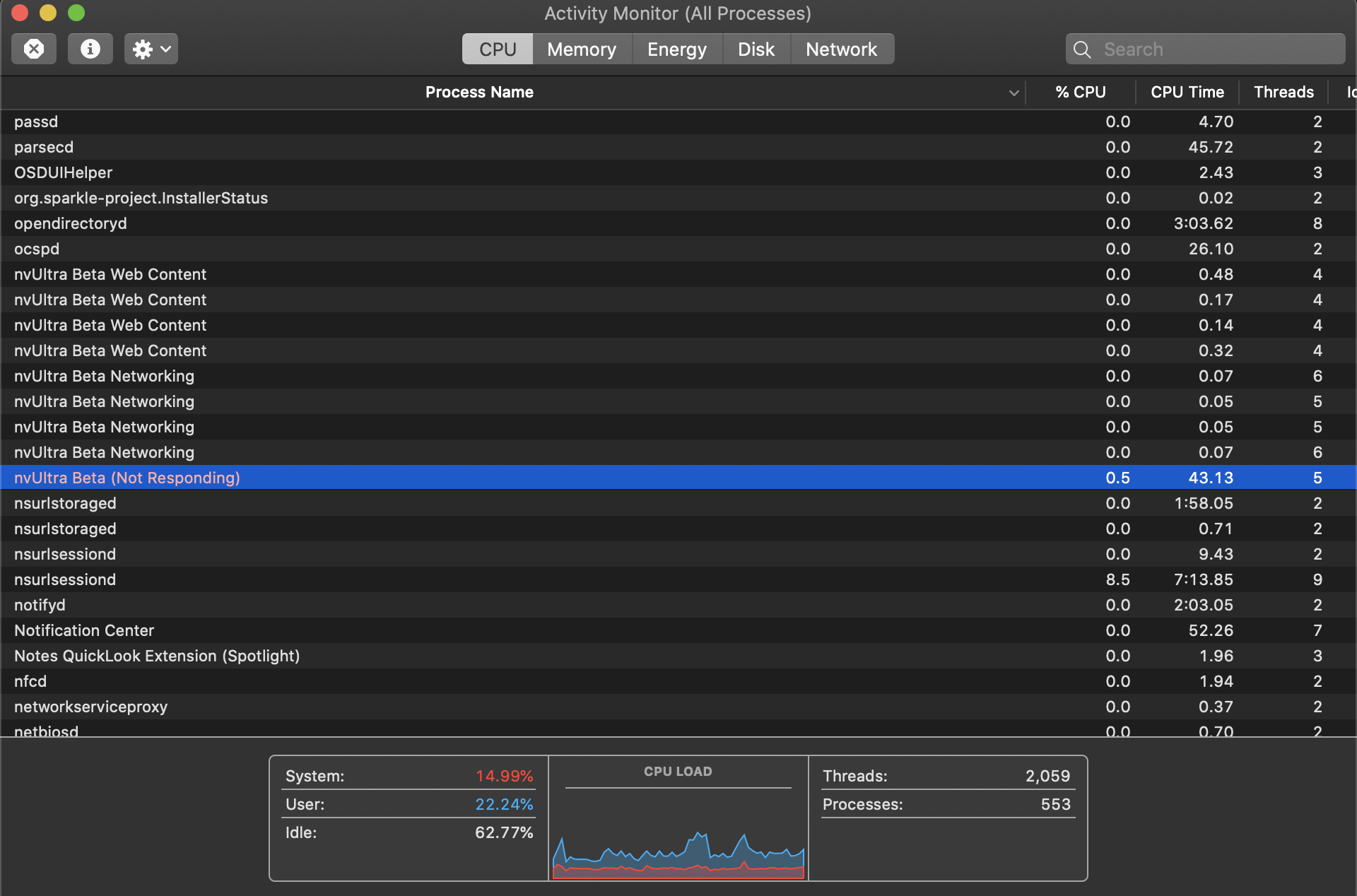 0
0 -
That's unusual. What sorts of files are in your folders? You mentioned 180 files... How many megabytes is the total folder?
For comparison, I have a folder of approximately 1000 text files totaling 9.7 Mb that when I first index takes 2-3 seconds to open the window and allow interacting with the folder, and then another 10 seconds or so to fully index the file contents. Once the folder has been scanned and cached, opening it the next time is basically instantaneous.
0 -
<bump>
Still having trouble with build 68?
0
Please sign in to leave a comment.
Comments
5 comments