Formatting Bug: Line numbers aligned incorrectly with Japanese text
Completed
Brett brought me into this beta to check for issues when using Japanese. So far I haven't found any big issues. All the Japanese bugs that were present in nvALT seem to not be present here. So I've started looking for smaller things. Found one today.
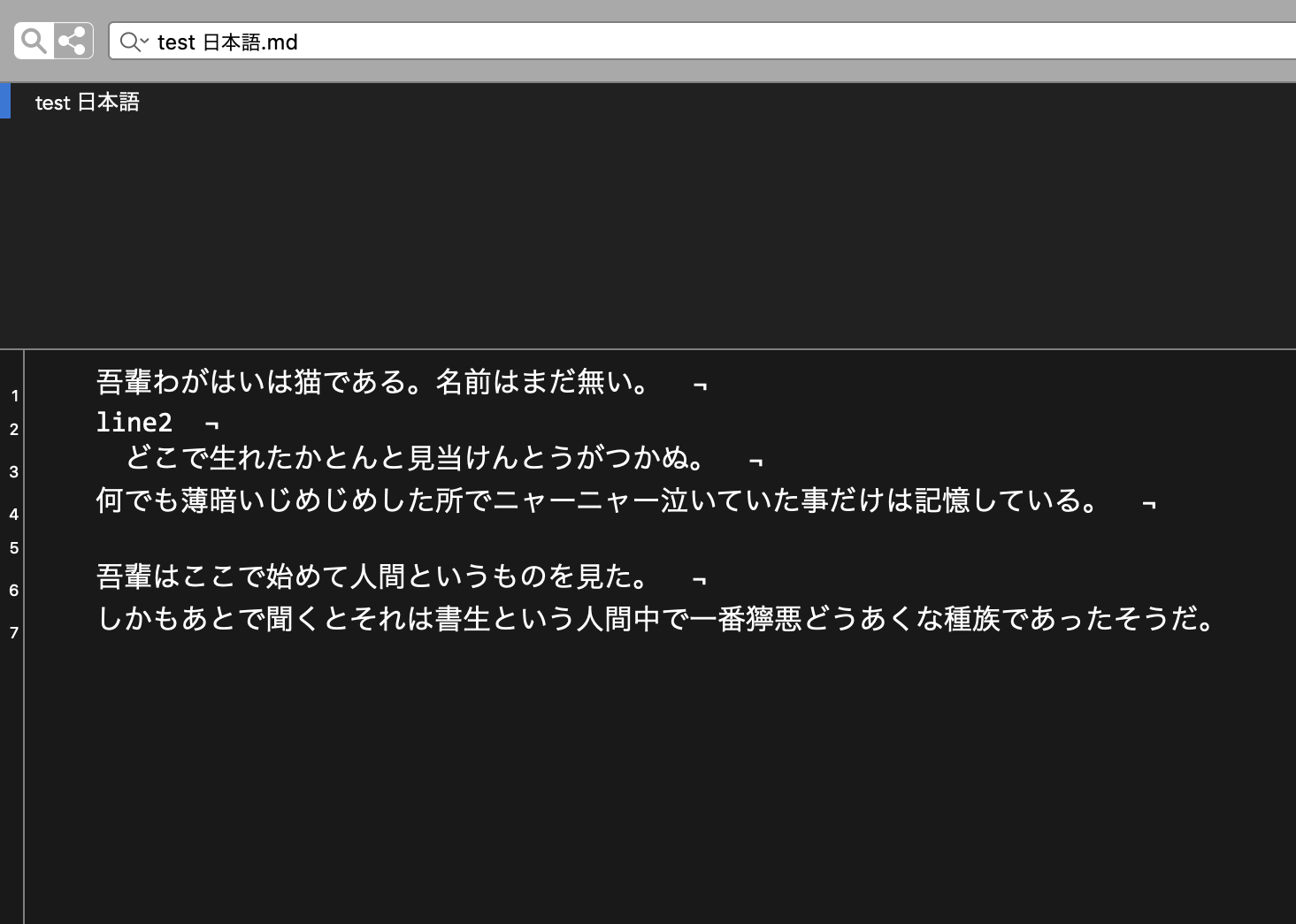
This one isn't huge. Outside of programming, I can't see a large number of people using line numbers, and even so the numbers are still aligned closely enough to be ok. But still, if you are looking for formatting issues to get perfect, here you go. The alignment of the numbers to the lines of Japanese text is a bit wonky.
See photo:
-

David LaSpina -- can you send me the actual file you use for this? When I use Japanese "lorem ipsum" text, it works fine for me.
Thanks!
0 -
<bump>
1 -
Whoops, sorry, I missed this. Ok, here is the file I showed you above.
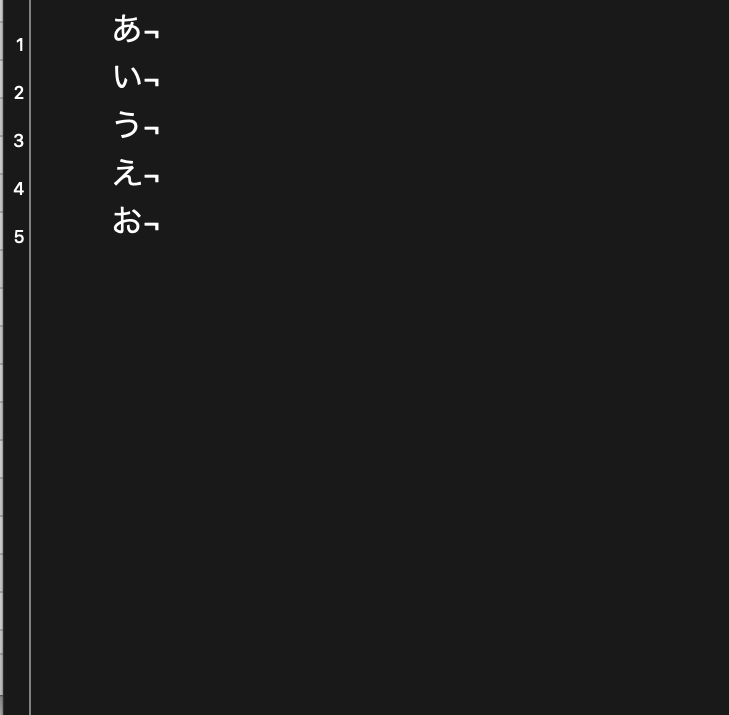
I tried another file, just putting a single character per line. Same problem. But looking at this one, it looks like each line number is a few pixels below. So perhaps the larger Japanese characters are throwing alignment off. Or maybe it is something in my system?
Photo below. And also that file.
 0
0 -
David LaSpina -- no worries! I figured you were busy or had not seen it.
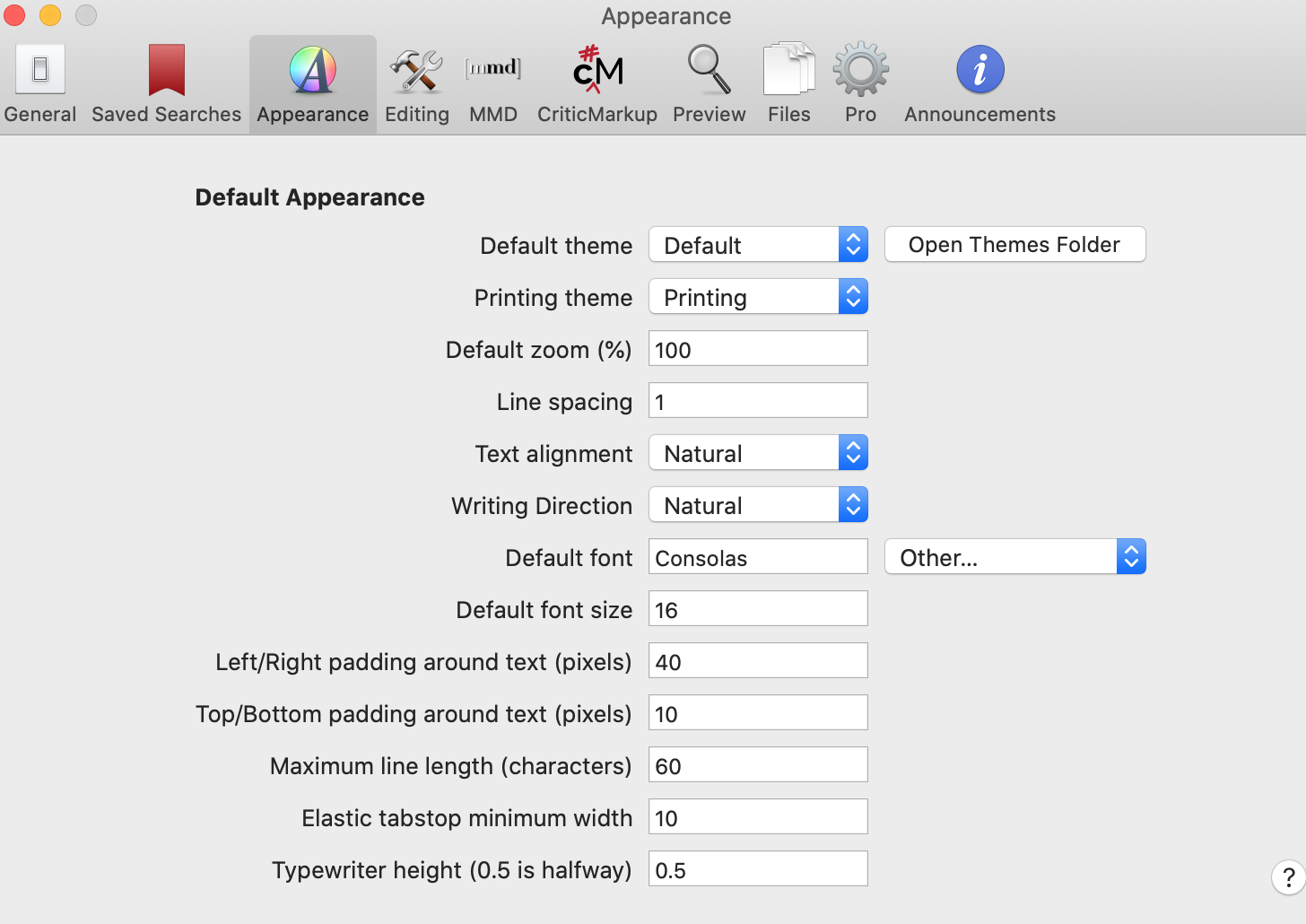
What font and line spacing do you use? (or a screenshot of your Appearance prefs will cover everything)
Thanks!
0 -
I'm using Consolas at 16px and have a line spacing of 1
0 -
 0
0 -
It appears that this is related to differences in fonts and how they specify the baseline (or something similar). I've found that fonts included with macOS seem to work better.
Also, including other character sets causes macOS to mix fonts. If using a font that does not include CJK characters, then another font is substituted. It will likely have different settings for the baseline, which will cause variations in the vertical alignment.
There may be a way to improve on the match despite these differences, but it will probably take more development time, and possibly decreased performance, to deal with. So for now, this will probably not change, but I am open to new ideas from anyone out there.
Thanks!
0
Please sign in to leave a comment.
Comments
7 comments