How to Search All Occurrences of Search Results
Completed
Hi,
I do not get how to find / search all occurrences of a search (word search).
I have multiple occurences of a single word in multiple documents. I want to look all items. My workflow:
- ⌘-L and enter the search term: lets say "Lorem"
- press arrow key down to view first document (Unfortunately not all occurences are highlighted).
- When pressing ⌘-F sometimes the search results are highlighted but sometimes not
- Sometimes by pressing ⌘-G I still get the results... but sometimes not
So my question is, how do I search / loop search occurences?
BTW, also sometimes after deselecting a file with highlighted search results, there still is a underlined text / glitch. How to reproduce:
- press ⌘-F and search term
- press ⌘-G to select next occurence (yellow highlight)
- select other file in sidebar
- return to file and click somewhere in the text => latest highlight remains an underline ( https://feek.d.pr/uuA2Jz/63gejLgomT and https://feek.d.pr/zz9eKS/VYiNrxt5Mx)
== feek
-

1. If you want to highlight terms within a document, that is what Cmd-F/Cmd-G are for. I cannot replicate any issues with that functionality. If you can send a video of that not working, I can look into it further, but that is generally handled by macOS and likely not much I can do about it.
2. As the "underlining" -- in the video you linked to, the file is opened with previously selected text re-selected (technically has nothing to do with searching for text). As for why the highlighting is not completely erased, I am not sure. I *think*, but am not 100% definite, that this is a macOS issue. Do you use a default zoom other than 100%?
Thanks,
Fletcher
0 -
Hi Fletcher,
thnx for the reply.
(1) I figured out what goes wrong in my mindset...... I had still a search window open (CMD-F) . When closing this window (pressing done), pressing CMD-L and then CMD-F gives the expected behaviour. Maybe it is an option to automatically close the find window when pressing CMD-L. Because that comment means a new search action.
see: https://feek.d.pr/nE9q6W/L9syrHsAfX.mov
(2) No the underling is not related to the zoomlevel, because thats is "default" (CMD-0)
== feek
0 -
1. I'll consider this -- the find bar closes when selecting a non-text file, but it could potentially close when selecting a new file of any sort.
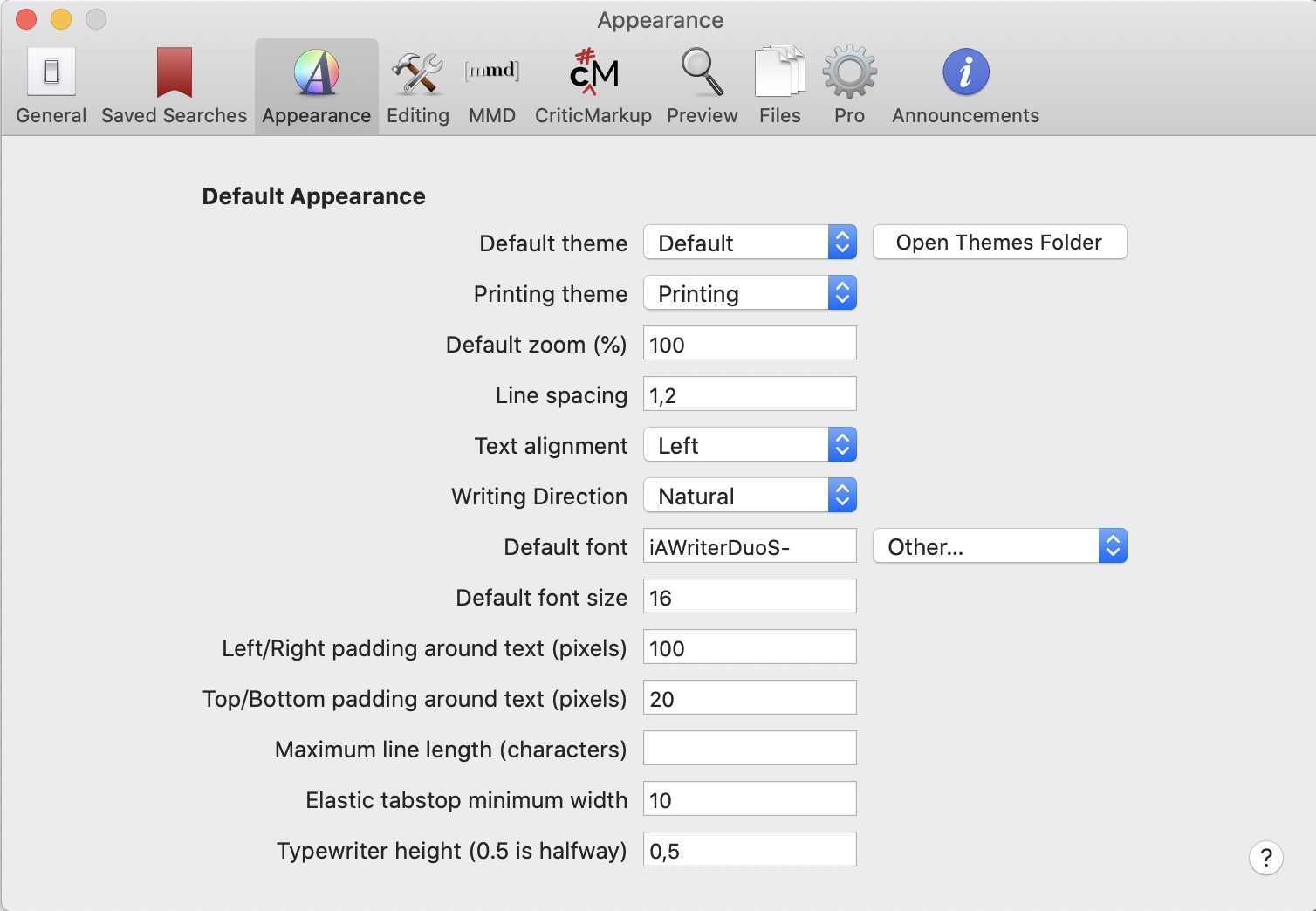
2. But what is your default? (e.g. Preferences->Appearances->Default zoom)
Thanks!
Fletcher
0 -
(1) Nice!
(2) zoomlevel is 100% see:
 0
0 -
Feek -- thanks. I'll have to keep an eye out, but I don't have a good initial idea as to what is going on with the residual selected range highlighting.
0 -
OK, thnx!
Possible the custom font I use (iAWriterDuoS-Regular ) in combination with the line spacing? I'l do some testings later this evening.
== feek
0 -
It happened to me when I was testing your approach using Cambray (which does seem to have some issues.)
When I switched to Palatino, I could not replicate it. Maybe it is a font issue.
0 -
Indeed, switching to Menlo, the issue is not present....
0 -
Excellent -- thanks for testing that!
Fletcher
0 -
Mmm, found some strange behaviour, when selecting the font via "other" the issue comes back...... put 'pasting' the text of the font / font name "iAWriterDuoS-Regular" directly in the form field.... no issues seems present.....
[edit] sorry too quickly... back again with iAWriterDuoS-Regular but not for Menlo
0 -
Font names can sometimes be a bit strange -- if you are pasting the font name (instead of using the font picker), it is possible that it is not exactly right, and in fact a different font is being used.
Assuming the font name is correct, whether you use the picker or type the name directly doesn't affect how it works in the editor.
0 -
Sorry too quickly, its back. indeed no difference...
0
Please sign in to leave a comment.
Comments
12 comments