Specific file is not removed from Files List when deleted in Finder
Completed
Usually, the files, deleted from Finder are automatically removed from nvUltra File list. But there is one file which is not removed, until I restart nvUltra.
Here is what it looks, when file is present:
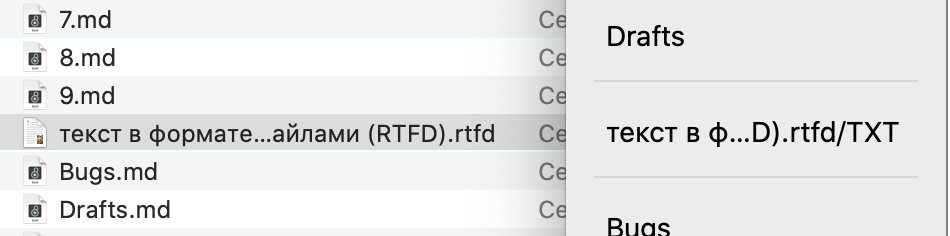
And here it is in the list after manual deletion from Finder:
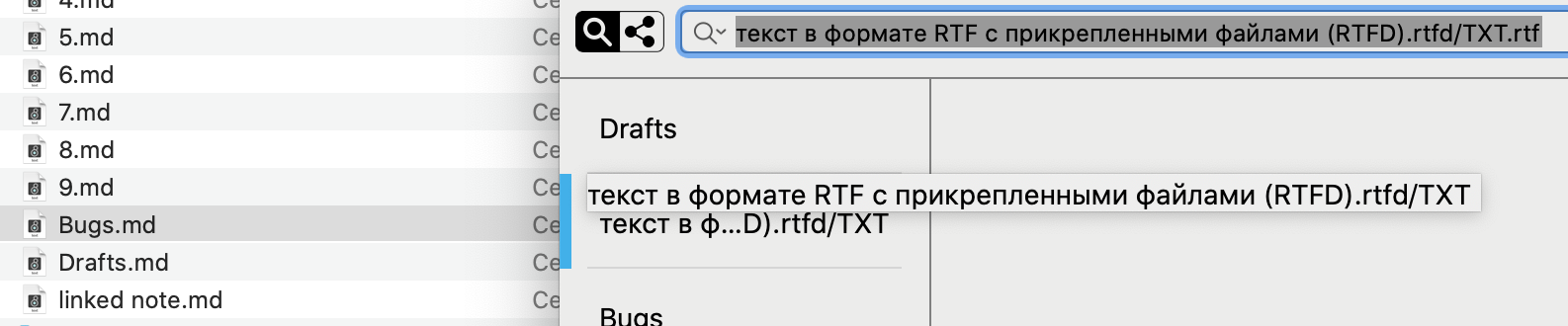
Note, there is something unusual going on with file extension. System reports it is .rtfd, nvUltra displays it like .rtfd/TXT. (Maybe this '/' causes problems?). Here is the file in question (zipped).
nvUltra Version 1.0.0 (62)
Catalina 10.15.5
-
Yes, just checked this. It is the '/' character which prevents nvUltra to remove files from list, when they are manually removed from Finder. The same happens when you just delete subfolder with some notes:
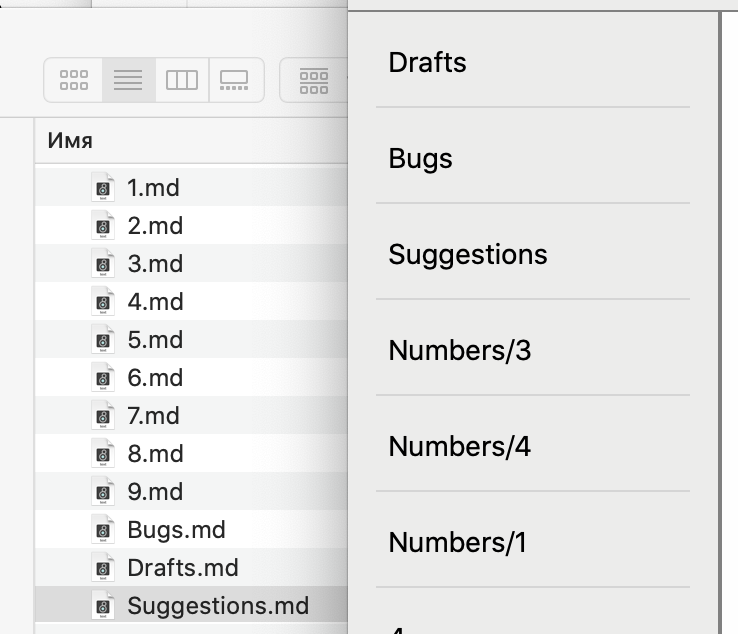
Folders are not removed from Files List until you restart the app.
0 -

I'll have to take a look. Thanks for posting this.
0 -
Should be fixed for the next release. Thanks!
0
Please sign in to leave a comment.
Comments
3 comments