Issue with dragging window
Completed
Version 1.0.0 (60)
Issue: Dragging window only works when the cursor is at the same level as the window icons (see screenshot). If you try to grab the window below the icons (For example where the arrow is) it does not work.

-

That's how all macOS windows work, if they don't have a tool bar. You only have a few pixels below those minimize/maximize/collapse buttons to drag the window. Many windows use different colors to distinguish the title bar from the window content so it is more obvious. Dragging in the window content view (e.g. below those buttons) triggers a drag in the content view, not a drag of the window.
0 -
Thanks Fletcher. Maybe this is something that can be solved through a theme parameter.
0 -
There's nothing to solve. This is how macOS windows work -- you have to click in the horizontal bar that includes those toggle buttons, or within a couple of pixels below them.
0 -
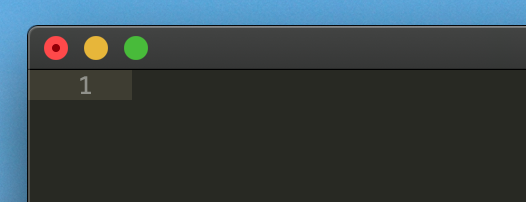
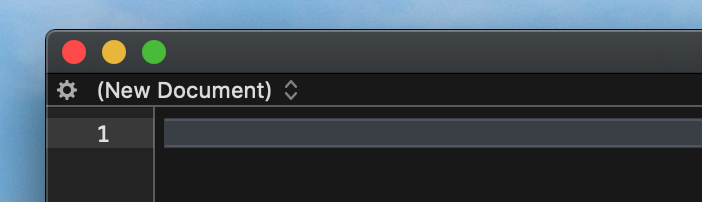
Hey Fletcher, just providing my feedback as a customer :) I've been using a mac for 20 years, and I found it confusing that I couldn't drag the window...your "technical" explanation of how it works makes total sense. There are several apps that have solved this with shades/patterns to distinguish the title bar.
Here's an example with Sublime Text, pretty clear as to where I can grab:
Here's another example with BB Edit:
Here's Marked 2:

And here's Quip:

I'm sure there are may more.
Apologies if this is not the type of feedback you're looking for from a beta.
Cheers,
Nick
0
Please sign in to leave a comment.
Comments
4 comments