CriticMarkup comment not highlighted in nvUltra Preview
Completed
In the nvUltra Preview window, Comment is the only one of the CriticMarkup features that doesn't show highlighting - is this intentional?
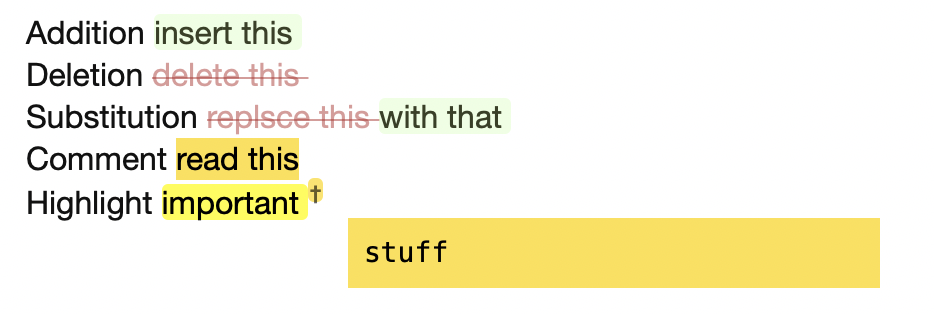
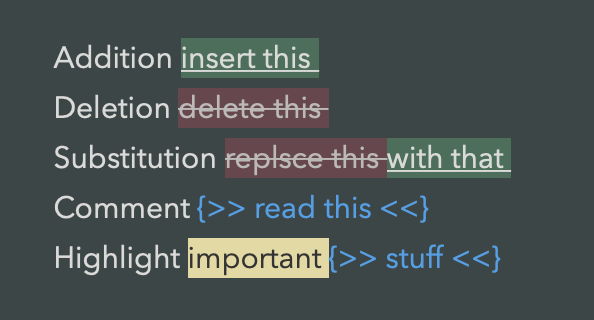
I'm attaching screenshots from nvUltra (1.0.0 (58)) and Marked (2.5.40 (987)) to show the difference.
Marked:
nvUltra:
-

I'm not sure I follow you -- the comments are highlighted -- they are in blue, as opposed to the white of regular text.
You can change your CSS to do whatever you want if you prefer different syntax highlighting for CriticMarkup in your HTML.
0 -
Yes, in the nvUltra Editor window the comment text is blue, and in the nvUltra Preview window the text is also blue, but it shows the CriticMarkup comment syntax as well.
I expected the comment text to have a coloured background (I can fix that with CSS) but without the CriticMarkup comment syntax {>><<}, as shown in the Marked screenshot.Just to be sure that you haven't misunderstood the screenshots - both are from the Preview windows of Marked and nvUltra respectively, not the Editor windows.
0 -
Nope. Everything is working as intended.
You can modify the CSS however you like.
0 -
Hey, if it is as intended, not a word more about it.
Thanks
0 -
There's no HTML equivalent for a comment (unless you mean a source code comment which is then not displayed in the preview at all, which wouldn't work well in this particular context) -- ins/del/mark are all part of HTML and correspond to the equivalent CriticMarkup syntax.
0 -
Fair enough.
Then apparently there is a hack in Marked, since comments do have a background without the Critic syntax showing. And when the comment is used in combination with other Critic marks, the comments are presented as a tooltip.
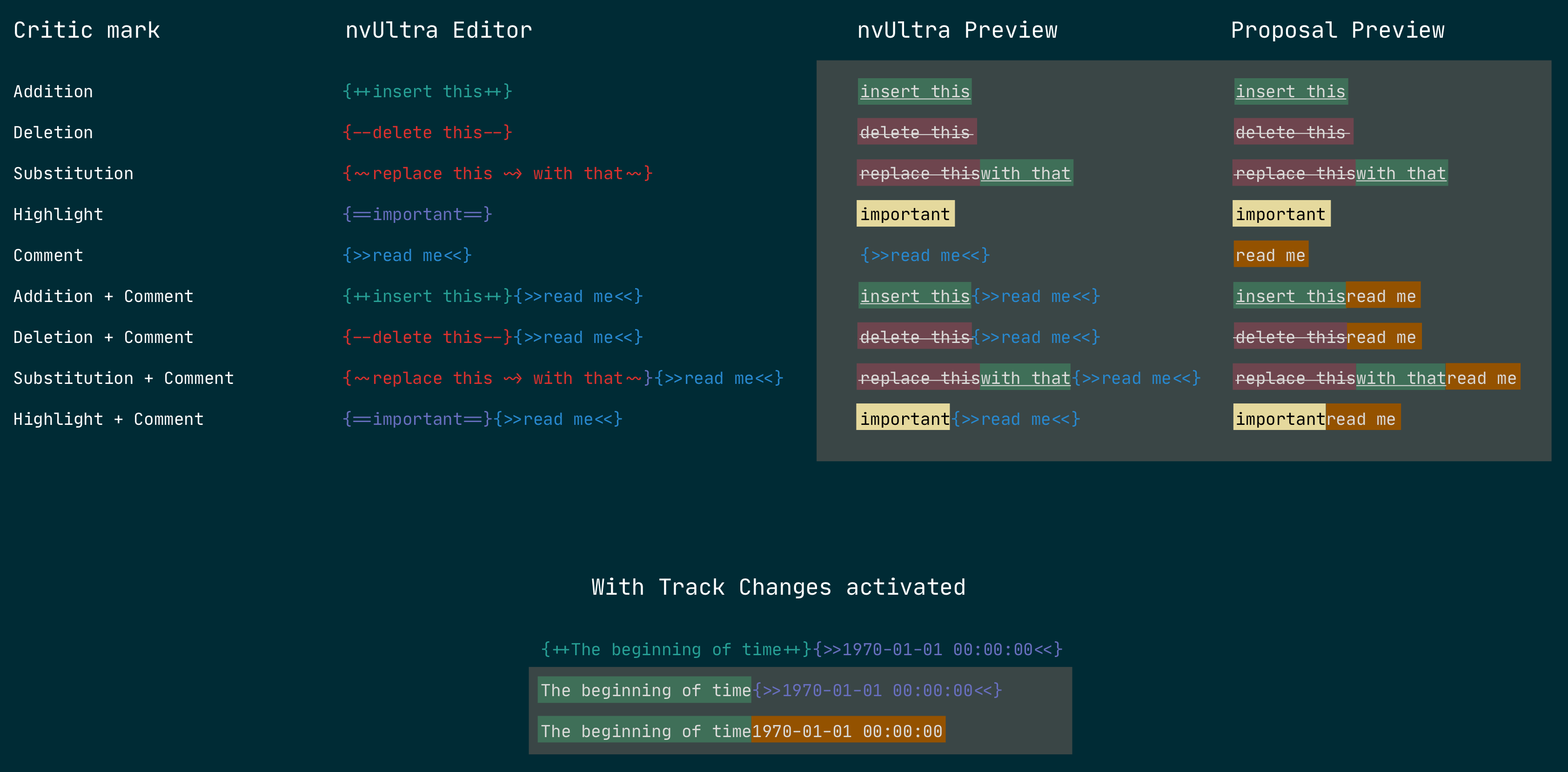
May I show a proposal that I think is more readable and consistent (in the sense that all Critic syntaxes are now not shown in preview, nor uses a tooltip). I'm not trying to beat a dead horse here, just wanted to wrap this up with the alternative solution visualised.
 0
0 -
You are welcome to do whatever you like. That's why MultiMarkdown uses standard HTML, and why Composer and nvUltra previews support custom CSS. You can add any functionality supported by CSS, which is quite a bit these days. You can even use Javascript to add functionality not supported CSS, so there is virtually no limit.
0 -
Thanks again.
0
Please sign in to leave a comment.
Comments
8 comments