Text at end of document goes down vertically on right side of window
Completed
This started happening with Version 1.0.0 (47) of the beta.
I have noticed that when typing in a note, when I reach the bottom of the note, hitting 'return' for a new line, it jumps to the far right of the window and the text starts going down the window vertically. See this screenshot:
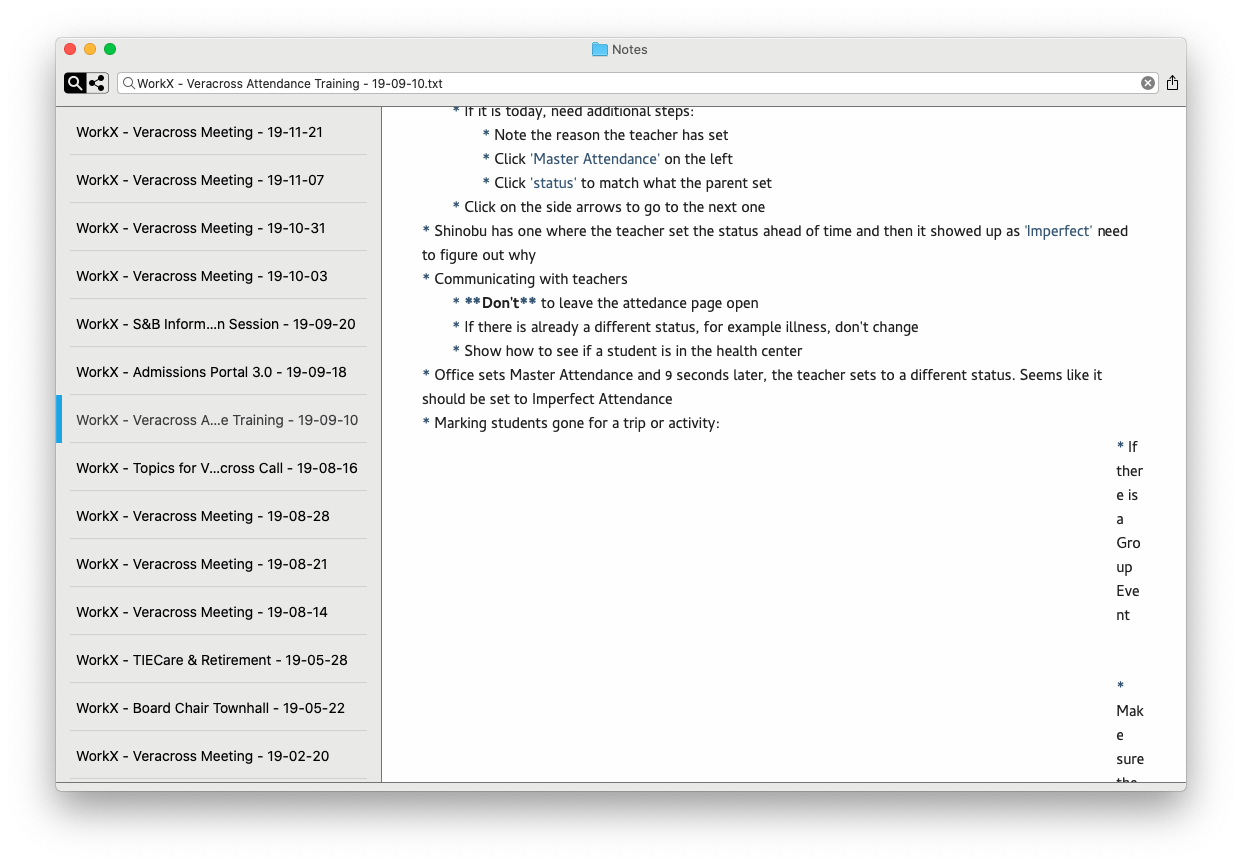
It doesn't happen every time and I can't seem to figure out the pattern to replicate it. Just today, though, I noticed that it happened when I opened a note that I created four months ago. This time, I didn't edit the note at all, I just opened it and the results are displayed above. If I try to edit the note, a lot of strange behavior starts happening. With the cursor at the bottom of the note, if I hit 'return' it jumps to the top of the note and then other parts of the note start to randomly go down the right side vertically as well. If I try to move the text back that was vertical, it will, but then subsequently editing it will cause some strange behavior. See this screencast:
https://www.dropbox.com/s/n95znog3ze476is/screencast.mov?dl=0
If I close nvUltra and open it again, the strange formatting remains. However, if I open the same file with TextEdit, nvALT or BBEdit, it looks just fine.
-

You have "errant" tabs and elastic tabstops turned on. Show invisibles and clean up the document. Or disable elastic tabstops if you don't want them.
0 -
I disabled 'elastic tabstops' and that does take care of the issue, but I've dug into it a bit more and I think there is a bit more to this. For example, I'm unable to edit the tabs in these documents.
Take a look at this simple document that has the issue:
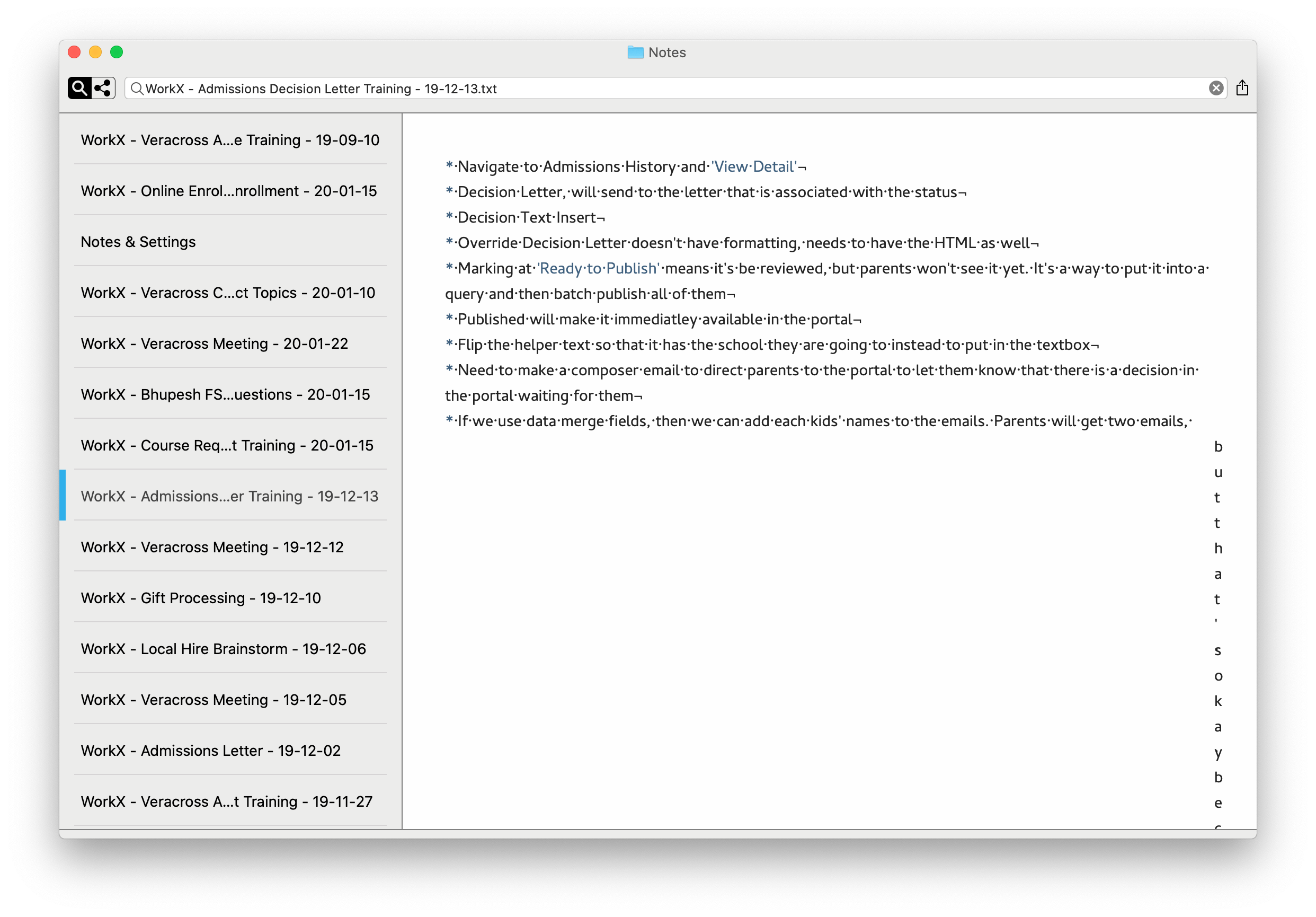
When I turn off 'elastic tabstops' and turn on 'show invisibles', I see this:
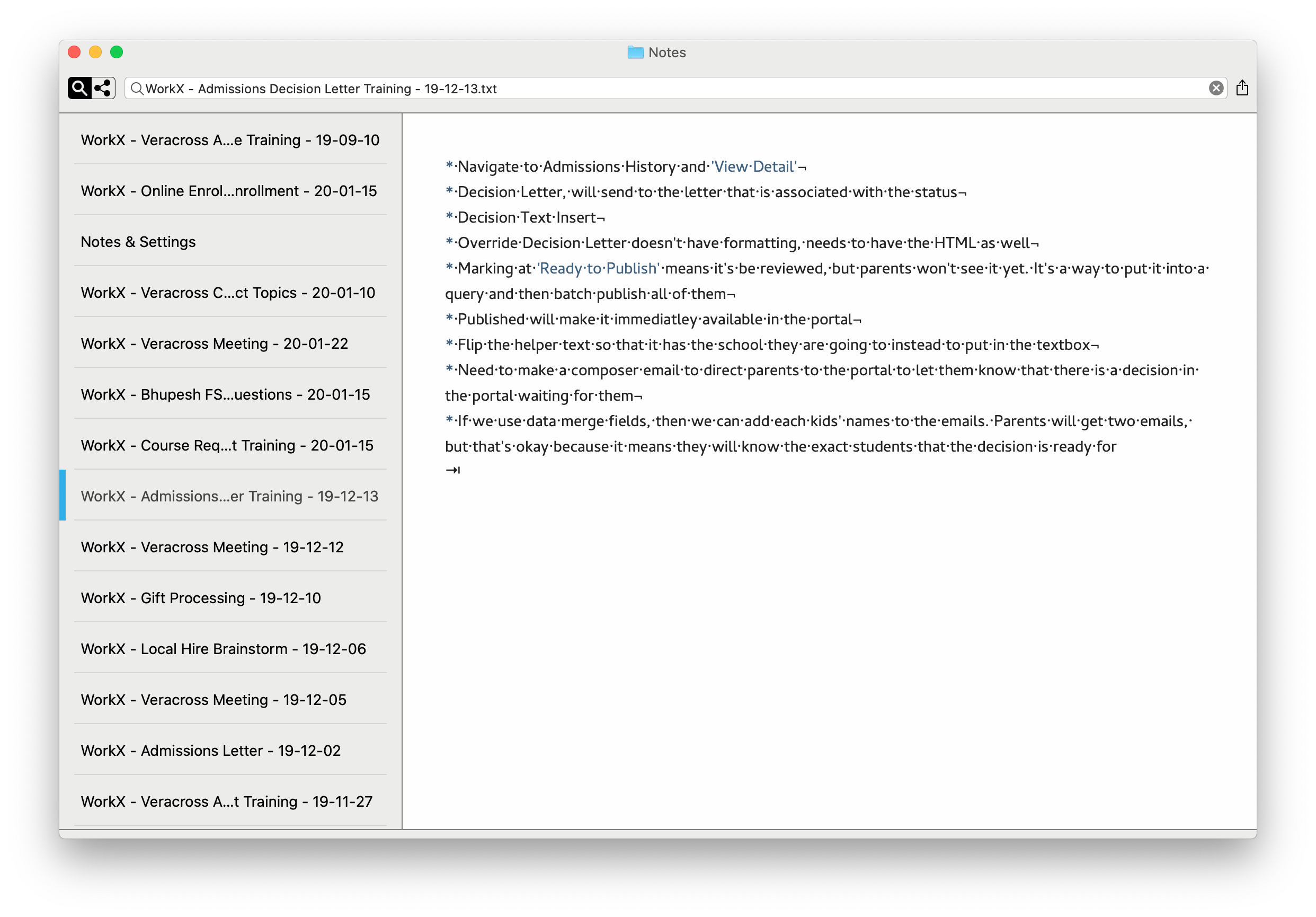
I see the tab at the bottom of the document. But there are three things I observed:
- The tab is at the very end of the document (confirmed in BBEdit). However with the elastic tabstops on, the line above it starts going down the right side. There is no other formatting in the document at all.
- I have hundreds of other documents with what appear to be the same tabs that don't have this issue at all.
- I tried to delete the tab within nvUltra and nothing happens. I put the cursor just to the right of the tab, I hit 'delete', the cursor moves up to the previous line, but the tab remains.
Because of #3, I closed nvUltra and opened the document in BBEdit and I can see that there is a tab after 'for':
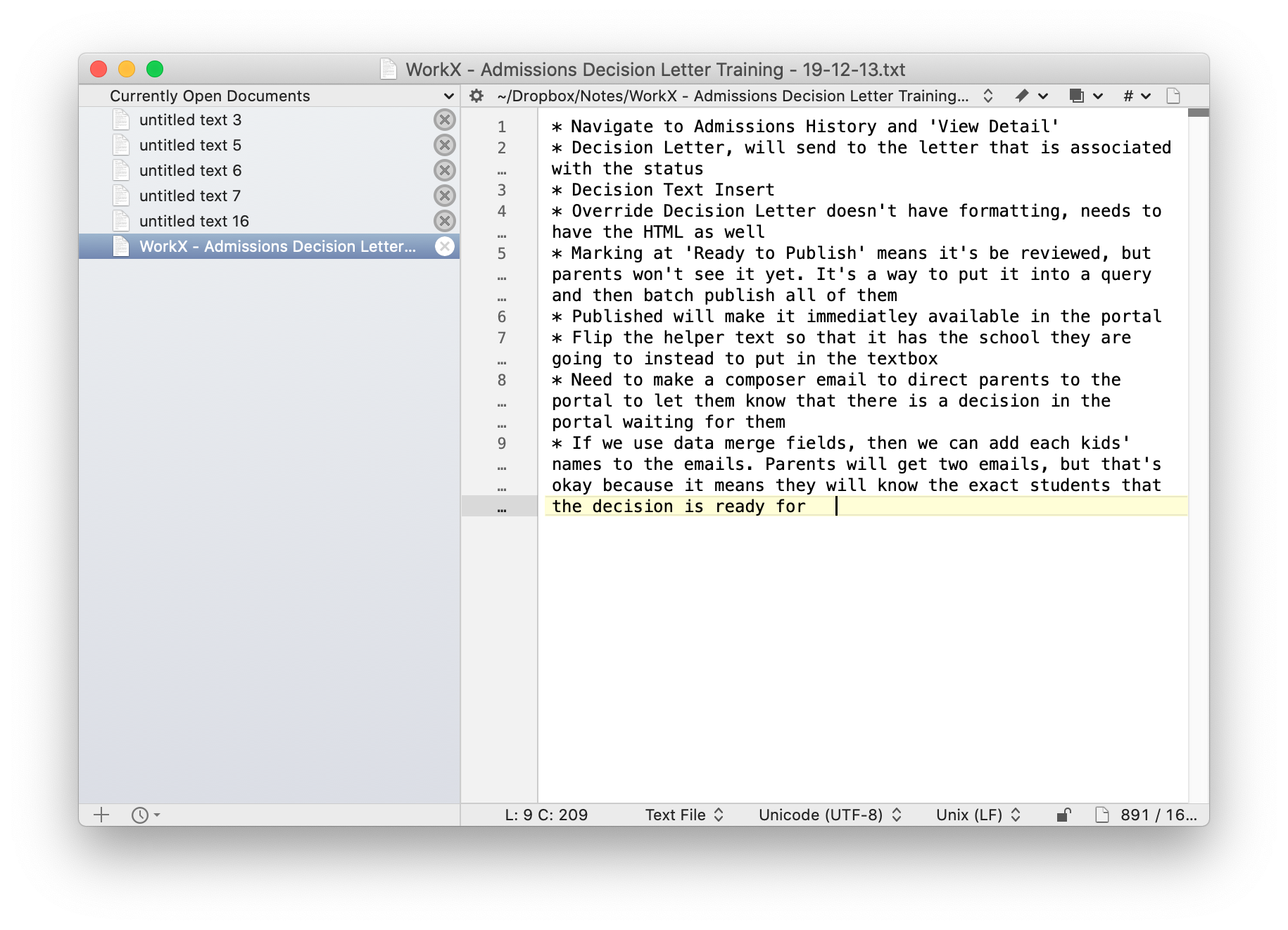
If I delete the tab in BBEdit and save, then reopen, the tab is gone in nvUltra as well.
0 -
If you send the file via a support ticket, I’ll take a look at it.
0 -
With the instructions in your support ticket, I was able to reproduce the situation where the tab cannot be deleted. I now know where the problem is happening, but need to figure out the proper fix.
Thanks!
0 -
The tab issue should be fixed for the next release (though the point about extraneous tabs causing visually unexpected alignment still stands -- if you see characters along the right edge like that, use "Show invisibles" to debug.)
Thanks for the instructions to replicate!
0 -
Awesome! Glad I could help!
0
Please sign in to leave a comment.
Comments
6 comments