URL in nested list wreaks havoc
Completed
STR:
- Create a list
- Paste this URL
"https://help-desk-migration.com/?utm_source=zendesk_mp&utm_medium=app&utm_campaign=zendesk" - Observe
Actual:
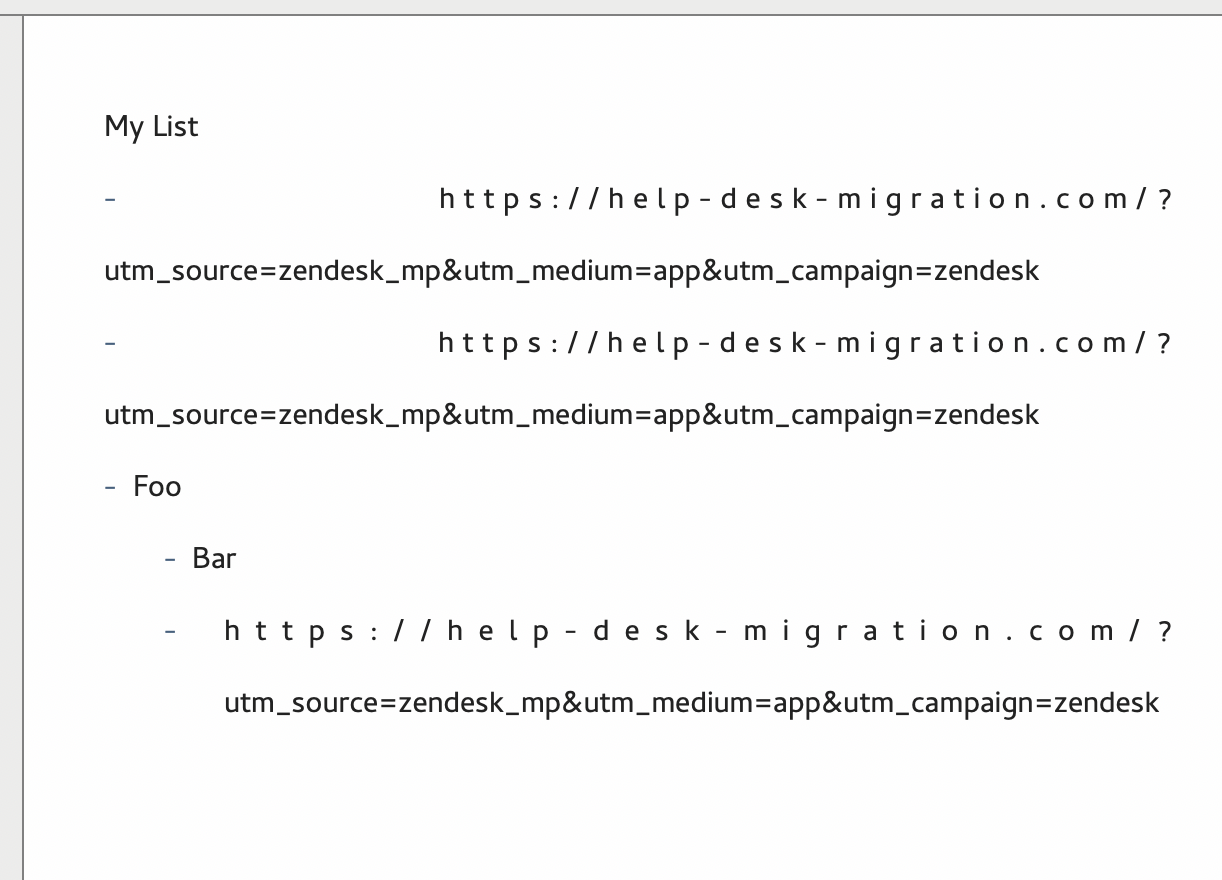
Sometimes all characters of the URL get right aligned. Sometimes each character gets force justified. List goes nuts and document performs unreliably afterwards. Sometimes I get a trailing "o". I can't seem to make it misbehave consistently but I believe it has something to do with text justification.
b47
-

In all likelihood, you have incorrect/unintended tabs in your document and elastic tabstops enabled. Fix the tabs, or disable the elastic tabstop functionality, and it should go back to normal.
0 -
I can recreate this in a new doc
E.g.
1. Type "My List"
2. Type a dash
3. Paste the url
The elastic tabstop is not the issue. Thanks for looking in to it!
 0
0 -
That looks like justified text. Do you have justification turned on? Or using left alignment?
0 -
(If, as I infer from your first message, you are using justified text, I don't see the problem with the screenshot you posted. When you use a long "word", like a URL, it is going to look ugly when it crosses line breaks. Otherwise, I'll need some more information to help me understand the issue you are having. When each character is right aligned, that is an extra tab/elastic tabstops problem. Showing invisible characters can help you track down the problem with your document. Or disable elastic tabstops if you don't need them.)
0 -
(You can also make the window full screen width, toggle the file list off, and hide the preview so that the text editor is full width. You can set maximum line length to 0 characters if it is not already. This will allow you to see what happens when horizontal space is not a constraint as well, which can clarify what is causing line breaks/spacing to result the way they do.)
0
Please sign in to leave a comment.
Comments
5 comments