Text Substitution Behavior
Completed
nvUltra doesn't recognize system-wide text replacements except when "Override macOS Preferences" is turned on, which seems opposite of what I'd expect. For example, I have the following global substitution in my keyboard preference so that a double tilde "approximately equal to" gets turned in to a proper multiplication symbol when I press Option+x:
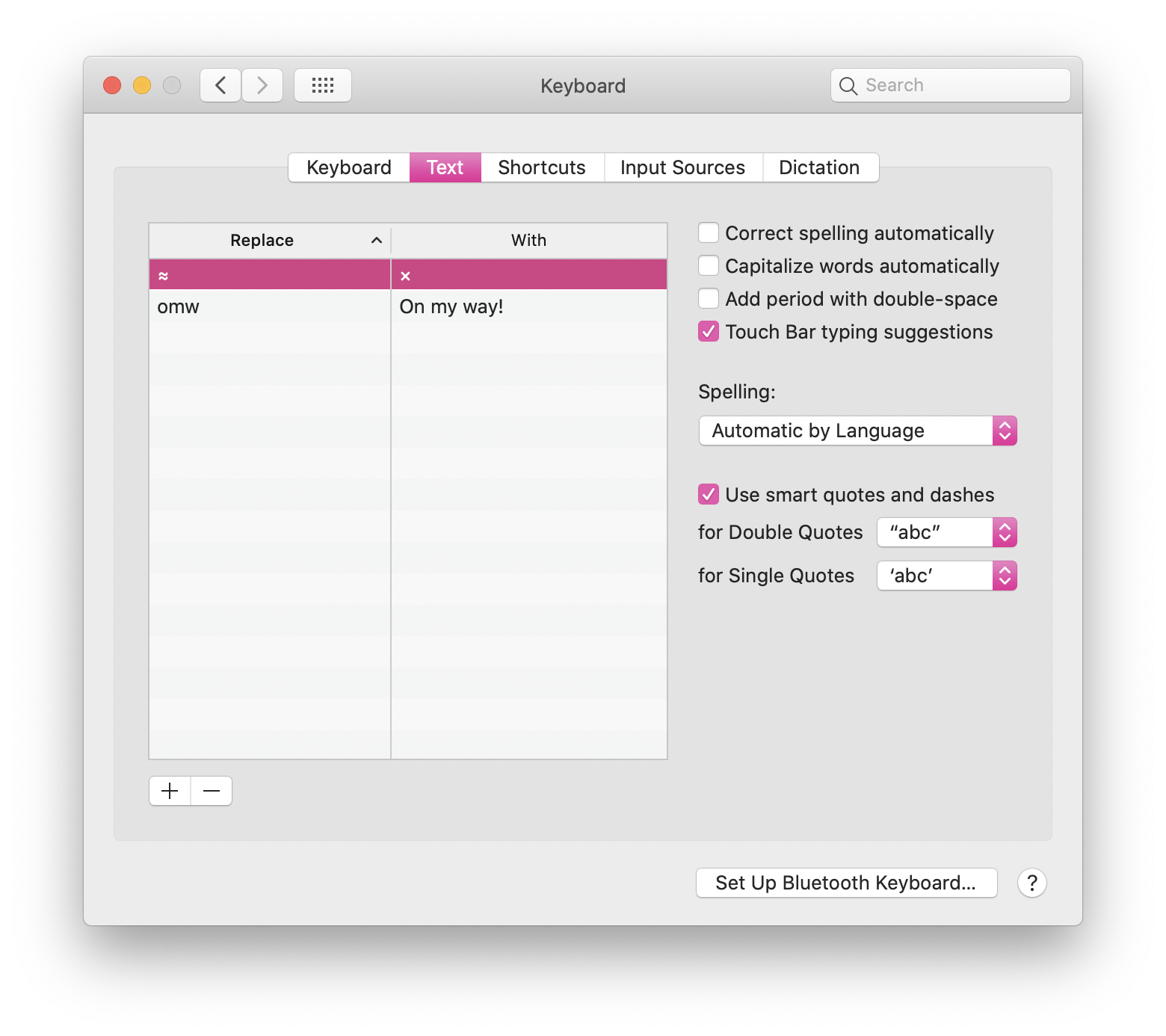
However, nvUltra won't make the substitution unless I turn this option on:
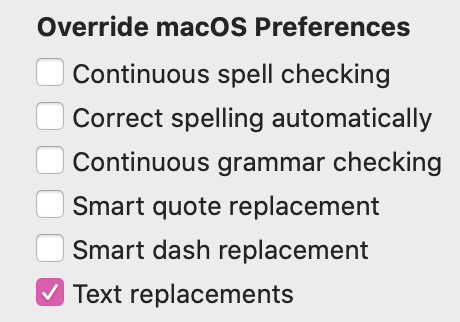
In this case I don't want nvUltra to OVERRIDE my macOS preferences — I want nvUltra to respect them! This setting seems to be doing the opposite of what the group label is telling me…
-

Thanks for reporting, we'll have to examine this.
0 -

I think the language of the Panel is a little wonky. macOS preferences are set for text. Applications give the user the ability to use whatever combination of options that they need. You have to explicitly choose to use Text Replacements, or continuous spell checking in the program you are working in. This usually appears in a Spelling drop down menu in the Edit Menu. It appears in nvUltra in the Edit menu. I am not sure why it appears in the Preference menu too. Or what the Preference pane option is supposed to do which is different from the one in the Edit menu. For reference, this is my Edit menu in nvUltra.
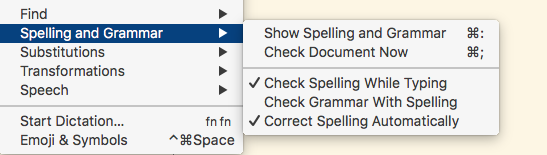
The spell check options.
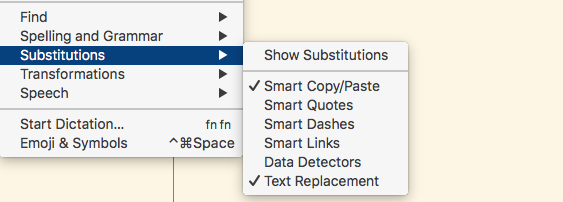
The Substitutions option.
It is confusing.
macosxguru
0 -

DJW -- The preferences override the system settings. If you enable a box, then that function is active. If you disable a box, that function is inactive. Regardless of system level settings. Therefore these settings override the respective macOS settings. Happy to rename them if you have a suggestion.
macosxguru -- the menu items allow you to modify the behavior on a per window setting, without changing the default behavior for new windows. This is the same as all standard macOS applications. The preferences change the default behavior across all new nvUltra windows when they are opened.
For example, if I want smart quote behavior in iMessage/Messages, but don't want it in nvUltra (or Composer), I can change the nvUltra/Composer preferences such that smart quote behavior is always deactivated in those applications, regardless of my system-level settings. Similarly for Smart Dashes, since I use MultiMarkdown's smart dash syntax for that.
0 -
nvUltra and MultiMarkdown Composer are the only programs I know of which provides me the option of explicitly having the option turned on for all documents in the Preferences window.
Other programs have that option in the Edit Menu and once you turn on, for instance, Check Spelling while Typing, it is sticky for all documents. If you turn it off from the Edit Menu, it is now turned off for all new documents you create.
I like your system better now that I understand it.
macosxguru
0
Please sign in to leave a comment.
Comments
4 comments