Wikilinks in preview pane open new blank note
Completed
Hi again,
I have noticed that while the wikilinks work in the note pane without having to add the file extension (e.g., .txt) within the double brackets, when I click on a wikilink in the preview pane, it creates and goes to a blank copy of the ostensibly linked note. In other words, same bug as before, but now only happens in the preview pane.
-

The editor WikiLink code was improved, but the preview doesn't yet make use of the fixes. Will be corrected soon.
Thanks!
0 -
🙏🙏🙏
0 -
Fixed for next version.
0 -
Heya,
With latest build, having same trouble as initially reported in this post. When I click on a wikilink in the preview pane, it creates a new blank document with the same name as the purportedly linked file.
0 -
Can you give specific examples of what is not working for you?
0 -
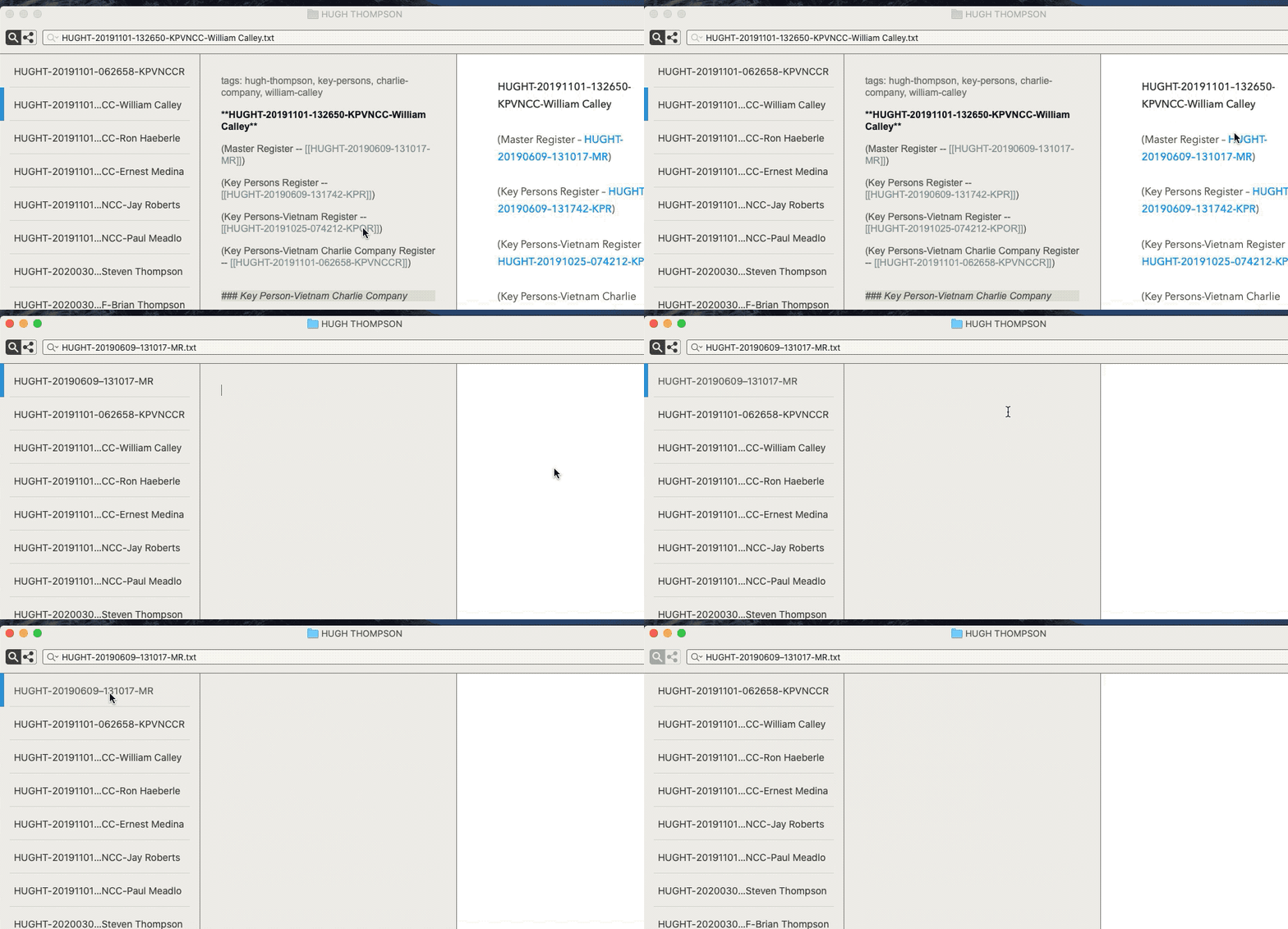
Here's a GIF I made to try to demonstrate. I click on a wikilink in Preview, and a new blank text document is created with the same title as the link.
 0
0 -
If the file doesn’t already exist, an empty file is created. Do you already have that file in the directory? If you send actual files/folders for me to try to reproduce, it’s much easier. I can’t interact with a GIF (though a video is often more helpful than just a textual description.)
0 -
Yes, I should have clarified: the linked file already exists, so clicking on the link in the preview pane generates a new, blank copy of the already existing note.
Here is a link to the folder in the GIF. I chose a random file to highlight, in this case a file whose filename ends with "William Calley", then I clicked on the "Master Register" wikilink in the preview pane to demonstrate the bug, if it is a bug.
0 -
I also note that it doesn't matter if I change the wikilink to include the .txt extension. Clicking on the link in preview pane still creates a new blank file of same name.
0 -
It's not creating a new copy of the file. It's creating a similarly named file substituting an en/em-dash for the hypen between two numbers. But they are two distinctly named files.
If you want to use filenames named in this manner, you should disable smart quotes in the MultiMarkdown preferences.
There may also be an issue where editing a file with an en/em-dash causes nvUltra to switch to an empty view while typing. I'll need to dig into that, but that seems to be a different issue.
0 -
Thank you, very helpful. Thanks for taking the time to figure this out.
0
Please sign in to leave a comment.
Comments
11 comments