Zooming issues

When you zoom in only the font size in the editor changes. The size of the text in the Search/Create bar, the File List, and the Preview remains the same. I would like to be able to adjust the size of these fonts also, perhaps proportional to the adjustment in the editor or a percentage of that. Also, because the left and right padding around the text in the editor is set in pixels, zooming to a large font results in a very narrow column of text in the editor, especially when the preview is active.
-

You can use various combinations of preferences to get lots of different behavioral options in the editor. You may find that you prefer smaller left/right padding (even 0) with a maximum length in characters. This allows you to zoom and preserve line width. (Though we can't make your screen bigger of course -- if you have the preview enabled that necessarily reduces the amount of space available for the editor.)
You can also Toggle the File List, which gives you more horizontal space for the editor. When toggled off, it transiently appears when interacting with the search bar, and then gets out of your way when editing.
As for the file list, you can customize the appearance -- https://nvultra.com/help/advanced-features#advancedappearanceoptions
As for search bar, we can consider further customization here in the future.
0 -
When you zoom in only the font size of the editor and paragraph numbers changes. The font sizes of the text in the Search/Create bar, the File List, and the Preview remains the same. Considering that most people ultimately will need to deal with presbyopia, I would expect these fonts to grow and shrink proportionally to the editor font unless the user specifies a different behavior. Use case: you rush to your computer while taking a phone call, but left your reading glasses in the meeting room. Also, because the left and right padding around the text in the editor is set in pixels, zooming to a large font results in a very narrow column of text in the editor, especially when the preview is active.
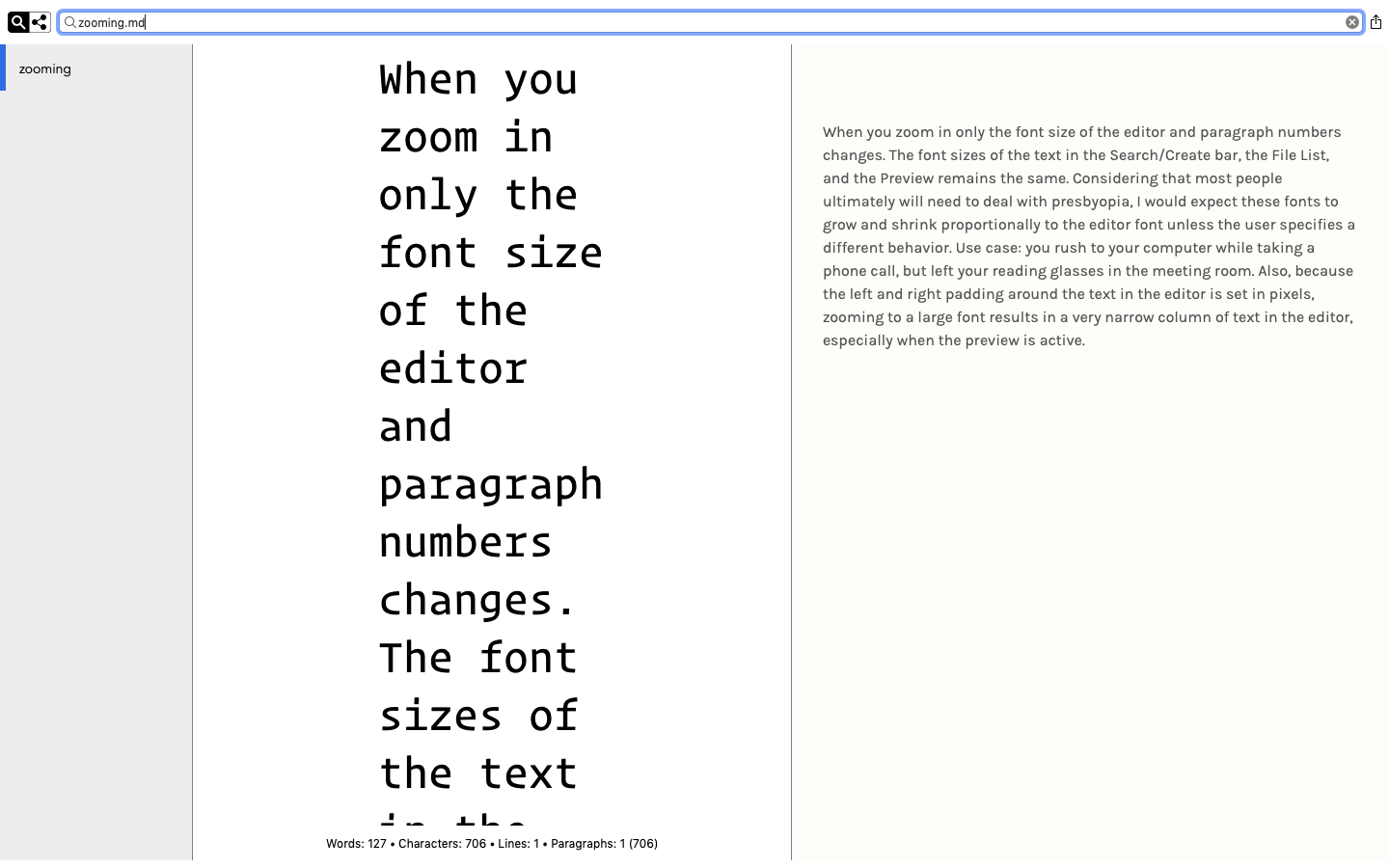 0
0 -
I'm not aware of other applications that zoom the GUI when you zoom the contents of the document. For example, image editors don't typically change the size of the tool palettes when you zoom in on the image itself.
As mentioned in my comment above nvUltra offers tools to change the font/size/etc. of the notes list. There is also a similar mechanism to change the font of the statistics text at the bottom. Both are described here: https://nvultra.com/help/advanced-features#advancedappearanceoptions
As for the search field, there is not a way to change that. But I am not aware of any way to do that in macOS at the user level in most applications. My understanding is that if you want to change the size of GUI controls, the best way is to change the display resolution. If there is something that I am missing that is available across macOS but not in nvUltra, please let me know.
I will add an option to zoom the preview (there was an issue with zooming in Apple's new WebView, but Brett and I were able to work around it, which is why the syntax guide can be zoomed. I never went back to add it to the preview.)
0
Please sign in to leave a comment.
Comments
3 comments