Applications folder
Completed
Excited to be part of the beta! Thanks for the invitation.
On to the question:
When nvUltra is in my /Applications folder, I get the following error when I check for updates:
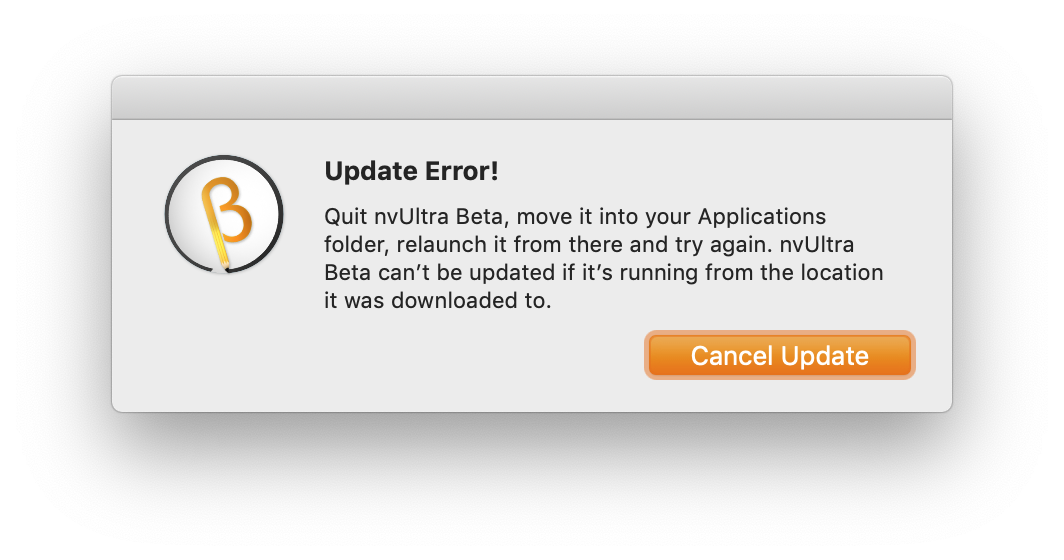
For reasons of personal habit, I try to reserve my /Applications folder for Mac App Store apps, and use /Applications2 for direct-download apps.
I'm happy to move nvUltra to /Applications since it complained. But I'm still curious about the [presumably macOS-level] reasons nvUltra's updater requires the app to be in /Applications or ~/Applications.
-

I believe that's a macOS issue. I run nvUltra from ~/Desktop and it updates just fine. Perhaps your permissions are not set correctly?
Where do you put the application?
1 -
Wow, super weird. Here's what I did, in order:
- Download nvUltra Beta and move it to /Applications2
- Attempt to update from /Applications2 (⚠️ this failed with the error I posted above)
- Move nvUltra to my user's ~/Applications folder
- Attempt to update (✅ this succeeded, so I posted the above question)
- …fast-forward to today…
- Try to update from ~/Applications folder (✅ still working)
- Move nvUltra back to /Applications2
- Try to update from /Applications2 (✅ still working)
I'm reasonably confident I updated my macOS (to 10.14.6) during the gap in step 5, which would have also involved a restart and possibly some permissions updates, so that could be it.
/d
0 -
My guess is also a permissions issue. You didn't happen to move the app while it was running, did you? That might screw with the Sparkle update mechanism as well.
0 -

This is a macOS quarantine issue, it would surprise me if you'd never had it happen with other apps. The bundle usually just needs to be moved for the quarantine to be lifted.
0 -
I have had it occasionally with other apps, just not apps that were actively soliciting feedback from beta users. :)
Anyway, thanks for the replies and keep up the great work – I'm absolutely loving using an nvX that's under active development. It remains indispensable in my information management workflows.
0
Please sign in to leave a comment.
Comments
5 comments