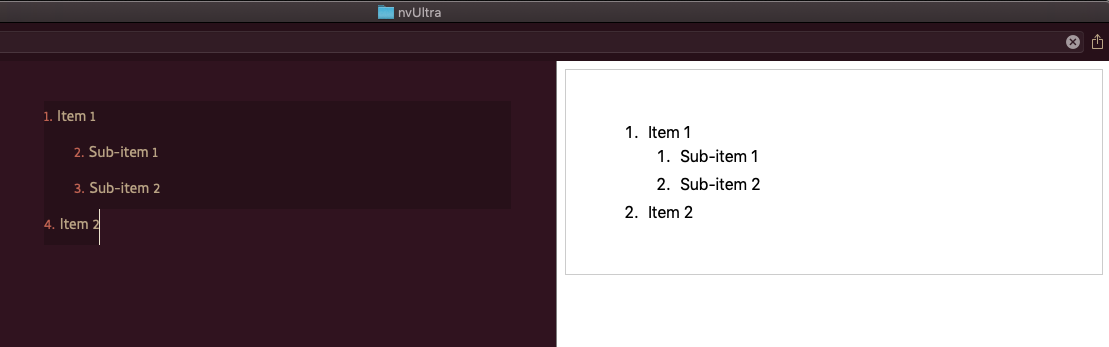
Ordered Lists don't number correctly in the editor, but look fine in preview
Completed
1
-

When you reorganize the list (thereby "breaking" the numbers) you can use the "Cleanup->List" menu item, or toggle to bulleted list and back to enumerated in order to renumber. I always use the toggle approach as it's a quick keyboard shortcut, but you can also apply custom shortcuts to any menu item you like in macOS system preferences.
(The numbering in Markdown lists isn't actually important since HTML and other formats automatically provide the numbering when displaying enumerated lists.)0
Please sign in to leave a comment.
Comments
1 comment