RTL Support

I'm writing notes on both Hebrew and English on a daily basis.
Hebrew is a RTL language and in order to see the text aligned correctly while editing, I had to go to Menu Bar--> nvUltra-->Preferences...-->Appearance and change "Text Alignment" to "Right"
This is ok if I only used Hebrew but since I use both languages it's not an intuitive way to switch the alignment.
Another issue I've found is in the preview window, while the text in Hebrew is aligned correctly in the editing windows, it is not the case in preview.
I've attach a print screen.
Gabriel.
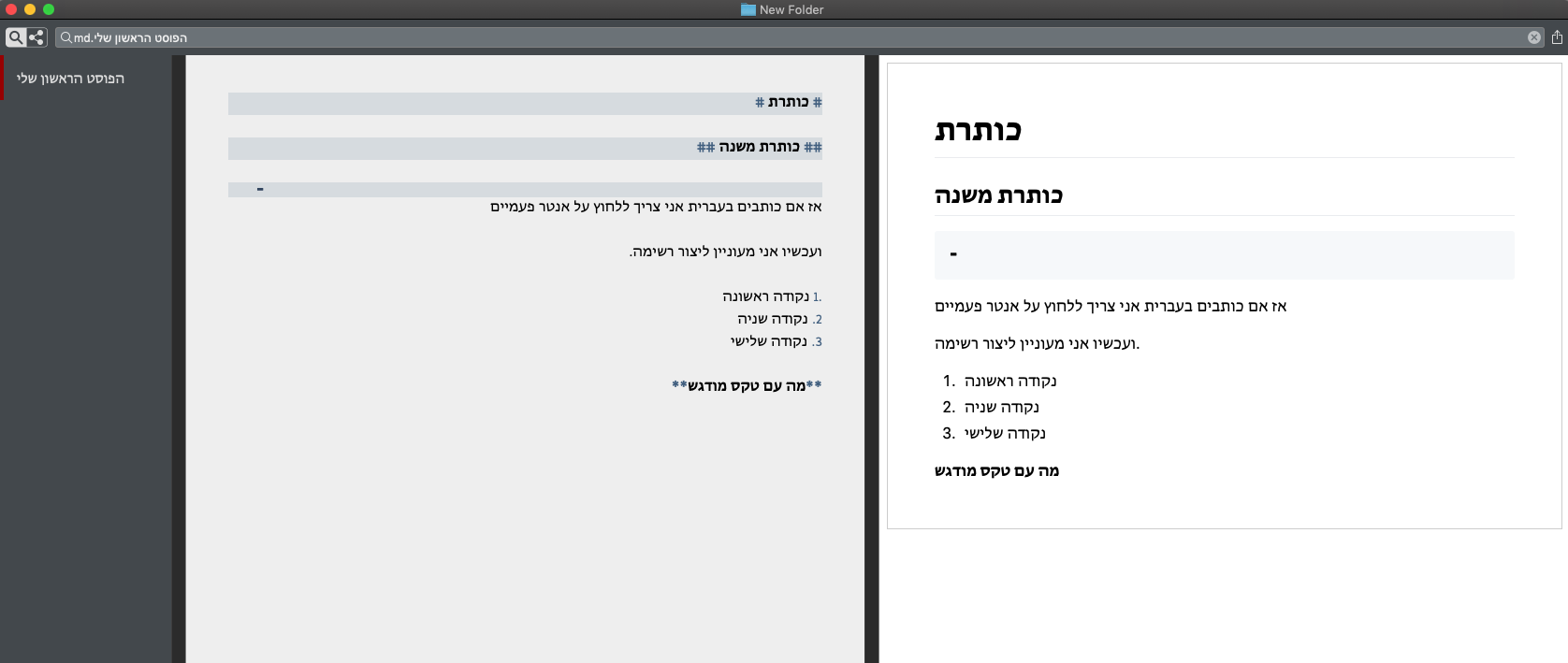
-

Added switch to next version for tabstops so that they adjust based on writing direction for the document.
Keep in mind that MMD tables will probably not work entirely correctly since the `|` character doesn't always seem to behave "properly" in mixed LTR and RTL text. It does work properly with lists (except for strangeness with `1.` vs `.1` that may be out of my control.)
0 -

Thank you for the list/tab hint! Great! I didn't realise that.
And thanks again for the planned tab switch!
I seldom need tables, but I will test it.
0 -
One thing to remember about tables is that they are more of a spreadsheet than a paragraph of text. This is especially important when mixing RTL and LTR.
0 -
LTR text table with Hebrew words work great, as expected:

RTL text table with LTR words create the same output, maybe because the pipe character that is not recognized as language agnostic by the text engine or markdown. This would remain to be a problem for RTL texts.
0 -
If you want a table to be displayed RTL, then you need to make the HTML use RTL writing direction via `dir=“rtl”` on desired HTML elements.
Writing in Hebrew does not flip the orientation of the table. (This is where it is better to think of the text in a file as “top to bottom” instead of “left to right” or “right to left”) Another way of thinking about it is that the layout of the table is agnostic to the contents of the table. The first column is to the left, the last column is to the right - UNLESS you switch the writing direction of the HTML as above.
0 -
Good to know, thank you! Oh, and in the table there is a mistake in the first Hebrew word, I forgot an Aleph: בראשית, just in case you’ve wondered. :o)
0 -
I was going to comment on that, but didn't want to embarrass you with the vastness of my knowledge.... ;)
1
Please sign in to leave a comment.
Comments
37 comments