What does "Toggle List Indent to Spaces" do? (v28)
Completed
First, this toggle has no visible mechanism to let me know its state — that seems like a bug.
I'm confused about what it is even doing. If I enter a list, any sub-bullet gets a tab when I indent with CMD+]. It seems like toggling this swaps the tab with spaces, but it does not seem consistent.
I would really like to have all tabs converted to spaces so that what I see is what the receiver will get if I send the raw file. I don't know if this breaks the elastic tabstops for tables (also critical to me).
Am I missing something?
-

It toggles the spacing between list markers and list text between spaces and tabs. If you use a space, and your list item wraps, the content of the list item aligns with the list marker, instead of the start of the list content. If you use a tab, then subsequent lines match the first line of content, not the marker
There is no "state" -- it applies whatever you tell it to to the list item that you are currently editing.
These commands are working properly.
0 -

Is there a way to change the default behavior to indent to tab?
0 -
Just type tab instead of space after you type your bullet or number. ;)
0 -
The indent to tab appears to break if I use a leftIndent in my theme in nvU (29).
0 -
I'm not sure I follow you on that last comment. Can describe exactly what you mean?
0 -
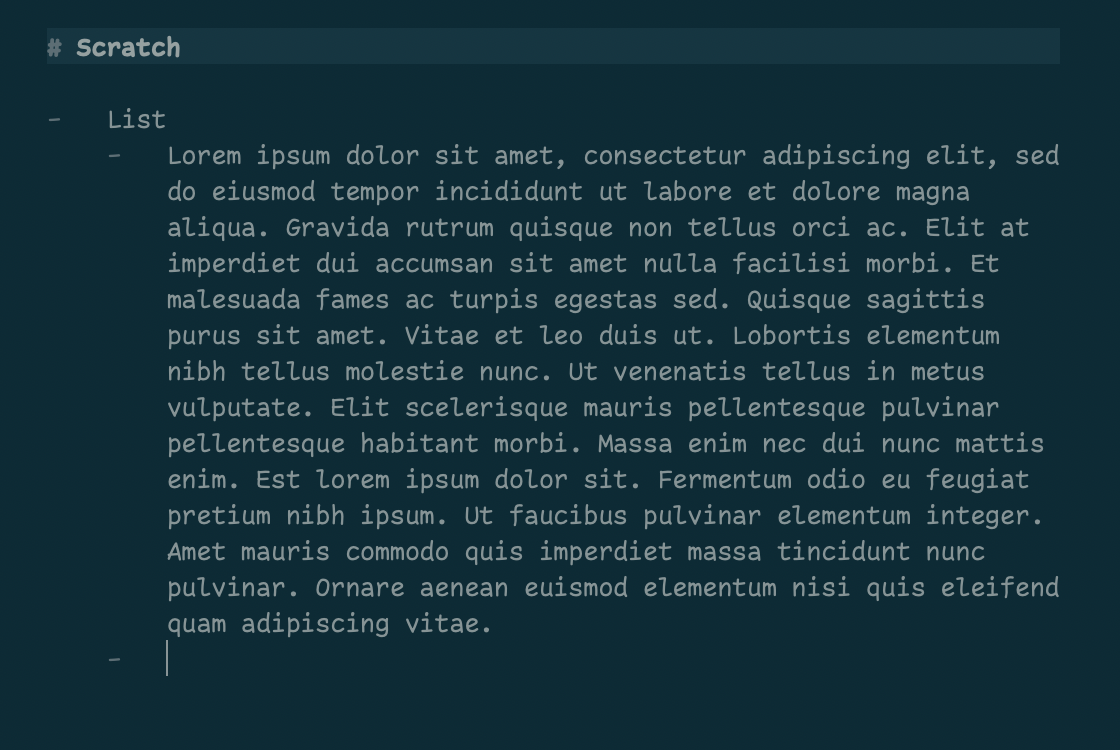
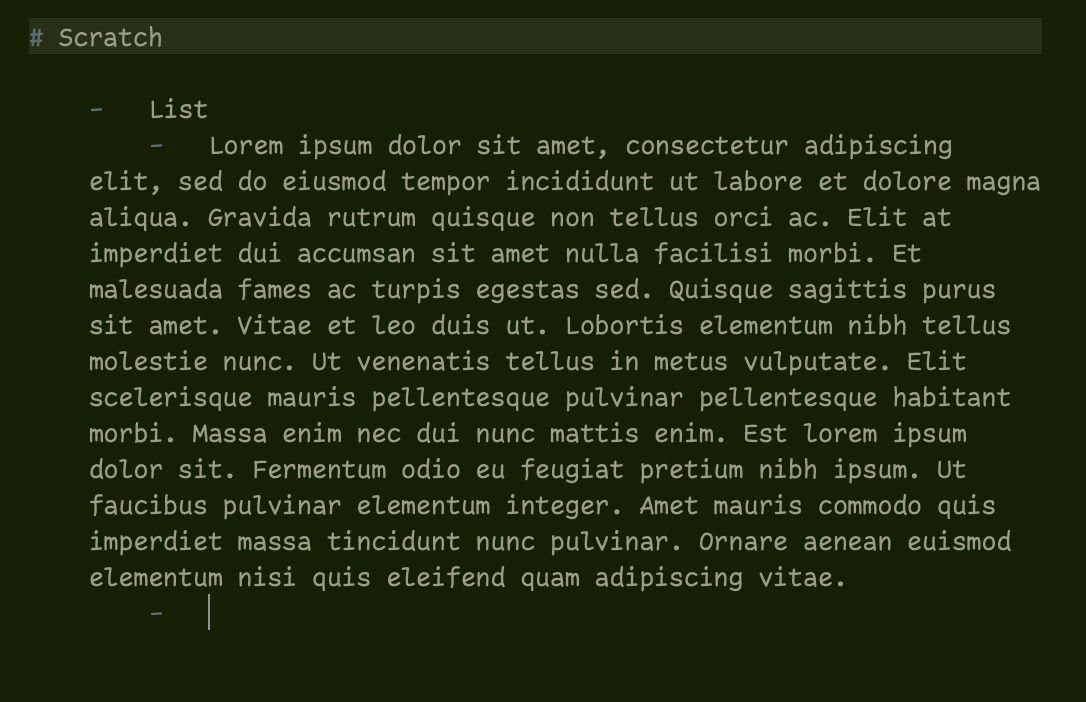
Sure. It might be easier with images. The Solarized Dark theme does what I expect when I tab my list items...the text remains aligned with the tab. When I use my custom theme with a leftIndent for the bullet list, the alignment to the tab is undone.
 0
0 -
Fixed for next release.
Thanks!
0
Please sign in to leave a comment.
Comments
7 comments