Make URL:s clickable working?
Completed
Hi,
Is the 'Make URL:s clickable' option under editing in preferences working as intended? I either do not understand the option or it might not be working.
URL:s are not clickable for me. Since I am not using markdown primarily yet, I am coming from nvALT and are using plain text mostly. But URL:s was made to a clickable link in nvALT and the option, if I understand it correctly, is in nvUltra.
Best regards,
-

Can you give an example of a URL in your text that is not working?
0 -
Hi,
New text file, with only:
https://multimarkdown.zendesk.com
Not clickable. Right-click reveals 'open link' or 'make link'. Open link works and opens a web browser but it's not the same as "clickable". 'Make link' makes it a link with the same behaviour with a right-click as a normal link in a browser, but still not clickable to open with the left button.
0 -
Ah. I suppose it should more properly say "Make *links* clickable."
Markdown links look like `<https://multimarkdown.zendesk.com>`
0 -
Hi,
Ok then I understand the function, it is for making markdown coded text links clickable and this is working.
But, i do think I found another oversight in this:
When punching in a link in a plain text file, for example https://multimarkdown.zendesk.com. My understanding of a right click and choose "make link" is that the '< ... >' should be automatically put in there? This is not working. When doing this nothing changes in the text file, the mouse pointer behaves like it is a link but nothing happens when clicking.Try that out and please explain to me if this is not a bug/misbehaviour?
0 -
That must be something that macOS adds to the contextual menu. It's not something I added. Presumably it is useful in RTF editors (e.g. Mail or TextEdit) in converting URL text into an actual link in the text (similar to what "Making it clickable" does). But because nvUltra is a text editor not an RTF editor, it doesn't do anything in this context.
I'll see if I can delete it, but I would like to leave the first one ("Open URL") since it does allow you to open a URL whether it is an active MMD link or not.
0 -
I wasn't able to delete that menu item yet (it gets added by the system at a separate point than when the context menu is created), but I can at least disable it.
Additionally I removed the font submenu, since it doesn't apply for the same reasons.
Thanks!
0 -

> Since I am not using markdown primarily yet, I am coming from nvALT and are using plain text mostly. But URL:s was made to a clickable link in nvALT and the option, if I understand it correctly, is in nvUltra
I'm also coming from nvALT, but with `.md` files. nvALT handled linking URLs whether they were wrapped in `<...>` or not. If nvUltra will only make URLs clickable if they're wrapped in `<...>`, I would expect the preference to be on the MMD section. I too was also confused.
Ultimately, I would love the same behavior as nvALT. Maybe the preferences could be:
- Make all URLs clickable
- Make URLs clickable only if wrapped in `<...>`
Regardless, very excited about this app. Looking forward to testing it more. Thanks for all the hard work.
1 -

Just adding to this...
I was also confused that the preference to Make URLs clickable wouldn't make simple plain text URLs clickable since this is what I remember as always happened in other applications when there was this kind of preference option. I was thinking that it was a bug or the option was simply doing nothing at the moment and would be implemented before the release.
So I also think it would be great to mention which kind of URLs would be clickable by activating this option. Also, I'm also in favour of another option to make normal plain text URLs clickable.
Also, I think it would be great to add a feature to use a modifier key to switch this option temporarily. I mean, for example, in iTerm we can set CMD to make an URL clickable (open) when we CMD+Click on it. Also, another modifier that can be interesting is using a modifier key to put the cursor inside the URL string, but without activating the open action of a click on it. Again, for example, OPT+Click could move the cursor inside the URL string.
Last thing, that goes with the other a context menu item that I don't think should be there since we are using plain text and not RTF. When we do a secondary click on a markdown URL (using < > or [ ]( ) ), we can right click on the URL and access an Edit Link... and a Remove link. However, when editing the link using this menu, it seems to work but the link is not clickable anymore. Maybe it would be better to remove/disable this menu item or to make it change the plain text string directly?
Also, the Remove link menu item seems to work and make the URL not clickable, but it doesn't remove the Markdown part to specify that this URL is not clickable anymore. Also, when we get back to our text file after visiting another one, the link is clickable again, so the option is not really useful, but if it could remove the < > or [ ]( ) strings around the URL
Thanks for your work and I'm looking forward to nvUltra :D
1 -
I'll look at the implications of allowing generic macOS URL detection to be enabled.
I can also disable the Remove Link and any other context menu items like that. It will not be coopted to remove the MD link markup.
Basically, any of the link context menu items are being inserted by the OS. I seem to be limited in my ability to remove them because of that. But I can at least disable them.
1 -

Same thought re: clickable links. Adding the extra characters is more work, and it works differently than the other text editors that I use across macOS and iOS.
0 -
nvUltra's support for Markdown/MultiMarkdown is different than any other editor that I use, and that is on purpose. More precisely, I suppose, the others are different than my editors (e.g. MultiMarkdown Composer, now nvUltra), since I was first.... ;)
I don't intend to add clickable links in Markdown documents that are not actually URLs, as that simply makes things confusing -- is `X` a link or not?
But what might be reasonably feasible is to use Apple's generic data detectors when Markdown/MMD syntax highlighting is disabled, since that consistency would not apply to those documents.
0 -
Fixed an issue that prevented clicking on a link found by Apple's smart link when Markdown highlighting is turned off.
0 -
I also updated the preferences to make it easier to automatically enable Apple's Smart Links and Data Detectors settings.
But remember -- nvUltra edits plain text files, not rich text files. So it will not *remember* links that are found by Apple, since those rely on features of RTF to be saved with the text document. Data Detectors work differently, so they do not require RTF.
0 -

Does smart links and data detectors work fine for normal URLs for you guys?
For me it does not work; doesn't highlight the URL, doesn't allow to click it.
1 -
No it doesn't.
Can not get smart links or data detectors to work, either when enabling in preferences or through 'edit'/'show substitutions' settings.
I was the one starting this thread and by the answers over the year I just think I am doing something wrong. But no, I can not get URL:s clickable in a plain text file.
0 -
Data detectors and smart links work differently behind the scenes.
Data detectors work for me (e.g. a phone number).
Smart links only work transiently because macOS does not repair the link attributes if they are removed (which is part of the syntax highlighting process). I'll try to dig in and see if there is any other approach here, otherwise it may be best to just disable macOS smart links all together.
0 -
How is it different behind the scenes than nvalt? In nvalt links remains clickable after quitting the note and reopening it. nvalt has an RTF editor?
0 -
nvALT doesn't have syntax highlighting.
0 -
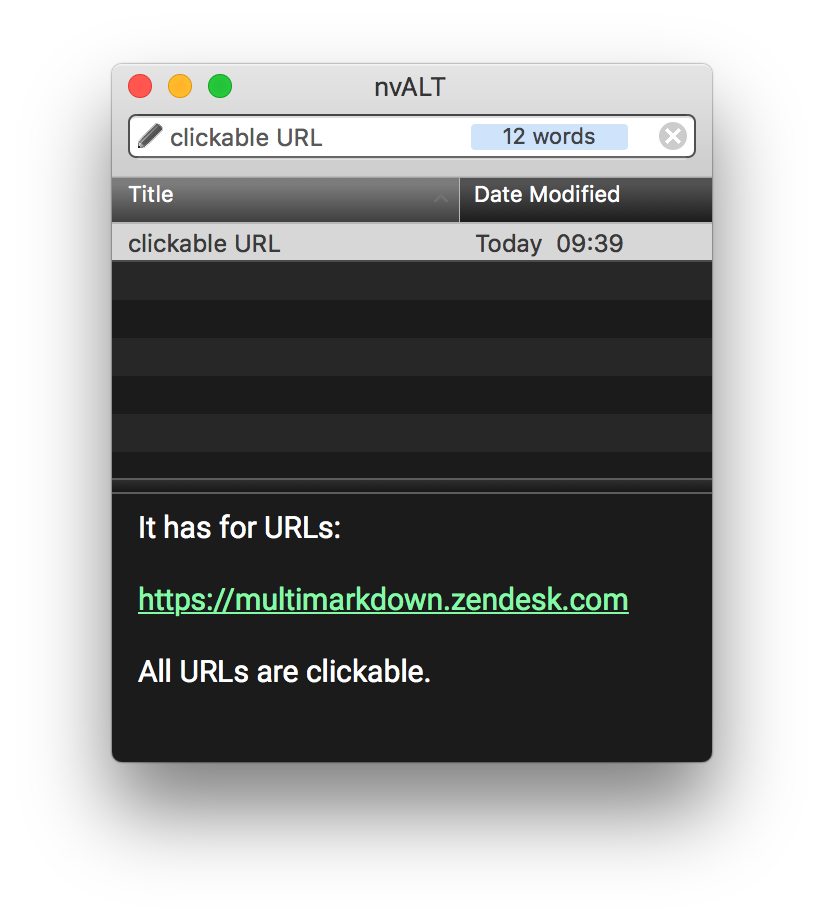
It has for URLs, all URLs are clickable:
 0
0 -
nvALT does not support syntax highlighting. Smart Links do not constitute syntax highlighting.
0 -
Oh, got that difference.
What I was trying to say is how is nvUltra different then nvALT behind the scenes that in the latter Smart Links remain clickable and "detected" after quitting the app and reopening it?
In nvUltra Smart Links work while typing but then the loose the link attribute after switching notes or restarting the app.
And in nvALT Smart Links also have a "link style" (underline + different color) that nvUltra does not.
Do they use different mechanisms for the text editor?
0 -
I refactored some of the syntax highlighting code.
For whatever reason, Apple handles URL detection (Smart Links) and other Data Detectors (e.g. phone numbers) differently. From my testing:
1. Smart Links are only detected as they are typed. Pasting them in does not result in a clickable link. Phone numbers *are* detected when pasted. This is true in nvUltra and in TextEdit (my default test comparison to determine what is *normal* macOS behavior for NSTextView's).
2. This means that when opening an existing document, phone numbers will be "active", but URLs will not.
3. There seems to be nothing I can do about this (without rewriting Apple's code and replacing it, which I have no intention of doing.)
4. Because of this, Data Detectors seem to be fully compatible with nvUltra's syntax highlighting. Smart Links are not.
If you use Markdown/MultiMarkdown then macOS Smart Link functionality will not be of much use to you. It will only transiently identify URLs and allow clicking on them. Which is fine, because they would not be functional links when the Markdown is converted to HTML or other formats. If, instead, you use Markdown formatted links (which is really easy in nvUltra due to the use of smart pairs since you can quickly wrap links in `<...>`), then the links will be functional in the editor and preview.
If you do not use Markdown/MultiMarkdown then you can disable syntax highlighting in the MultiMarkdown preferences, which will allow Smart Links to work.
0
Please sign in to leave a comment.
Comments
22 comments