Creating a new note with a period in the file name results in file that can't be edited
Completed
Apologies if this has already been reported, but I just hit an issue creating a new note which contained a period. Rather than saving a .md file it used the text after the period. Since the file extension isn't a valid text/md file, I was unable to edit the file.
Steps to reproduce:
- In the search box, create a new file containing a period near the end followed by some text - e.g. "release notes v1.0"
- Press enter to create the new note
Expected behaviour:
A file called "release notes v1.0.md" should be created (or whatever the default file extension is set to), which appears in the file list as "release notes v1.0", and the editor opens the file ready for adding content.
Actual behaviour:
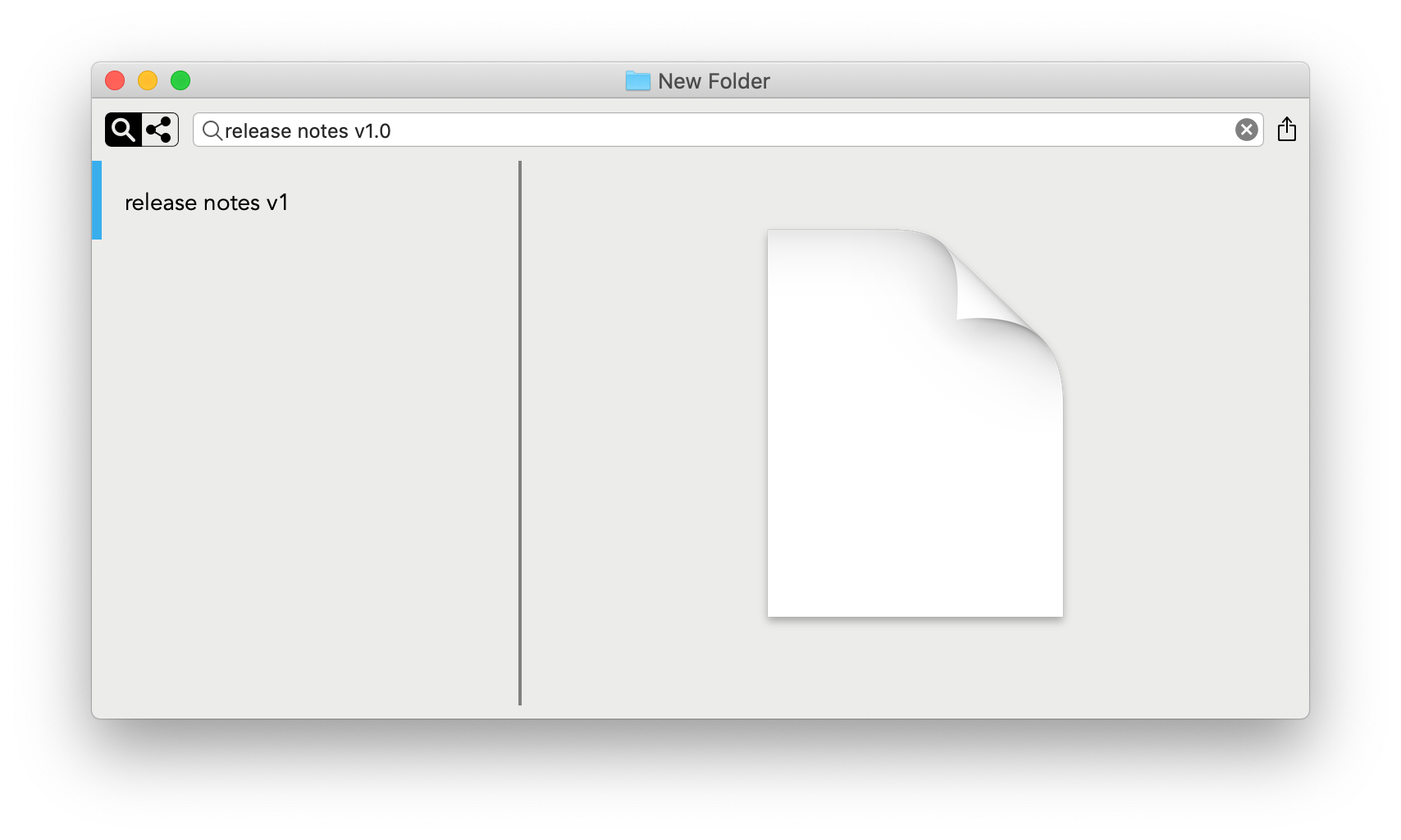
A file called "release notes v1.0" is created (the file extension being ".0"). This appears in the file list as "release notes v1". The editor shows a 'blank document icon' (presumably indicating unsupported file) and unable to edit the file in nvUltra.
Screen shot attached showing issue:
-

Now nvUltra will check and if the extension you give a file is not a valid text file extension on your computer, it adds the default extension after whatever you typed.
Thanks.
0
Please sign in to leave a comment.
Comments
1 comment