Download the latest Beta release here
Pinned
Download the latest release here.
This post will always link to the latest release, check back if you need to re-download. Please post feedback and bug reports in new threads (or search for existing conversations to continue). This thread is for announcements only.
Beta Mark II is now the only beta receiving updates.
The latest beta is available and should show up in nvUltra→Check For Updates. If you have any trouble, or you haven't installed yet, you can download the latest build above.
The full changelog is always available at the help site.
-

Thanks!
0 -

This beta (26) is very polished and a joy to use. Well done!
1 -

This is the app I've been waiting for! Thanks for all the hard work. Have been a long-time user of the components (nvALT, Multimarkdown Composer, Marked) and they are all coming together.
1 -

Looks good. I noticed a typo in the third welcome screen: "The Search/Ceate Bar is …"
Feature request: Please, please add hash tags, so that I can work with my notes in the cloud even on a computer without nvUltra installed!
0 -

When I click on this link to download the beta, a new tab opens with this message, and I'm not able to download the file:
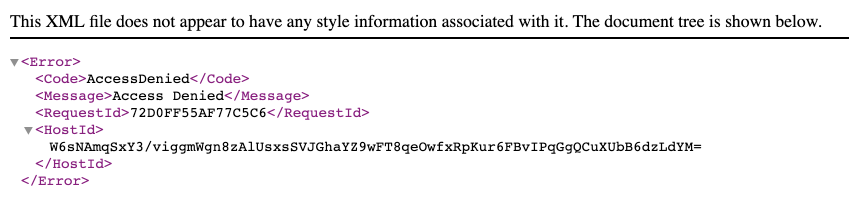 I have also right-clicked to attempt to save the file, and when I do, it attempts to download, but my browser (Chrome) says "Failed - Forbidden." I am on Mojave (10.14.5), FWIW. Anything I should be doing differently to get the download to work? 0
 -

If you're already running a beta, you can still use the "Check for Updates" menu. We're working to fix the direct download link.
0 -
Thank you! Unfortunately the version I had installed was too old and it expired, so I can longer update from within the app. I’ll be looking forward to an updated direct download link. Thanks again.
0 -
The download link is functional again.
0 -

Brilliant, loving this app. Curious if your going to switch to SwiftUI and create Mac and iOS apps from the same code? In my case I use iOS way more than my Mac these days and would love this on both OS's. Just food for thought.
0 -
Moved a heap of files on iCloud Drive and so had to 'open' my notes folder again and the app resized to original size rather than what I had changed it to. No big deal but thought I should let you know in case that is unexpected behaviour.
0 -
1. If you changed the location of your notes folder, it's a new folder as far as nvUltra is concerned and will be treated as a new "document" -- default window, default theme and settings.
2. SwiftUI is a great gimmick for applications that don't have much of a UI. It's not very robust from what I've seen when it comes to more complex apps. In either case, the vast majority of my code has been cross-platform between macOS and iOS for years, and the prior generation is in use for the current MultiMarkdown Composer beta for iOS. The new code base (aka libSmartText) is already in a prototype iOS test app, and will find its way to a real iOS app once nvUltra is "finished" and I have time to return to iOS development. ;) (This included a custom split view controller that worked out of the box on both macOS and iOS. Now that I've moved back towards Apple's SplitViewController, it looks like I'll have to write my own again for iOS.)
0 -
Thanks for the info Fletcher. I couldn't see a MultiMarkdown app on the iOS store (in Australia anyway), any chance of access to the beta if it's far enough along (fully understand if not). Didn't realise you were working on an iOS app also which is great to here.
Thanks
0 -
It's not on the iOS store since it's still in beta. Right now the beta has actually expired, because I've been focused on nvUltra for the last 6 months or so. Between that and a potentially dangerous bug in Dropbox's sync mechanism that took me a while to figure out, I have not been pushing the beta publicly. Once I get the new code tied back in, I'll announce it again.
Thanks!0 -
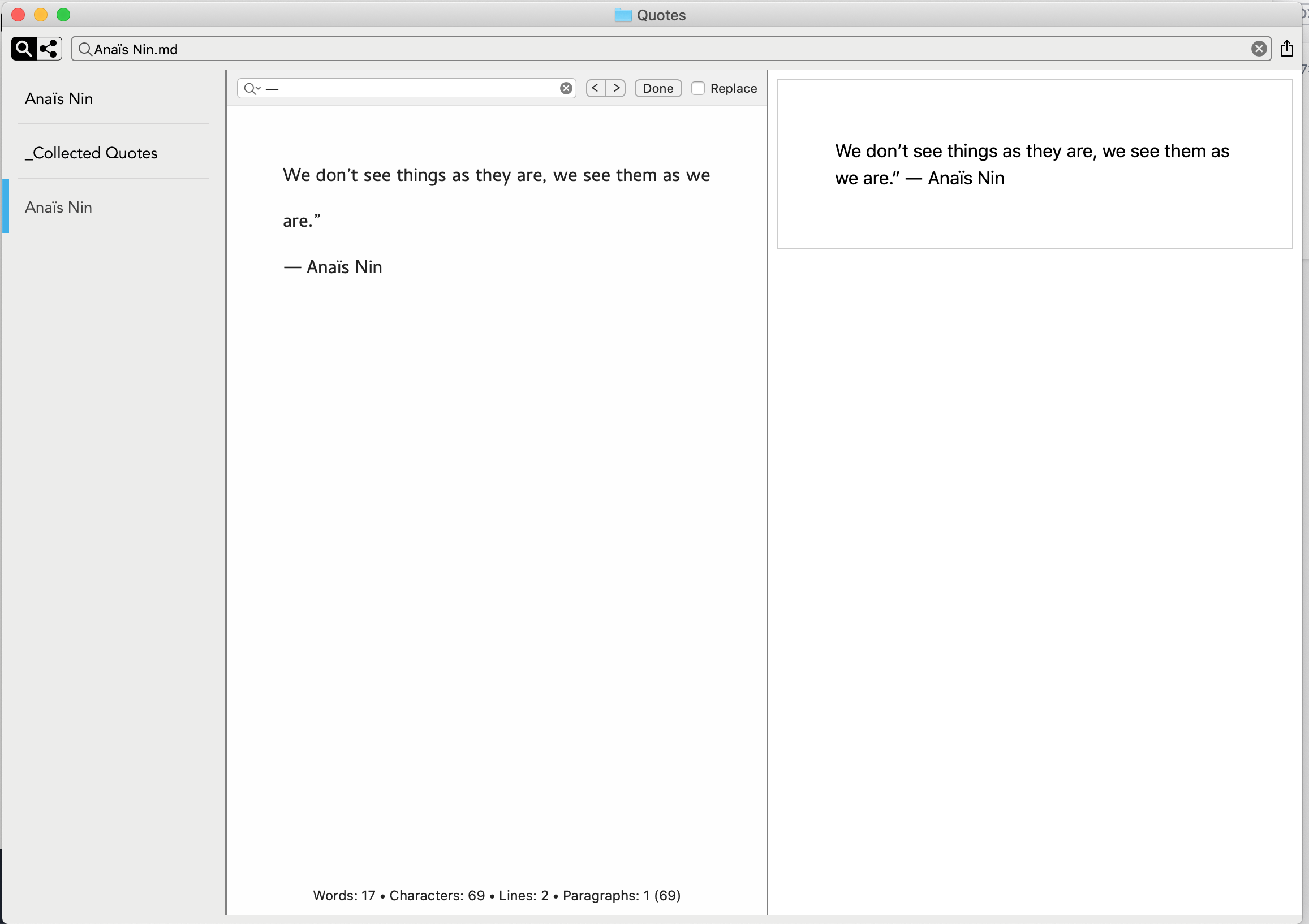
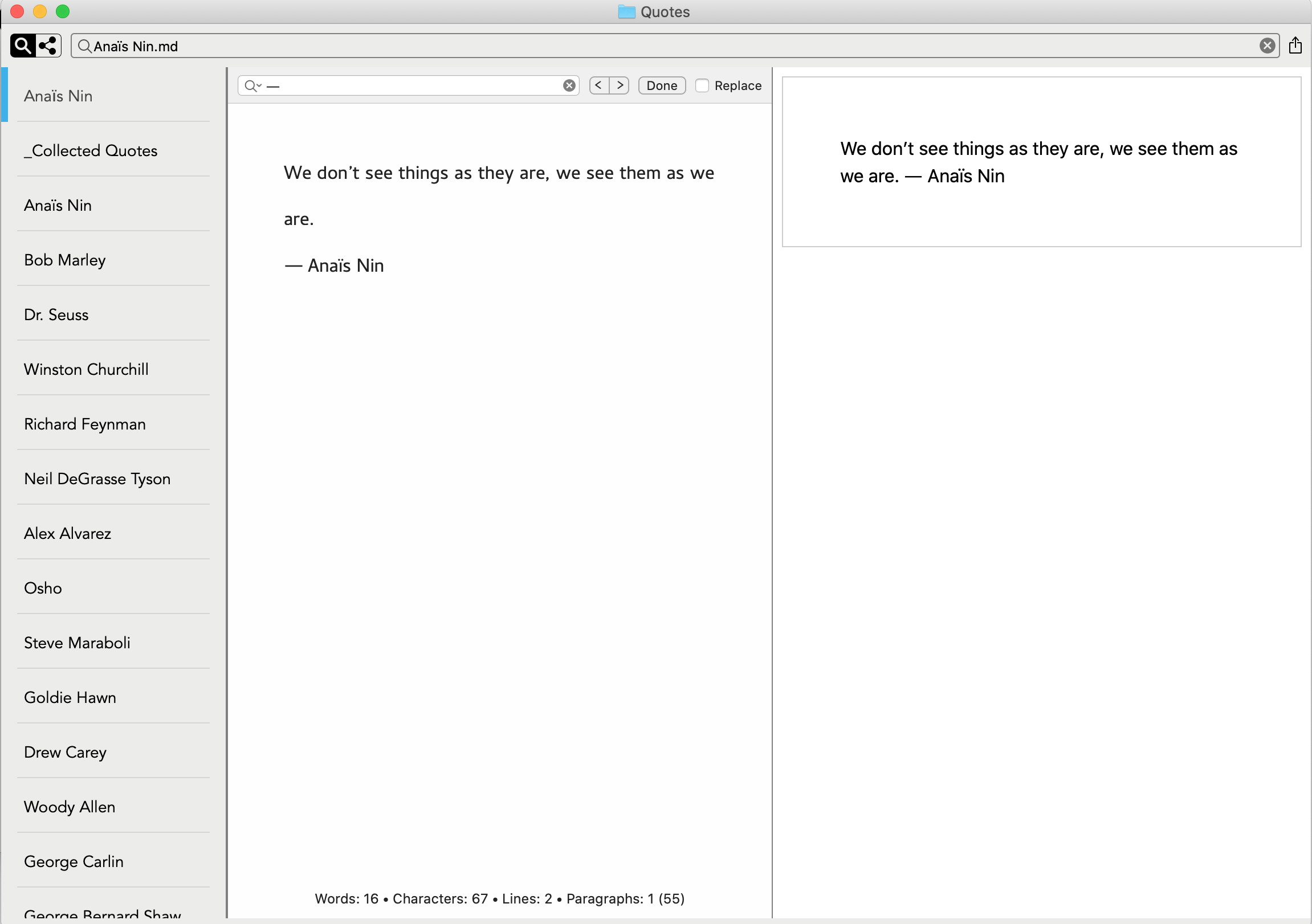
I was breaking a large file up into pieces and occasionally a new note I create would display in the list duplicated. What changes I make to one would appear in the other so it's not a duplicate note per se. Closing the window and opening again seems to fix the duplicates in the list. Screenshots attached.
 0
0 -
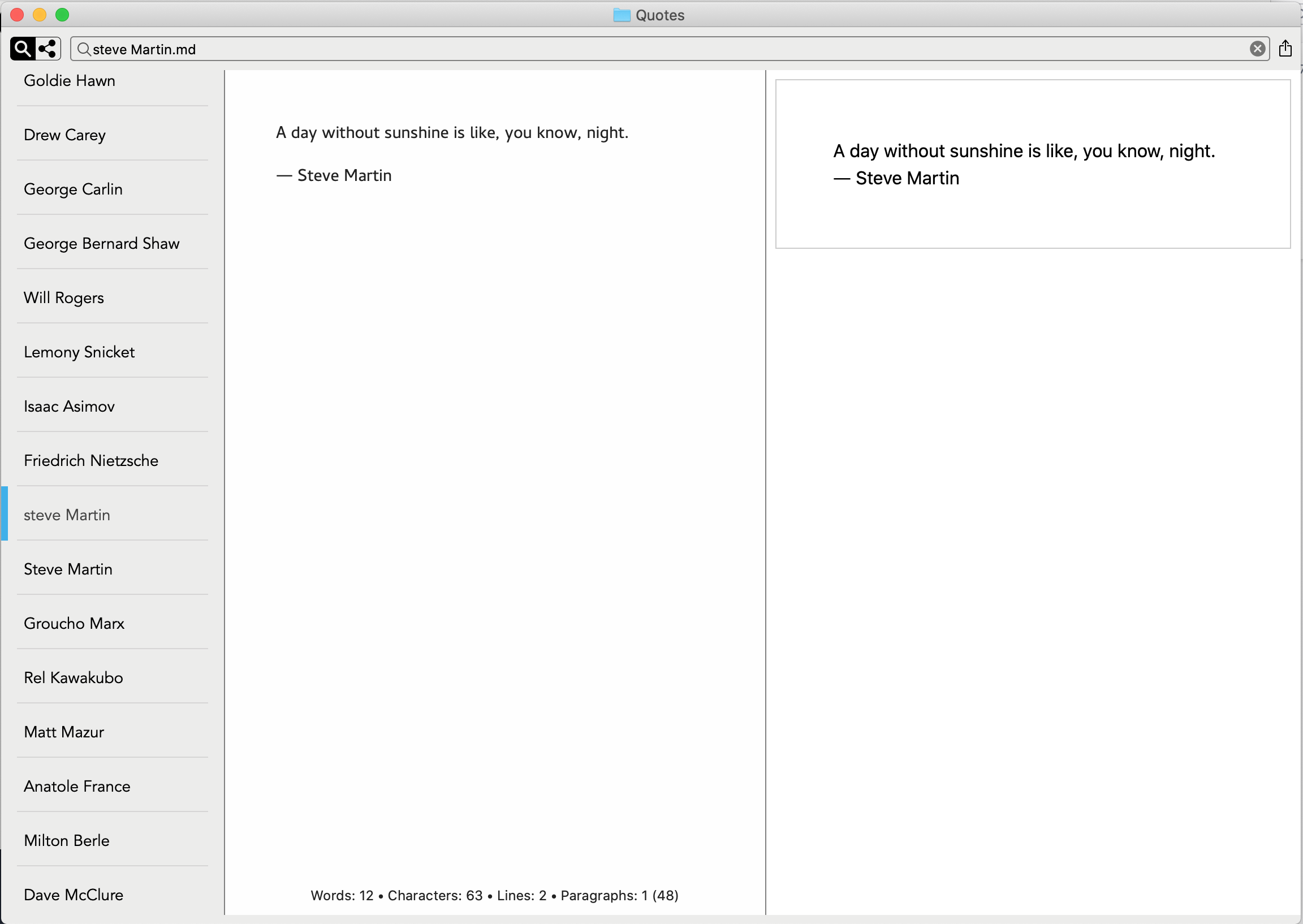
In a followup to previous, renaming a file gave me both the original and new in list even though they pointed to the same file. Screenshot attached, see Steve Martin... I mean steve Martin... you know what I mean I'm sure ;-).
 0
0 -
This has been addressed in another thread and fixed for next release.
0
Post is closed for comments.
Comments
16 comments