nvUltra abruptly jumps to another document while typing

When I am writing on a document, nvUltra suddenly jumps to another document in the same folder. I can't see any patterns yet as to when this happens. Three days ago this happened 5 times in a short time. It causes me accidentally typing two letters in another document.
- The edited Markdown document is in iCloud. It is an indexed directory of Devonthink. But it is not edited in parallel.
- I don't press any keyboard shortcuts, touchpad or similar.
- It happens while I'm typing or immediately after.
- I don't use the Emacs shortcuts ctrl-p or ctrl-n.
- I don't have any noticeable problems in other programs
- The versions are Sequioa 15.1.1, nvUltra 1.0.0 (2024.11.22.22.00)
-

This is still happening for me too. Only occasionally. I too cannot detect a pattern to the behaviour.
I do not use Dropbox or iCloud, rather a straight hierarchy of filesystem directories. Using 2024.11.22.22.00 on macOS Sonoma 14.7.1
Otherwise similar dot-points as Ralf listed.
0 -

David Crossley - By chance is the hierarchy in a directory that is managed by iCloud's “Desktop and Documents Folders” sync?
When this happens to me, it is in an iCloud Folder. And I previously had the “Optimize Mac Storage” option checked, which meant that when I went into a folder I had not accessed in a while, nvUltra might try to index files that are not available locally. So it requests them from iCloud. Some time later, they arrive, triggering refreshes (often rapid-fire) of the notes table.
When I turned off that function, such that all files are stored on each of my Macs, the list refresh issue stopped happening.
Ralf Hülsmann – is the notes list updating when the active file changes?
0 -
Wherever possible i have always tried to completely disable iCloud.
My nvUltra note collections are all stored under ~/Documents/topics
I do not know how to tell if iCloud has still gained control of some folders.
The macOS "Settings > Privacy & Security > Files and Folders" does not have iCloud listed.
The macOS "Settings > Internet Accounts > iCloud > Optimise Mac Storage" is not enabled.
0 -
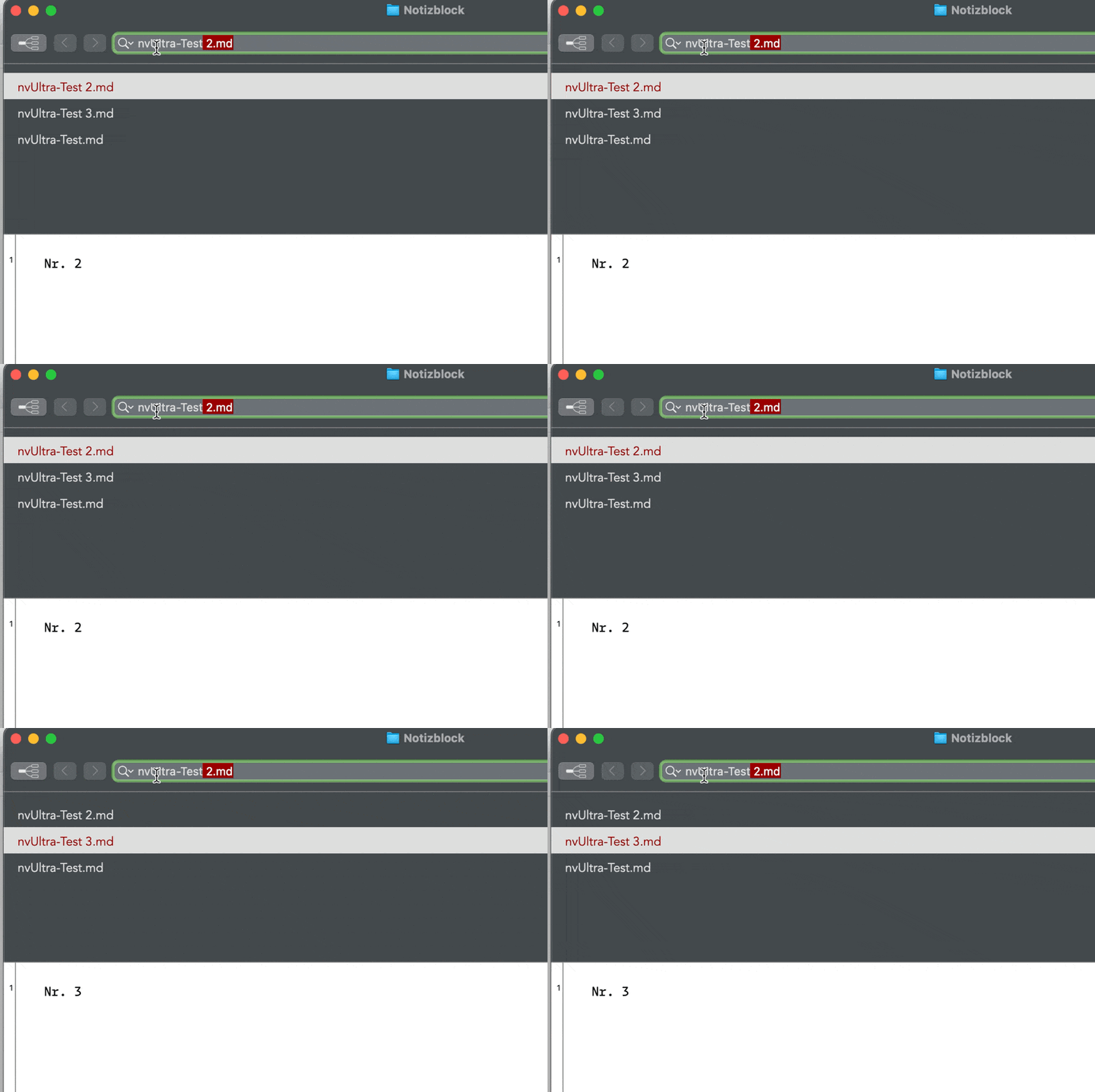
Yes, the notes list is updating. I have created a reproducible test. Only two Markdown documents are required. I search for a word in the file name and wait a few seconds. I hope that the gif can be played. Its about 10 seconds long.
"Optime Mac storage" is disabled
 0
0 -

same here. I am using a foreign language keyboard (CH-FR), and documents are stored on dropbox. This happens very very often and makes the use of the software really difficult. I cannot pin down a pattern. It seems like it happens when I type quickly, and it behaves as if I had made a shortcut.
I have made a screen recording, but don't know how to upload it.
0 -
I could no longer reproduce this issue on my machine (Ralf Hülsmann – I don't think your steps above are sufficient by themselves to reproduce this situation unfortunately)
I made same changes for the latest release (2025.02.04) that should improve the indexing in the sort of scenario that I *think* was causing this. Please let me know once you update whether you notice any changes (for better or worse).
Thanks!!
0 -
As i said earlier, i only saw the behaviour occasionally.
Since the 2025.02.04 update, it has never happened.
Thanks for this wonderful application that is now better than ever.
0 -
David Crossley – thanks for the additional data point.
I'll keep watching myself but also watching for more input for others before being confident that I finally found the cause and fixed it. But at least it doesn't seem to be worse!!! ;)
0 -
Thank you, the problem has not reappeared since the update.
0 -
Ralf Hülsmann – thank you for the update!!
0 -
Same here the problem disappeared after the last release. Thanks so much!!
0 -
Benoit Vaucher – Excellent!!
0 -

Unfortunately, I am having this same problem again--totally maddening as it jumps mid-sentence into another note and makes it possible to “corrupt" the new one with text, prior to realizing this has happened!
I'm on Version 1.0.0 (2026.06.17.13.42)
I'm surprised to not see reports of this in the forum and figured I'd add to this thread rather than start a new one.
0
Please sign in to leave a comment.
Comments
13 comments