Will version 1.0.0 (77) «expire soon»?
Completed
Dear Fletcher, dear Brett,
I do not find anywhere a newer version, but I am warned every time I open nvUltra β, that the days of my free use are numbered.
Can you please help?
Thank you,
Adrian
-

Same experience, same question???
0 -

I've been using nvUltra for a while on a Mac Mini 2014 running Big Sur and a MacBook Air 2012 running Mojave. [So I've been updating versions many times on those macs.] I don't recall any recent threats of the Beta expiring on those macs (since June presumably). I just checked again on the Mac Mini and had no problem.
I got my 2022 MacBook Air M2 a little over a week ago and downloaded nvUltra from the website that day:
https://multimarkdown.zendesk.com/hc/en-us/community/posts/360030725894-Beta-release
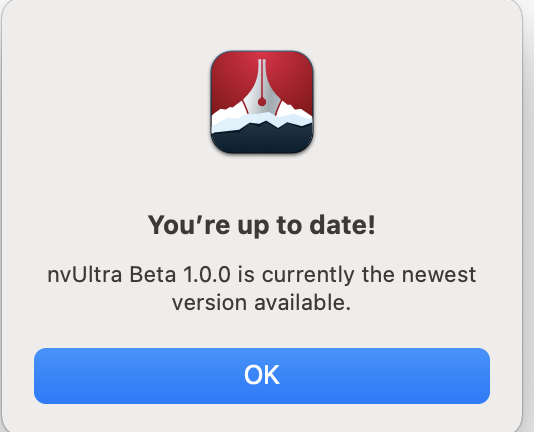
The 3 Macs all are using Version 1.0.0 (2022.06.20.19.30) (Build 82 presumably). When I Check for Updates, I get "You're up to date! nvUltra 1.0.0 is currently the newest version available."
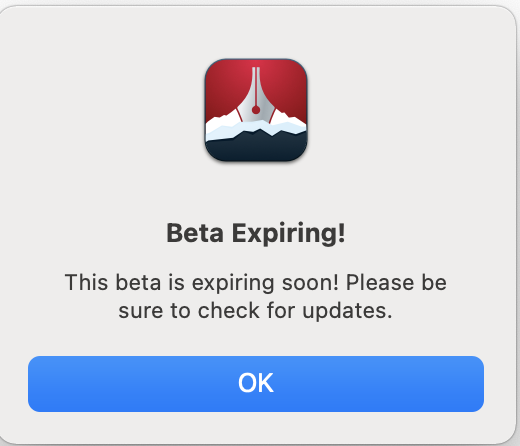
Ever since downloading nvUltra on my MBA M2, I was getting the threats mentioned in this thread: "Beta Expiring!
This beta is expiring soon! Please be sure to check for updates."Tonight I'm getting "Beta Expired! This beta is expired! Please download a newer version. The app will quit in 30 seconds." And then it quits. It's unusable for me on this Mac.
The date and time are correct on the computer. I rebooted, but this didn't change the situation. I deleted the plist (typed 'defaults delete com.multimarkdown.nvUltra' in Terminal) and that let me replay the Intro but the app still was expired and quit. I installed nvUltra from another user login on this computer, but that didn't help.
Is there a problem with expiration dates just on M1/M2 Macs? On Monterey? It seems strange that the same version is acting so different on different computers.
I downloaded Builds 80 and 81, and kept on updating from within the app, but Build 82 still expired.
0
Please sign in to leave a comment.
Comments
2 comments